



Cj24
Members
-
Joined
-
Last visited
Everything posted by Cj24
-
 :O This looks damn epic!
 -
-
Installation: Put the police.wft and police.wtd into your vehicles.img. Credits: - Model is original Dodge Charger by EA Games, modified for and converted to GTAIV by Lex91, modified to marked police version by Lt.Caine. - Wheels made by EA Games, converted to GTAIV by Lex91. - Whelen Liberty made by KevinDV. - Other lights and spotlight made by Cj24. - Liveries made by EVI, modified by Cj24. Files included: - police.wtd - police.wft - readme.txt - template.png - pic (1).jpg - pic (2).jpg - pic (3).jpg It is forbidden to upload this or a modified version for public without permission. Changing textures is allowed for personal use.
- 18 comments
- 9 reviews
-
-

- 1
-
-
Installation: Put the police.wft and police.wtd into your vehicles.img. Credits: - Model is original Ford Crown Victoria by Schaefft, modified for and converted to GTAIV by Chasez. - This version of the CVPI model has been modified by Bxbugs123 & Lt.Caine with permission by Schaefft and Chasez. - Rims By Bxbugs123, Textures By Lt.Caine. - Grill made by Schaefft, converted by Teddy. - Spotlights made by Cj24. - MX7000 made by Lt.Caine, converted to GTA IV by aznairsoftdude, modified by Cj24. - Liveries made by Cj24. Additional Notes: The steady burns can be activated using the taxi lights. Files included: - police.wtd - police.wft - readme.txt - template.png - pic (1).jpg - pic (2).jpg - pic (3).jpg It is forbidden to upload this or a modified version for public without permission. Changing textures is allowed for personal use.
- 12 comments
- 10 reviews
-
-

- 1
-
-
-
-
Rightclick on the part -> Properties -> Vertices -> Format and set UV Channels to 2.
-
It's possible for the author to edit the description/file using the "Upload new version" button. I really like that car, it's always nice to see good modders!
- 26 comments
- 17 reviews
-
I don't beat the idea. The quality of the skin simply isn't good. I'm no american and here it's not usual to celebrate his country that much.
- 16 comments
- 17 reviews
-
Nobody needs a skin for veterans if it looks awful. The quality of a skin definitly counts.
- 16 comments
- 17 reviews
-
-
- 1
-
-
I don't get faster internet here. I hate it. Especially because almost all parts of my hometown get 1GB/s now.
-
-
What new model? I get questions about this so often and it's always the same reply. Those cars are meant not to have much lights and I don't want to change that at all. As a lot people probably already noticed, I'm not releasing cars often anymore. I'm still working on some mods, mostly nothing special though. Please keep posting suggestions, if there are nice ideas I will probably do them.
-
Installation: Put the fbi.wft and fbi.wtd into your vehicles.img. Credits: - Model is original Ford Crown Victoria by Schaefft, modified for and converted to GTAIV by Chasez. - This version of the CVPI model has been modified by Bxbugs123 & Lt.Caine with permission by Schaefft and Chasez. - Rims By Bxbugs123, Textures By Lt.Caine - Avenger interior light, Spotlight and misc lights made by Cj24. - Police Computer made by Lt.Caine. - Liveries made by Cj24. Files included: - fbi.wtd - fbi.wft - readme.txt - template.png - pic (1).jpg - pic (2).jpg - pic (3).jpg It is forbidden to upload this or a modified version for public without permission. Changing textures is allowed for personal use.
- 18 comments
- 10 reviews
-
-
- 1
-
-
GPM is losing more and more members, it's not suprising it's dying.
-
Basically almost all music is blocked here unfortunately. Proxies and YouTube Unblocker ftw. I really like those light effects, I'm only not really into the lense flare...
-
You really think BPM made the whole car? Almost everybody knows he simply takes unlocked models and says it's his. That's why he's banned on quite a lot of websites.
- 12 comments
- 1 review
-
-
Try using a different savegame. It's often caused by cars parked at your save houses. Nothing wrong with the car.
- 19 comments
- 8 reviews
-
-
- 1
-
-
-
Installation: Put the pstockade.wft and pstockade.wtd into your vehicles.img. Vehicles.ide: pstockade, pstockade, car, STOCKADE, PSTOCK, VEH@VAN, NULL, 10, 999, 0.2097, 0.2097, 0.7, 1, 1.5 ,1, noboot+isvan+livery+truckfirefx Credits: - Burrito model by Rockstar Games, modified by Cj24. - Interior Cages and Divider made by Cj24. - Vision light bar made by Schaefft, modified by Lt.Caine & Cj24. - Mini Jet-Solaris and LIN6 lights made by Cj24. - Liveries by Break. Files included: - pstockade.wtd - pstockade.wft - readme.txt - template.png - pic (1).jpg - pic (2).jpg - pic (3).jpg It is forbidden to upload this or a modified version for public without permission. Changing textures is allowed for personal use.
- 22 comments
- 12 reviews
-
-
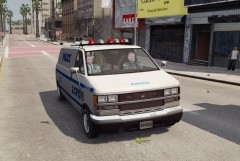 That's the long version of the Vision for vans, it has that much space.
 -
From the album: Cj24's pics
Vehicle coming soon. -
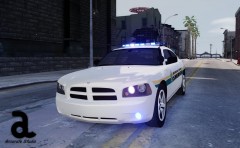
From the album: Cj24's pics
Coming soon.

