
Cj24
Members
-
Joined
-
Last visited
Everything posted by Cj24
-
 Meh, it says I'm a guest... :/
 -
You need permission for uploading KevinDV's or my mods. Next time, ask before uploading.
- 3 comments
- 1 review
-
Actually you don't show any modeling in your video.
-
-
-
-
Currently the rambar and the wheels are from 03+, while only older cars actually have black bumper trims. I'm not sure what kind of grill they use as I can't find any pictures but I guess it's the honeycomb grill. I'll change the trims and release it then, but as I'm working on several other things and I'm having a lot of exams currently, it might take some time.
-
-
Because I'm not pleased with the way things are done here, but that's a different discussion that ended months ago without any result and I don't want to start it again. Also, I want to keep control over my mods, and uploading it only to one page is the best way to do so. The database doesn't provide a way to post external links, so I won't post it there. Do you really think it's possible to hide with such a car? :P
-
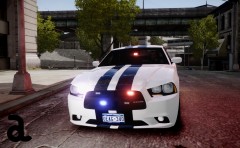
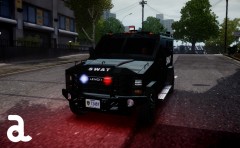
From the album: Cj24's pics
Now released! - Download -
-
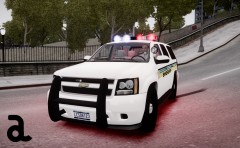
From the album: Cj24's pics
Now released - Download -
From the album: Cj24's pics
Something for our non-ELS guys! -
-
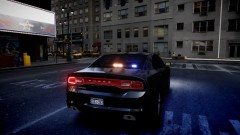 Forza 4 model with hoods and bumper from Stew2000.
 -
From the album: Cj24's pics
Back with a new GPU and several mods waiting for release. -
NYPD doesn't have WatchGuard and Radar systems built in their cars. Just wondering, why is the grill and several other parts grey? Some of them should be chrome, some black. And why is one part of the door grey and another white?
- 10 comments
- 2 reviews
-
Sam's improved default police cars have a modified version of Schaefft's and Lt.Caine's Vector. I like that Pinnacle, I also released one like that a long time ago, unfortunately it had very annoying errors and I never fixed them. Btw, the position of the destination box might be fixable with moving all dummies except chassis and wft dummy to the left.
-
I just don't like that color ^^ Btw, are you going to create a new template? The old one is a bit unusual and it's hard to create more complicated skins as the parts have different sizes, are stretched or even upside down.
-
Definitly a darker blue :P I prefer grey.
-
How do you want to know you started earlier? Btw, next time, ask for permission before using or even editing my skins.
- 22 comments
- 13 reviews
-
-

- 1
-
-
Is the interior still blue? :P Pretty nice work so far, I love the dirtmap!
-
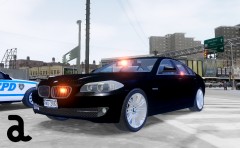
From the album: Cj24's pics
Now released: http://www.gta-modding-chest.com/database/grand-theft-auto-iv/vehicle-models/police-vehicles/75-2012-bmw-5-series-f10-unmarked-els/index.html -
-