


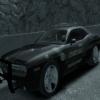


I saw a Sheriff Office Tahoe the other day at a convention that looked similar to this. Except it had the state of Texas on the doors. I really liked the way it looked and wanted to duplicate the look for the game. Instead of Texas I went with the Liberty City Islands. I think it turned out pretty good and want to share it with you. I did not design the Tahoe used. This is the Philly Tahoe created by Kevin DV, Bxbugs123, Lt. Caine, and Cj24. I hope you like and enjoy the skin.
Credits:
Tahoe model from GTA SA by Alex & converted to GTA IV by KevinDV, modified by Cj24
Whelen Liberty lightbar modeled by RGXLegends, modified by Bxbugs123, Lt.Caine & KevinDV
Liveries by txdeputy254
Template by KevinDV
Rims by Lt.Caine
Interior police laptop and seperator by Lt.Caine
Searchlight by Cj24
Whelen Avangers by Cj24
Files included:
-polpatriot.wft
-polpatriot.wtd
-TEMPLATE.png
-Read Me.txt
-Pictures


![國道警車 National Highway Police Car(BMW 530d)[Add-on|ELS|Rotating Lightbar]](http://s3-screenshots.int-cdn.lcpdfrusercontent.com/resize/500/-/monthly_2026_07/271590_20260622024235_1.thumb.png.3ff86895855bc073f6be361549132cb7.png)






![[FiveM Ready] LACoFD Safety Officer | Non-ELS |](http://s3-screenshots.int-cdn.lcpdfrusercontent.com/resize/500/-/monthly_2026_10/p1.thumb.png.e30635b7be762d418d8dd931ece7b2fe.png)



Recommended Comments
Create an account or sign in to comment