.jpg.059d83c88dbb08cb914d85b89a172425.jpg)

BlueLine16
Members
-
Joined
-
Last visited
Everything posted by BlueLine16
-
 I still can't get it to work either, it shows its on, i go past the limit with ease, says it's braking.... but doesn't work. how are you getting it to work? I'm not even doing lspdfr right now, just story mode and it don't work.... goes past the limit every time
- 126 comments
- 25 reviews
-
-

- 1
-
-
lots of crashing and doesn't work.... i can turn it on all day, and it won't cruise.... it'll go past the limit.
- 126 comments
- 25 reviews
-
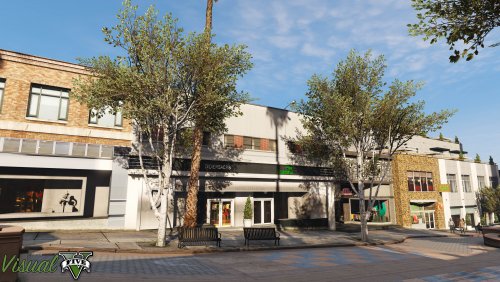 Can this be used if you don't have good graphics card? I think my computer was pretty basic on the minimal requirements to run the game.
- 42 comments
- 19 reviews
-
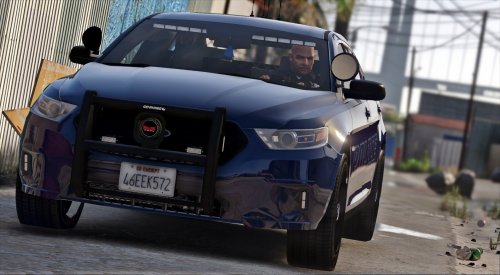 This thing is bitchin! Only thing I would change is the fender lights, take off those little pods and do the red/blue in the gills like the taurus cops do have. Great model!
- 31 comments
- 13 reviews
-
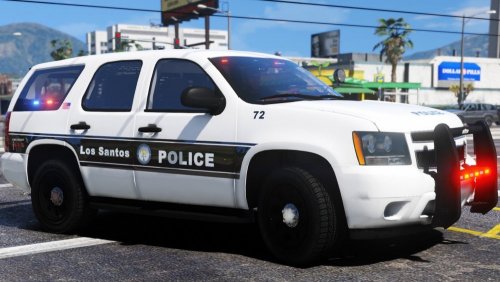 i imported the png's, but none of them worked on the venice pack, they are all still white with the venice skin
- 39 comments
- 12 reviews
-
-
-
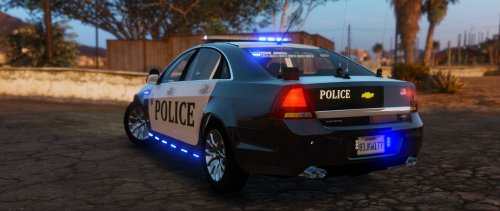
.thumb.png.debb2e8fd42b234303e9e2473fb894e8.png) Weird question i can't fix, So how to make the lights brighter? Normally i use a visualsettings that came with a mercedes police car a while back, always worked good, and also gave a drl style to alot of cars in the game, well as of the other night, it all of a sudden is making the red and blues, more of a pink and white almost.... any idea why? Or a fix for that? I notice these aren't too bright when in use so that setting really helped... just not clear as to why in the world all of a sudden, it don't work right. Update: Found the problem to be the simple trainer for some odd reason. Used the last version rather the new one, went back way it was. Also did notice the graphics were different, something about the resolution.... noticed game would open in a smaller window than before, and was a little laggy, now it opens like it did prior without slag.... so weird.
Weird question i can't fix, So how to make the lights brighter? Normally i use a visualsettings that came with a mercedes police car a while back, always worked good, and also gave a drl style to alot of cars in the game, well as of the other night, it all of a sudden is making the red and blues, more of a pink and white almost.... any idea why? Or a fix for that? I notice these aren't too bright when in use so that setting really helped... just not clear as to why in the world all of a sudden, it don't work right. Update: Found the problem to be the simple trainer for some odd reason. Used the last version rather the new one, went back way it was. Also did notice the graphics were different, something about the resolution.... noticed game would open in a smaller window than before, and was a little laggy, now it opens like it did prior without slag.... so weird.- 100 comments
- 39 reviews
-
So my computer updated the other night, since, when i loaded GTAV, it opened in a small screen, usually it goes fullscreen, or will go to "windowed" which is did, but small... well I also noticed now when i hit my lights, the red and blues are way off... not bright, and some that have light bars in the windows, 1 or 2 of the reds will be a red, just dim, and the rest in more of an orange color and the blues look like white almost....anyone experience this before?
-
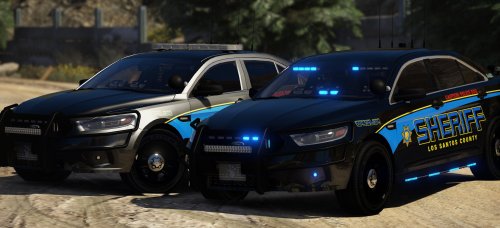 bummer there isn't an els file for it. I used the undercover crown vic one that came with that and the flash patterns are off big time
- 66 comments
- 31 reviews
-
-
 sure, i'll try to reinstall it first. I use the callout menu and it's all there, but hardly any of them will load. Only 1 or 2
- 329 comments
- 53 reviews
-
-
-
-
 What bugs me is the red and blue on the back window, light up at the same time, but the videos show it doesn't.... and some screenshots show some white with the grill lights and this one doesn't either
- 81 comments
- 25 reviews
-
-
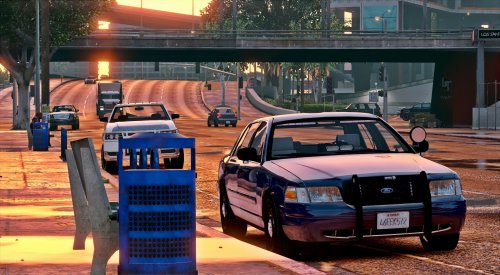 @POLICESCO could we possibly change the rear lights, rather have the whole bar or red and blue light up, have them alternate in sections
- 71 comments
- 24 reviews
-
-
-
 I think it's a great mod, great lighting, amazing, BUT, that handling is a pain.... and so far no fix or update to it from the OP, so i give it 3 stars. Bummed that handling can't be fixed.
- 65 comments
- 36 reviews
-
-
-
 I give it 3... the spawning of the warrants is way off, can be in LS, and warrant pops up way in sandy shores, no direction on the map, have to pause and look. Prison one doesn't work well for spawning, little more work this could be a really cool one.
- 156 comments
- 19 reviews
-
-
- 1
-
-


.thumb.png.debb2e8fd42b234303e9e2473fb894e8.png)