




BlueLine Vibes
Insiders
-
Joined
-
Last visited
Everything posted by BlueLine Vibes
-
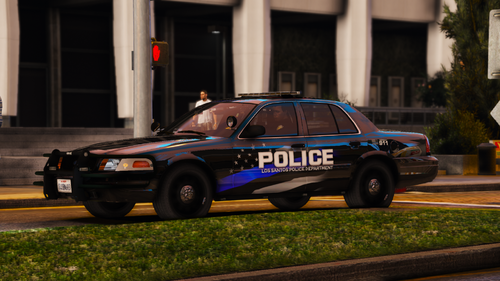 You say this is your first pack you have ever done? These liveries are quite good! I just replaced the livery for the boring polmav, now it looks 10x better. Thanks!
- 8 comments
- 1 review
-
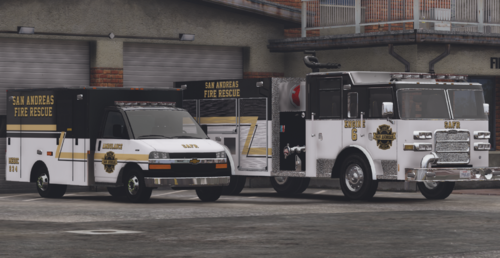 Very nice - Love the liveries as they are different than the typical red that we see.
 -
Yes. Just make sure you change the xml file as well. The police2 in the Frost88 pack is typically the charger for the model. If you want to rename this to sheriff, you potentially might need to change the handing ID as well in the vehicle.meta The sheriff slot should do fine, but taking sharp corners at a higher speed, you may notice the vehicle become unsteady on occasion and want to flip (not that bad with sheriff slot though). If you wanted to change the handling ID in the sheriff slot that now has the charger, you can rename the handling ID to police2 as it will be more stable. Just noticed your question was asked 3 years ago. Yikes .....
- 8 comments
- 1 review
-
-
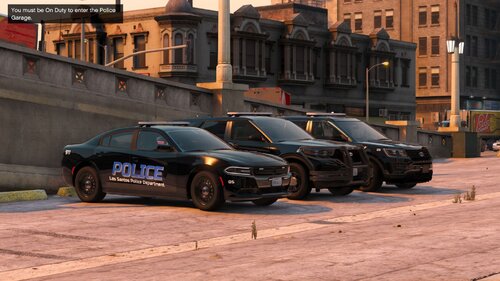 Cool vehicle pack, love the livery and lighting
 -
Did you install the mpclothes addon?
-
Glad to see people helping you out in the community. Only 7 years later, you get a response 😉 Yes, the meta files for the most part are usually a copy and paste job from other meta files, if I am being honest here. But you can go into the DLC meta and look for these values here as an example: <dirtLevelMin value="0.300000" /> <dirtLevelMax value="0.850000" /> change values to 0 Helps to have backup or even spawning in vehicles that will be at least 98% clean. BTW you would have to do that for each car.
-
You can achieve this also with Simple Trainer under the Vehicle God Mode Setting. Look for the settings feature of God Mode below the enabled and you can enable or disable certain aspects of God mode if you like. For example, if you want all the realistic damage to occur like normal but only want to enable a clean vehicle 100%, there is an option at the bottom for that as well. As far as backup responding dirty you can go to the vehicle meta file and look for as an example below <dirtLevelMin value="0.300000" /> <dirtLevelMax value="0.850000" /> Change values to 0 The vehicles do spawn in and also backup do respond with cleaner vehicles. I would say about 98% cleaner than normal.
-
-
 I am honestly curious about this "brutality lawsuit" now. Which callout or plugin is this from?
- 235 comments
- 32 reviews
-
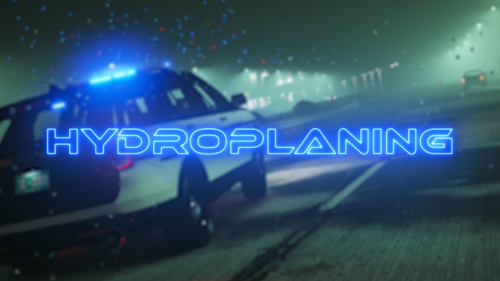 ✅ No FPS drop ✅ Easy Install ✅ Configurable Config ✅ Helps employee more Tow Truck Drivers 🚫 No water skiing on dry streets
 -
Do you get Hydroplaning if you are water skiing?
-
-
-
 Love the darker nights. However, was the moon intended to be viewed in the sky at all times of the day? Around dusk and dawn, it is pretty common to see both moon and sun, but not sure about every hour of the day.
 -
 Thanks for your honestly. Some authors would have more than likely said "Sure I will try and add it in the future" I respect that you are honest about it.
- 72 comments
- 6 reviews
-
-

- 1
-
-
Careflite is spelled correctly - we use those around the DFW Texas area.
-
 Cool, I will try it out, thanks
 -
 Very nice pack indeed. Loving the interiors and the lighting is phenomenal! Great work!
 -
 Works as intended. The only thing that I can think of to make this slightly better would be an audio cue or even a dispatch voice "Pit timer has expired" just as a rough example. If you ever think that is something that other LSPDFR players would be interested in, I could send you over some Audio files for you to pick from. Feel free to DM me here on this site. Demo for this plugin will be out tomorrow. EDIT: After posting my comment, I literally just read that you might plan on adding Audio Cues 😆
- 6 comments
- 6 reviews
-
-
- 1
-
-
.thumb.jpg.68046a4b42381bd4f48080c95d5bcb9a.jpg) ✅ Will find your keybinds ✅ Don't have to have your game open to find your keybinds ❌ Will not find my ALT F4 keybind for some reason. I keep pressing it, but the stupid mod keeps closing. What am I doing wrong??
✅ Will find your keybinds ✅ Don't have to have your game open to find your keybinds ❌ Will not find my ALT F4 keybind for some reason. I keep pressing it, but the stupid mod keeps closing. What am I doing wrong??- 25 comments
- 10 reviews
-
-

- 1
-
-
 ✅ Printer in your car giving issues? Slap the printer button in your cruiser to print out that citation, you will know if you slapped it hard enough as it will make a sound ✅ Breathalyzer not performing well? Tap your portable breathalyzer gently, if you do it too hard it makes the mouthpiece fly off. You will know if you tapped it enough as it will make a sound ❌ Description too long and detailed. Makes me think this author used ChatGPT, sounds plagiarized
 -
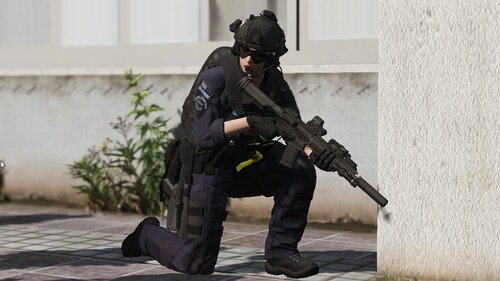 Спасибо за загрузку. Я несколько раз устанавливал жилет Hanko, но все еще пытаюсь понять, какую рубашку он должен заменить. Это Under Armour длинный рукав? Короткий рукав? В какой папке он был найден? Что-нибудь, чтобы сделать инструкции более понятными, точно так же, как я использовал Google Translate для вас, вы можете сделать то же самое для нас, так как 99% из нас говорят по-английски. Спасибо.
 -
 EDIT: Thanks to Venoxity - Mod update - things working great now.
 -
Replace vehicles seem to work very well. However, I am having some issues with "some" vehicles in an addon pack. Very odd, that I can get this to work with one of the vehicles inside the same pack and two others I tried, is a no go. I checked the addon pack vehicle.meta file and could not really see any variation as to why some work and others do not.






.thumb.jpg.68046a4b42381bd4f48080c95d5bcb9a.jpg)
