




BlueLine Vibes
Insiders
-
Joined
-
Last visited
Everything posted by BlueLine Vibes
-
-
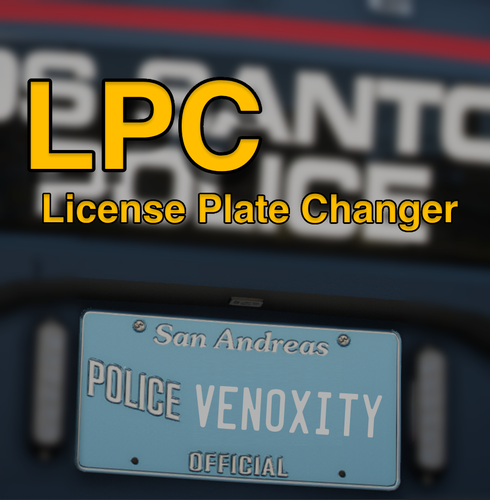 Definitely going to give 5 stars on this. It did take a bit to get use to the formatting, especially when adding in special units like EMS / FIRE. Thanks to @Venoxity for his help on the proper formatting, I have learned new things. I like how you have more control yourself of what the plate numbers / letters will look like on different classes of vehicles. It makes it extremely easy to read the plates and when you have been playing this mod for as long as I have, it is indeed a welcome luxury. I have my law enforcement as LEO-4525 <--- as an example the LEO will be the same for all LEO vehicles and the numbers will vary per car. I have my Ambulance as EMS-6243 <--- example as mentioned above - All Ambulances will be EMS and numbers will vary I have my Fire Department as FIRE-928 <--- another example I have my Blaine County Sheriff units as BLAINE32 <--- yes I have no imagination 🥸 I have my Gang Unit Under cover Vehicles as IM UNDRCVR <--- okay maybe not, but you get my point 😆
- 56 comments
- 8 reviews
-
-

-

- 2
-
-
 Hey @Tom3k. I appreciate your hard work on the configs, it does not go unnoticed. Question: Will this config work with the EUP 9.9 beta version?
- 366 comments
- 17 reviews
-
I can DM you a Demo video link - Don't want to list it here as to take away from Venoxity's Plate Mod.
- 56 comments
- 8 reviews
-
-
- 1
-
-
You can try it out as it feeds off of the Stop The Ped audio folder which gives accurate feedback at least if you use other mods like Compulite etc.
- 56 comments
- 8 reviews
-
Do you have Stop The Ped installed? You could go into your GP Menu ( Left Control + F2 ) go to Use Natives > Set that to <NO> so that it will call on the StopThePed Audio instead. It's nice to hear a more detailed response from dispatch as well (Clear, Expired, Stolen, Warrant) etc. Personally I have not had any issues with this script and the plate return audio.
- 56 comments
- 8 reviews
-
-
- 1
-
-
-
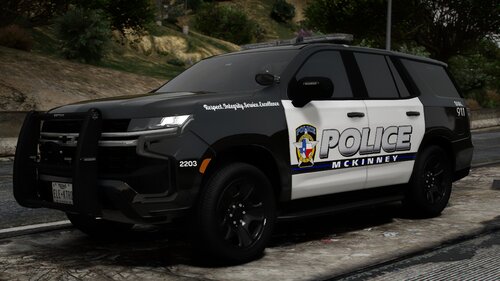 Stay safe with the ice and snow there today.
 -
 Sure you can do that. There are plenty of programs to "borrow" that sound. They would go into the Prowler radar folder under audio. There are also WAV file editors as well to trim it up a bit and also to create a volume level of the WAV file from 1-5 for example. I can probably do that and edit it a bit. I will see what I can do an then upload it on the discord or perhaps share it out via my website. I can't post links here but you can find the links on my channel.
- 234 comments
- 37 reviews
-
-
- 1
-
-
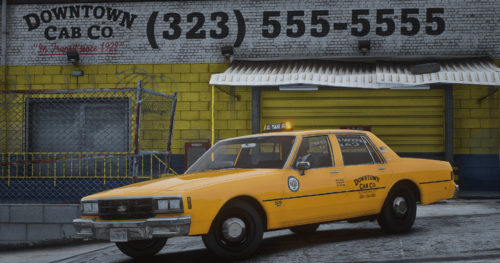 Best old school taxi that I have seen. Love how old school it looks. Gives me those GTA IV vibes. 5/5 And you don't have to worry about the glare from the taxi lights.
 -
-
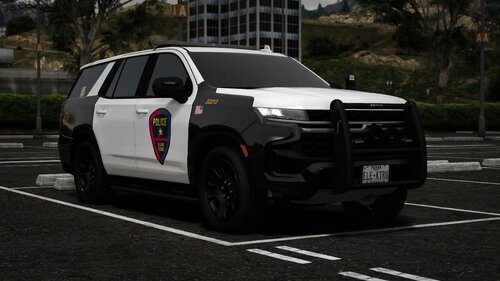 Great looking pack!
 -
Small world. Great job on this pack.
-
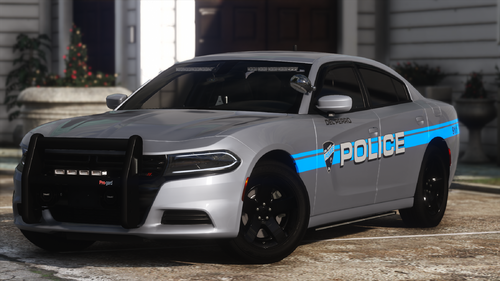 These are looking great RangerZ. I like that Light Blue on the gray
 -
 No one responded to you I see. Go to the ambulance.ytd file and edit in OpenIV. Search for the word sign at the top of the YTD. You will see the "Template" that was included by the author for whatever reason. Just delete it out. Save and done.
- 209 comments
- 40 reviews
-
-
- 4
-
-
That taxi is sexy man. Great job
-
 I am all for faith based motivation. After all we need that encouragement when I have a ped try and shoot me in my face or stab me with a 12" inch knife. but .... at least I can chill and see the motivation on the screen and it brings me calmness.
- 38 comments
- 4 reviews
-
-
-
-

- 15
-
-
-
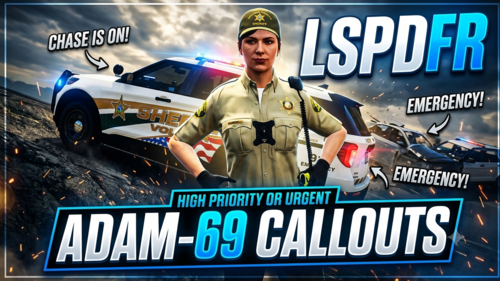 Decent callouts. I have noticed that the Bicycle pursuit plays no audio and immediately Code 4's the call. It might be that the call is spawning too close to me. I will have to test it out more. The lost dog is on the freeway, animal control will not pick up the dog, no idea how to find the owner. Can't interact with the animal as well.
- 45 comments
- 5 reviews
-
-
- 2
-
-
 Been using this plugin for the past 2 months. Some would argue that there is no need for such a plugin. If you have Callout Interface and are happy with it, then you would be 100% correct, you don't need it. However, for those that do not use Callout Interface, or are like me and just have decided to uninstall Callout interface (for now) it is refreshing to see a plugin like this. Triggers the callouts you want ✅ Has a configurable Delay and closes the menu ✅ Helps developers testing the specific callouts allowing easy troubleshooting ✅ Helps content creators choosing specific callouts and smooth transitions with the delay function ✅ The only thing I would like to see added in is a configurable AOP (Area of Patrol) Some callouts are AOP based, if we can set a AOP it would be nice. For example: Do not trigger the callout even if I select it, if the callout originatest > 500m away. Just my thoughts and since there were over 4 thousand downloads and people are too F**king lazy to leave a review. Well there ya have it 😆
- 22 comments
- 1 review
-
-
-
-
- 3
-
-
-
 Normally I exhaust all efforts before I post a question on the forums. I usually like to find things on my own. But I am curious about the Fuel System bar. For the life of me, I can't find where to move the XYZ coords. I would like to raise it up above the minimap at least as it is covering part of the health/armor. I looked all through the config and and simply can't find where to edit that. Not one person on here has had this issue yet. Any help would be appreciated. F5
- 285 comments
- 32 reviews
-
TIP: If you ever want to know where the pathway is for an OIV and what original files you can replace out of your mods folder. Take the OIV and rename it to ZIP. It is now a Zip file. 👍 I am not biased towards one mod or another. I will have to take a look at this mod.
- 285 comments
- 32 reviews
-
-
- 1
-
-
I think he might be referring to an AOP? (Area of Patrol) - But correct me if I am wrong here, I think your plugin is meant to trigger the callout. He might be thinking of how Callout Interface and Callout Manager worked, you could put in a certain distance like 500m (just an example) that way if a call triggered on Mount Chiliad, you would not get that call if you were down in the city. Maybe I am totally wrong as to what he was asking about 😁 Either way, not a bad idea to perhaps include that into this plugin if possible.
- 22 comments
- 1 review
-
-
- 2
-
-
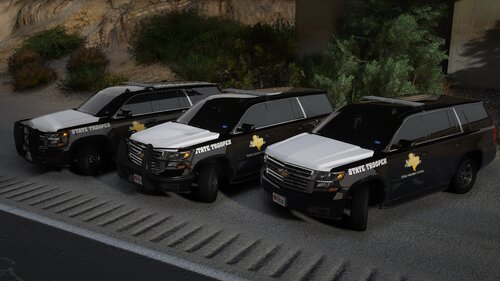
.thumb.png.b9e18d9931090871b064059f2c315cf8.png) The plugin definitely adds an entirely new level to your patrols. Hope to see some great things added in. Off to a great start.
The plugin definitely adds an entirely new level to your patrols. Hope to see some great things added in. Off to a great start.- 670 comments
- 19 reviews
-
-
- 2
-

.thumb.png.b9e18d9931090871b064059f2c315cf8.png)
