




BlueLine Vibes
Members
-
Joined
-
Last visited
Everything posted by BlueLine Vibes
-
-
 Already available if you have it set to S_ for the direction. SA = Stationary Away SC = Stationary Closing S_ = Both lanes of travel (say if you are shooting radar in the median of a highway for example But I have a feeling you might be asking if he had plans to update to a Double Radar (One on top and One on Bottom perhaps?)
- 234 comments
- 37 reviews
-
-

- 3
-
-
-
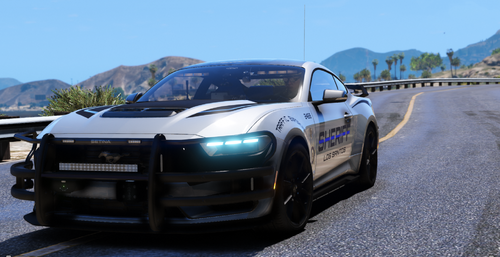 Great vehicle inside and out
 -
 "If it's already out there, please let me know" Well technically not a mod but "SetDayTime" in F4 RageConsole. I do appreciate your work on this and I will try out your mod.
 -
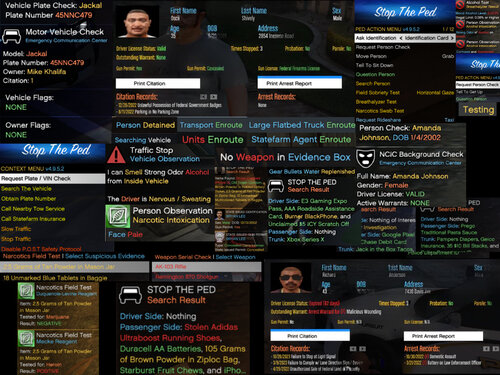 Anyway to get rid of the entire menu system and just rely on thorough knowledge of the STP Menu? Of course would be ideal with a Stream Deck for MultiAction key presses 😆
 -
 No problem, this will be a common issue for most that use that Dispatch mod. You have approximately 12 seconds to respond and since 91% (poll I did) people wanted more descriptive type of callouts, it will sometimes push over that 12 seconds. So gotta hit that Y key to accept and then interact with dispatch as you are heading over there. Takes a bit of practice, but looks good when you get it right.
- 1,347 comments
- 82 reviews
-
-

- 2
-
-
That is a different plugin causing that, not GP as GP has no impact on animations. I am assuming you are using the LSPDFR menu (M key) police radio and setting the animation that way correct? You never watched the DEMO of the BlueLine Dispatch, as I discuss that on that video 😆
- 1,347 comments
- 82 reviews
-
-
- 1
-
-
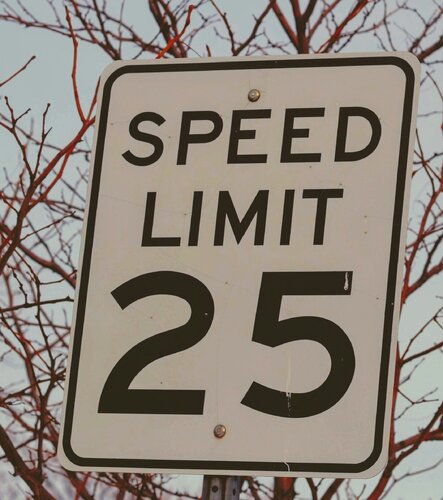 Interesting concept. Do you have an option for Imperial for the speed by chance? Also, perhaps a way to not get the notification with the wording on the screen? I will follow the progression. Thanks for your time and effort on the mod. 👍
 -
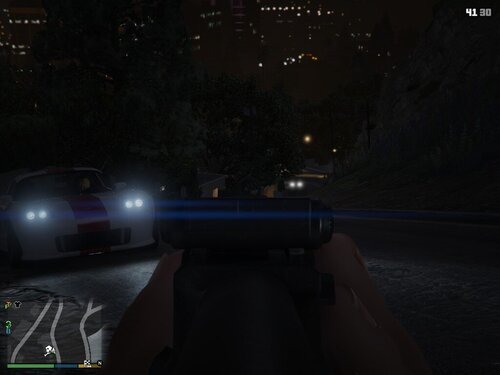 Is this mod different than this one here? Just curious since it is the exact same name. https://www.gta5-mods.com/scripts/forced-first-person-aim
 -
-
-
 We use to have a plugin sort of like this several years ago. It was called "Police Tool Box" or something like that. However, the player would have to select that in the menu and have the news crew show up. The news crew van would show up and it would have 2 people I think, one was broadcasting with microphone and the other had a camera 😉
- 40 comments
- 8 reviews
-
-
- 1
-
-
 @Sparky81 You may need to go back and correct the audio wav name files within the Platecheck audio. It will play A-Z and 0-9 wav files though.
- 62 comments
- 3 reviews
-
I have to admit, this sounds very intriguing @Yasd appreciate all of the work you put into this.
- 40 comments
- 8 reviews
-
-
-
- 3
-
-
Is this for any police station on the map? It appears that LSPDFR is loaded in as I can see the notification at the top left and I see the icon. Try this: In game press ALT + ENTER and see if you can get to Windowed mode, now try to press E to enter station. If that doesn't work, Press ALT + ENTER key again to get back to Fullscreen and then try once more. You can also try the main station at mission row at the locker room. You might consider getting a trainer and turning on "Never Wanted" as the Police chief usually looks down on his new recruits having 4 bullet wounds actively bleeding all over his newly polished floors 😆
-
 Forgot I added a video if you others want to see how it works.
 -
.thumb.png.b9e18d9931090871b064059f2c315cf8.png) It's 0.9.4 Can't see why it would not work unless there is an issue with your keyboard. You are pressing Left Control + H correct?
It's 0.9.4 Can't see why it would not work unless there is an issue with your keyboard. You are pressing Left Control + H correct?- 660 comments
- 18 reviews
-
@Sparky81Did get a crash related to the StreetRace Ambient event if you wanted to take a look at that. I just turned off that particular ambient event for now, so no biggie.
- 62 comments
- 3 reviews
-
To some degree yes, there is plenty of features inside Traffic Policer that is not found in Stop The Ped, UB or Compulite, also vice versa. You would need to pick and choose as to certain aspects of the mods that share similar features. For example the breathalyzer. STP and Traffic Policer will undoubtedly give different readings. But for the most part, I would say they are very compatible. Problem is, just trying to find new room for all the keybinds. Not to see the speed zone. Only mod that I found if i remember right was SimpleHud older versions. But you can do what i like to do and just monitor speed for a few minutes and determine the average speed, For example: If most are going 55-65 mph - then set the speed zone for the radar to around 75mph and RP it out that the speed limit is 60mph and you give a 10 mile leeway
- 62 comments
- 3 reviews
-
-
I agree - It was a great Callout Pack back in the day Yep, even if people want to download and only use it for the Ambient events. Nothing like pulling over a vehicle and you think all is well, suddenly the driver tazes you and the passenger gets out and pours gas on your car and lights your car on 🔥 - Good times!
- 62 comments
- 3 reviews
-
-
-
- 5
-
-
-
-
 Still works 100% - you need to download the latest RageNativeUi Mod still works if you update your RageNativeui
- 238 comments
- 24 reviews


.thumb.png.b9e18d9931090871b064059f2c315cf8.png)



