




BlueLine Vibes
Insiders
-
Joined
-
Last visited
Everything posted by BlueLine Vibes
-
.thumb.jpg.86787d71aa4c2c08ce4c730a283ec290.jpg) Combat pistol is decent Carbine Rifle is pretty good Pistol needs some slight work as the echo cuts off a bit on the left
Combat pistol is decent Carbine Rifle is pretty good Pistol needs some slight work as the echo cuts off a bit on the left -
Double check that you do not have any kind of shaders installed. For example there might be a NVE reshade or Reshade asi in the main game directory. Reason I am focused on this, is that Reshade has been known to crash ELS for the past 4 months or so. If not, maybe reinstall ELS again, double check that you have Script Hook V installed.
-
 Happens every time for me. Maybe because I am using Skin Control? If I have the box attached to my hand and pick character again in my Skin Control menu, or even switch to another save model, it does drop the box on the ground. I can pick the box back up, but then it becomes attached again and can't get rid of the box. Am I assuming in order to get rid of the box, I just select Box again or perhaps End Animation? Tried that and it just repeats the animation of holding the box. Hope that makes sense. EDIT: Figured it out, it's the 2.1 version that will not allow you to drop the box. 2.0 works well.
 -
Well if you have Reshade installed, you have your answer. Uninstall it
-
That is already part of LSPDFR in the M menu under Actions
-
Great addition to the patrols. Love the Box animation, but unfortunately can't get rid of the box 😆 Can't end the animation, but I can switch to other animations with the box still on the hand. But other than that, great job.
-
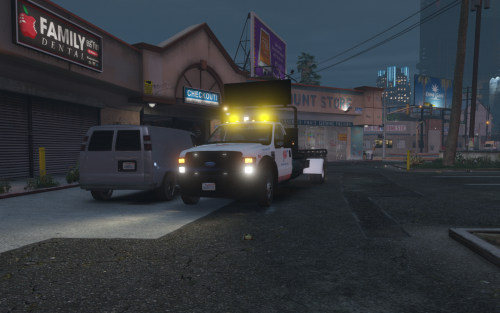 Wanted to give you a review here. 5/5 Thanks for the carvariations, vehicle meta and ELS xml file as it helps the arrow board and the sirens to be off when AI show up for tows. BTW, for those that have Stop The Ped installed and are wanting those coordinates to help get the vehicle on there better. I found these to work fairly well. Under [TowService] in your Stoptheped.ini file - Do a Left Control + F to find "tow" as it is easier to find. // The offset coordinate (X, Y, Z) to put target vehicle on flatbed or small truck. It is floating numbers (may be negative) with comma delimited FlatbedOffset=0.0,0.5,-0.3 SmallPickupOffset=0.0,0.0,0.0
- 45 comments
- 12 reviews
-
-

- 2
-
-
Have Reshade installed?
-
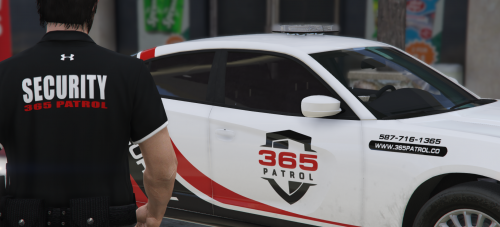 Livery looks good and also the polo. Any chance of getting the year model on that charger? 😉 Also notice Update 1.1 1x 365 Patrol Tahoe Livery 1x 365 Patrol Explorer Livery 1x 365 Patrol Van Livery download includes the charger livery only. Others not in your download?
 -
Press ESC > Settings > Keybinds > Cellphone = profit
-
You need to download the latest version of RageNativeUi. Stop The Ped, Ultimate Backup and Compulite all have severely outdated RageNativeUis in those downloads.
-
 Just a quick FYI on the Font conflict if it helps. Ruslan updated ViewPointV font on January 28th, so that it doesn't conflict with other fonts in game (SimpleHud, Compulite, other menus etc.) The only thing I noticed was the direction was still a bit off after I reinstall the ViewPointV new font oiv. (Direction as in | N | font was showing the typical box font. Could still be on my end though.
- 554 comments
- 26 reviews
-
 I remember this plugin, did a video on it like 2 years ago. It is actually pretty cool and if I remember right, there are a ton of callouts within the script as well. Appreciate you working on it.
 -
 Searchable items are on point. Thank you for the consideration of shortening up the names a bit. Should help a lot of people out and look nicer on most people's patrols.
- 34 comments
- 14 reviews
-
-
- 1
-
-
-
-
-
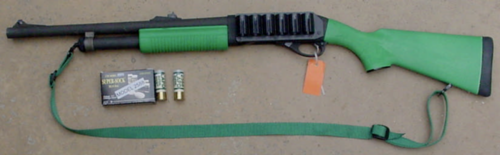 Good deal
 -
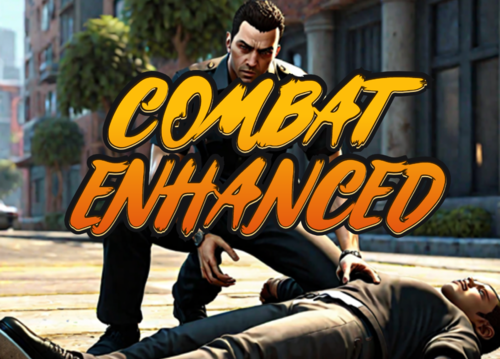 Ricy quick question, since this replaces the shotgun (example MK2) is it possible to get a sound with this replacement or shall we look elsewhere to replace the sound. Thanks.
- 84 comments
- 9 reviews
-
One Year Later .....
-
 Would love for this pack to get updated. Crashing on ending of the Panic button callout. Shame
- 36 comments
- 14 reviews
-
 4.5 / 5 - need some thud sound 😄 THIS IS SPARTA!!!
 -
.thumb.png.68ede3993cd68a407ed189d606500e4d.png) Why upload a siren without a demo?
Why upload a siren without a demo? -
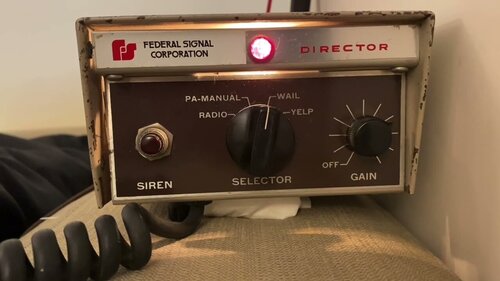 Decent sound, but is it loud enough? Might be just the YouTube recording.
 -
 A brief demo would be good as you have people like myself that pass through and just want to hear how it sounds without downloading it. Yes I am that lazy.
- 7 comments
- 2 reviews
-
-
- 1
-

.thumb.jpg.86787d71aa4c2c08ce4c730a283ec290.jpg)




.thumb.png.68ede3993cd68a407ed189d606500e4d.png)
