BlueLine Vibes
Insiders
-
Joined
-
Last visited
Everything posted by BlueLine Vibes
-
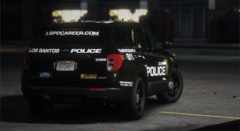 Released and removed
 -
-
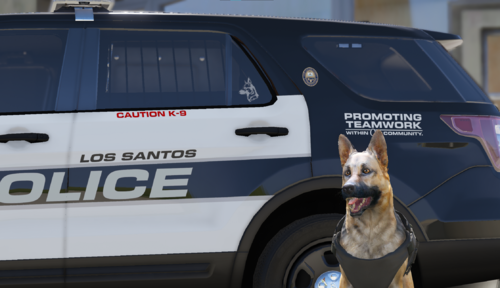 Nice work! Sad to see that you removed the [ELS] [Reflective] LSPD (Houston Police Dept) Pack - Did a whole car install tutorial based off it 😆 I will remove the link from the video. Hopefully the Harris County will stay as that was included in the tutorial as well. Thanks for your work. EDIT: Looks like it is back up on the site? I will add the link back to the vid with a note about the vehicles absent.
 -
 Awesome, thank you for your hard work Faya 5/5
 -
-
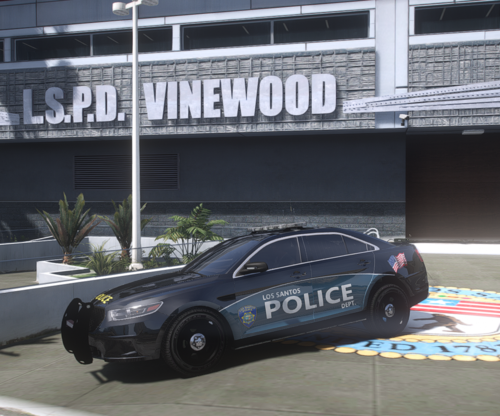 Interesting choice of file extension
 -
-
Sadly none of these fixed the issue for myself. I do not use LML and never have, I do not have any custom maps or DLC addon car packs as well. ASI loaders unloaded reloaded. NVE addons were checked twice and not listed more than once in dlclist. Seems to occur when lspdfr loaded and on duty. Don't even have to be in a vehicle for it to happen. Usually about 12-15 minutes into the game, I get either els.asi crash, or trainverv.asi crash. I will have to uninstall and go with a different visual pack for now.
-
@cPerfects You sound a lot like myself with all the OCD Trial and error efforts. I had officially given up on NVE with Reshade, totally uninstalled it. Not great when I am partnered with Razed mods on my YouTube channel. However, I had content to produce and I can't make content when said content crashes every 15 minutes 😄 I am willing to try and reinstall this again with the latest release. My last attempt at this was in Early October. Fingers crossed 🤞
-
 Lucky! I'm still on my Morris Code, but I am updating a bit for the Telegraph.
- 47 comments
- 10 reviews
-
-

- 1
-
-
-
-
 Didn't see any text like above. I will attach the bottom of my Rage Log.bottom of rage log.txt
- 264 comments
- 21 reviews
-
Tried on numerous occasions to get the AI to stow the weapon but does not seem to be functioning at least on my end. Things I have tried: 1. Unloading plugin & loading plugin 2. Enabling AI and Disabling AI, unloading, reloading, then unloading, going to ini and enabling, reloading just ini, unloading then reloading 3. Copy player location of weapon for AI 4. Assigning designated accepted weapons to match player (i.e. weapon_carbinerifle) since it was only showing weapon_carbinerifle_mk2 5. Disabling Realistic Weapon system from Stop The Ped, then enabling again when it didn't work 6. Ultimate Backup - spawn with copy of weapons from player 7. Ultimate Backup - giving AI specific weapons (i.e. Carbine Rifle) and other weapons 8. Ultimate Backup - calling for Swat, Noose, then Equip and Stow Got it to work once, but it might have been just a fluke, gave the AI a very unusual weapon stow xyz coordinates, saved the ini outside game, reloaded ini, unloaded and reloaded plugin. Dismissed all Swat and Noose Peds, except my own official partner. Got into my vehicle, drove for a few minutes, got out of car and the weapon was stowed around the same location as my own location. Dismissed that partner, and got another partner. The partner went right back to stowing it into the abyss or up his ass, not sure which. Any assistance would be great @Will It might be on my end. Could it have anything to do with the Fast Draw Script? Have not tried uninstalling that yet. Surprised not one single other person has had this issue. Leaves me to believe it is either on my end, or people are just not talking about it in general. I will report back any findings.
- 264 comments
- 21 reviews
-
-
@Rohit Can you please provide an install guide, or can you maybe do a DM and walk me through it? I also need to know if this will run on my Windows ME setup. Thanks!
- 47 comments
- 10 reviews
-
-

-

-
- 5
-
-
I am excited for this callout. Heard great things about it. Heard the coding is topnotch and very unique.
- 47 comments
- 10 reviews
-
-
-
-
- 3
-
-
-
 This mod replaced 2 other of my mods and it's functionality is great! Easy to install as well! 5/5
- 446 comments
- 16 reviews
-
-
-
-

- 4
-
-
 Been using it for several months and I love it. Easy to install and looks great. 5/5
- 554 comments
- 26 reviews
-
-
-
- 2
-
-
Loving it so far. I was using BVA (Basic Vehicle Actions) for years and it was becoming outdated slightly You have done a great job so far! "I also would love to hear the keybinds you guys have in mind to help not conflict." The only thing so far that I can think of is the G key by default for the engine. Of course this is easily correctable in the ini. I made mine the i key as it does not interfere with the Stop The Ped main menu function and I can't think of anything currently like ELS, STP or UB that would interfere with the i key. But once again this is easily correctable as per user. Just remember you can't make everyone happy 😉
- 446 comments
- 16 reviews
-
-
- 1
-
-
-
Oh, good news then. I had always thought it was needed to update the mods folder after a GTA 5 update. @MichaelYoder - No need to update your mods folder if you have one. Just stay with the one you have. Just listen to the others that provided the tips here.
-
Well alrighty then
-
Daywalker, my apologies, I thought you could have read my sarcasm. I was giving you a complement.
-
Just to ride on the back of UnknownBasition and Cyan: UnknownBasition & Cyan are 100% correct on this. LSPDFR will typically spawn in police vehicles (more than likely the same type of vehicles you have currently installed) they spawn nearby, further away and then eventually come within play render view of your character. Note that it can even be a few streets over. Then Lord forbid you press a Panic Button! Most are not aware of a Megabyte Hard limit imposed by Rockstar on vehicle model size. Whether that be a yft or ytd type of file. The consensus for the Megabyte hard limit imposed is fairly close to 25mb to 30mb, give or take a mb or so. So you can probably guess the trend that most vehicle mod authors have been going with and that is 4k textures. Because we all want those 40mb worth of Police Computers, Radios, Starbucks Cups, Ticketbooks, and printers that you will never see, even in first person *sarcasm off* I won't mention much more as UnknownBasition and Cyan covered great recommendation with the GTA Resource Adjuster and take a good look at your car models sizes. Focus on that ytd, there is are ways to reduce those file sizes and vids out there that go through Step by Step on how to maintain top quality and still cut the ytd size in half. (Probably not advisable to self promo my vids here) Good luck!


.thumb.png.e567a3de0453437ef4736835eeeb0149.png)
.thumb.png.4d05ed2be6ced590c3523e17e0be4998.png)