


dralis83
Members
-
Joined
-
Last visited
Everything posted by dralis83
-
lol, who would have thought of that, PIP "Pee'in in Public" is a common offense!
-
Make sure your Gta IV directory isn't "Read only" try re-installing LCPDFR without clicking xliveless use dsound and make sure you have the latest .NET Framework and always run as Adminstrator and in your GTA IV directory look for LaunchGTAIV its an application use it to start the game, or if using EFLC use launchEFLC as admin, I hope this helps :(
-
Gotcha you need to update your If you are receiving this error message, you need to install the .NET framework
-
Might try making sure the Gta IV directory isn't "Read Only" untick it and try again see if that helps
-
I wouldn't I would use the police1 and police2 IMO as stock cars, so you don't have a bunch of AI ELS cars driving around which is causing your crashes, but if you don't want to have the AI using the stock cars, you will need to change the variable in the ELS.INI file I believe you need to look for AI els SP and change the vaule to either 1 or a 0 in the Single Player "SP" so that your ELS cars in the police1/2 won't use there lights. On the ELS V5 just google gta iv ELS v5 download, I would send a link but im at work right now and unable too... Hope this helps and is understandable!
-
What Tom. H is trying to say is yes you can use ELS cars, but mod them in Polpatriot or FBI or noose, so that they don't show up and overload your memory. I use the stock police and my own els car and I can play for 6hrs straight no crash nothing. IMO I'm using ELS V5 which I think is more stable. And In the ELS.INI file look for ELS ai turn the varible off which will help alot.. Hope this helps and enjoy!
-
Ya, trying to fine tune it, got rid of the echo and trying a few other things...
-
Sound wouldn't be bad, but have to keep in mind, to have sound you would still or should have text, there are alot of people that play G 17's awesome mod, and could be "deaf" should be equal to all!
-
http://www.youtube.com/watch?v=ykl6DwbiLnE&feature=youtu.be was running a test with audio- sorry for the audio working on it, also gotta love physics of gta iv, this guy hit a divider fliped and landed back on wheels and kept going keep an eye on 3:05
-
GTAIV and EFLC: trainer.asi, trainer.ini, scripthook.dll into the GTAIV main directory (c:program filesrockstar gamesgrand theft auto IV on X86 windows versions, or c:program files (x86)rockstar gamesgrand theft auto IV on X64 windows). AND trainertlad.asi, trainertlad.ini, trainertbogt.asi, trainertbogt.ini, scripthook.dll in the EFLC main directory (c:program filesrockstar gamesEFLC on X86 windows versions, or c:program files (x86)rockstar gamesEFLC on X64 windows). dashcam put the files in the scripts I believe haven't done it in awhile, also read the "Readme's" that come with the program, very simple to read and understand!
-
IvDashcam can be found on the download section of this site, and google simple native trainer gta iv and thats the program that is nice to have fixing your car, spawning things ect... Remember "google" is your friend... And on the "howto" they come with 'readme' files which explains howto and is very simple good luck and enjoy!
-
I have the steam version gta iv and EFLC and I have never had a problem.. Would strongly suggest doing a backup since you will be downloading approx 15gigs!!!!
-
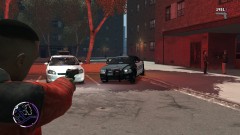
From the album: Cars Used
-
Just a few cars I use when playing LCPDFR. Thanks to those that made these cars available!
-
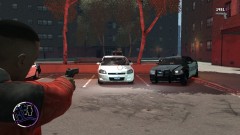
From the album: Cars Used
-
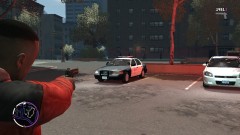
From the album: Cars Used
-
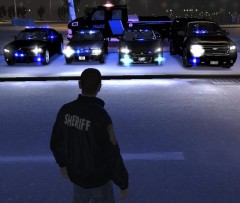 Love the GMC very nice!
 -
In the trainer.ini file look for the disablekeybindings and turn the value to 1 I think or its 0 and then save the file, not sure i'm on duty atm and not at home computer but will help more if not answered in a bit... I've noticed having alot of high- poly cars can create lots of problems I wouldn't suggest more then 2-3 IMO..... No offense, just quick thought, make sure numLK is active
-
nice great work
-
Actually Jam, i had have your mod for months and its because of the DDoS problem, because while in game for the past months have worked fine, and all the sudden when in game "I'm not able to log-in to save my stats to the site" so I re-downloaded LCPDFR and get the same problem, its the DDoS!!!
-
Thanks Jay, can close post
-
-
Just curious of what people think and even if it would be possible. My department has a ford f-150 with a trailer with a Polaris RZR would it be possible to code or mod a trailer that would be able to hook up to a f-150 or a tahoe? I've seen a golf cart with police skin and lights, I think it would add an awesome experience when patroling the beach or parks. You would be able to pull over jump out of your truck and pull the RZR or Golf cart off the trailer and patrol when done drive back on trailer ect..... I think it would be possible using snt to spawn the trailer and rzr or golf cart but would it be possible to "hook up and pull a trailer in gta iv"? Let me know what everyone thinks I think it would be a great addition to the realism. I play LCPDFR for the pro-active reasons, I don't do the call outs except maybe a couple aides in police chases, since they are repetive, I check alleys, vehicles, do traffic stops, check around vacant houses/ business's at night for suspects standing around ect.... http://www.youtube.com/watch?v=jkQn8O2_hj0 Not ours but an example
-
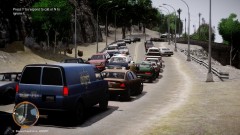 I've seen this area before on other pictures, what island is this at?
 -
clip capture is in the "ingame" options menu

