
Nemesisx101
Members
-
Joined
Everything posted by Nemesisx101
-
 Can’t really comment I’m afraid. Player character speech patterns are randomized (and not guaranteed to trigger if conditions are met) so play-sessions/scenarios will vary. Aim to be somewhat realistic/organic and not be obtuse about things. Extensive presets—Preview ones being latest builds—have the most features.
- 179 comments
- 4 reviews
-
Oh, sorry about that (glad you figured it out yourself)... I used an archived download package of PursuitMusic with missing pathing. Thanks for letting me know, and you're absolutely right. I'll reupload again.
- 179 comments
- 4 reviews
-
@kingconstrushen Thank you for reporting this. I’m reuploading with a fix for one of the wanted tracks too. The issue has happened before-- I'll let staff know @SuperPyroManiac
- 179 comments
- 4 reviews
-
-

- 1
-
-
@Bigbubla Hello again, just want to inform you that added presets are not working. I’m not sure what the issue as it’s been a while since I’ve worked on the project so I would need to investigate at some point when I find the time. Sorry about this. UPDATE: Resolved issue. Uploaded download package with added presets (0.8, 0.9 and 0.10).
- 179 comments
- 4 reviews
-
@Bigbubla I’d be happy to include more volume scaling presets (thinking 0.15, 0.20 and 0.25—like PursuitMusic) in download package. I don’t know what your audio setup/situation is but for me (tv) dispatch audio ‘pops’ at a specific volume level.
- 179 comments
- 4 reviews
-
@Bigbubla Hello, thank you for the feedback. This is a design decision and would refer you to a prior comment (I’ll feature it) made on the subject. No, XScanner is not required.
- 179 comments
- 4 reviews
-
Default preset (files outside of folders) in PREVIEW download package would be the most chatty on paper… note however, I reworked speech event pass/skip randomisation so the Player’s speech patterns are more unpredictable— a given speech event firing is not guaranteed. This in turn may give the impression that the Player is less chatty at times. Considered this to be a more dynamic approach. Main build still does this to an extent.
- 179 comments
- 4 reviews
-
@WarlowI Just the one. Preview build has latest features— specifically Perp Surrender and various logic updates. I plan to carry over changes to main at some point.
- 179 comments
- 4 reviews
-
 Hey, can you disable character voice being set by leaving field None? I like LSPDFR randomizing voice. Thanks.
- 401 comments
- 24 reviews
-
-
- 1
-
-
@officerIIIburak@unitedOrange66@Talibrations007@witchy Hey guys...just letting you know that a critical error has come to my attention with Player Chase (not working as intended in both extensive/performance presets). Currently working on fix to restore full-functionality. Sorry about this. I'm also working to implement chance of suspect giving up during foot-pursuits (having issues with this).
- 179 comments
- 4 reviews
-
-

-

- 2
-
-
Hello there, Always overwrite, yes. Choose a version and drag/drop TalkativePlayer (dll/pdb) files contained within the various folders.
- 179 comments
- 4 reviews
-
-
-
@unitedOrange66 Thank you for your feedback. I’ve not experienced any noticeable performance issues myself (1080, i7 9770k— 2K, at high settings, increased population density, with lots of plugins and scripts running at a mid/high 40s-60 fps range, avg mid 50s I’d say) or had this raised to me before. Please note, I use LossScaling framegen. However, most likely related to my systems running in the background; logically speaking. I can’t say in a definitive capacity though. Given TalkativePlayer’s nature, intricate checks are needed to achieve a certain fidelity of emergent behaviour— at least, at my current level of proficiency. Reworks of operations would require further study (well, I can think of ways— I.e. global checks) and is not something I’ll be looking at in the near future given time constraints, unfortunately. Perhaps an ini to allow users to scale experience would be something I could look to implement at some point. I would suggest trying ‘limited world interactions’ preset, if you haven’t already. Appreciate you commending my efforts, and for your interest in my work. Very much a learning process for me as I continue to develop my craft.
- 179 comments
- 4 reviews
-
-
- 1
-
-
-
Hello there, AmbientDispatch, TalkativePlayer and PursuitMusic are standalone plugins. AmbientDispatch is essentially the Player's radio running in the background with dispatch managing/communicating with officers in the field. TalkativePlayer effectively gives Player character self-awareness, similar to NPCs. Also drives social interactions between NPCs (and Player character) like RDR2. PursuitMusic plays wanted themes during pursuits and dynamically adjusts. They are all compatible with any third-party plugin/script. Hopefully this has cleared things up.
- 179 comments
- 4 reviews
-
-
- 1
-
-
-
Yes, extracting contents of ‘AmbientDispatchStaging’ instead of actually dropping the entirety of folder will cause AmbientDispatch to fail. No need to reinstall (you could just sort by date and delete what you extracted to make things easier) — just place ‘AmbientDispatchStaging’ folder in ‘scanner’.
- 179 comments
- 4 reviews
-
 Hey there, could you look into getting cop wander walkstyle with secondary animations working that ai cops perform when roaming in game world… many thanks. Animation flags would be neat too.
 -
 I still use original to this day with no issues, but I figure I should use this now— performance improvement? I’d like to see you actually expand on the project; add new events and such. Not a fan of how probabilities are handled (readability) for events in the original so hopefully you can look into that… instead have a more simpler format like rare, common, etc., or a set numerical scale. Perhaps iterate every x vehicles/interval (user defined value) with a chance trigger out of 100
- 62 comments
- 3 reviews
-
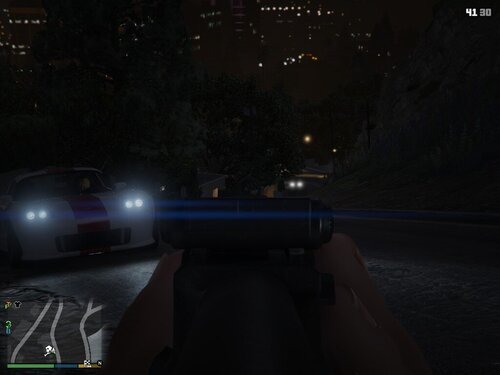 Could you look into having the various third-person camera distances to choose from when aiming— I’d like to have the camera further back just when aiming as the game has a universal setting (Close, Default and Far) for both in and out of combat which is annoying. Many thanks.
 -
 You’re right, bro. I’ll certainly take a look when I find the time and see if I can identify junctures in the code to implement logic without having too much friction of having to deal with dismantling existing frameworks— depending on how nested things are.
- 656 comments
- 28 reviews
-
Still waiting for that scaled back LSPDFR plugin version… core RED ped dispatching/tasking and scanner system running in the background to drive emergent gameplay (disable all the criminal open-world stuff) but without the conflicts during active pursuits and when peds are apprehended by LSPDFR api. The api functions exist to register (active pursuits, designated pursuit peds, pursuit cops, is arresting flags and so on) these game events so it shouldn’t be difficult to dynamically adjust tasking to my understanding. C’mon, bro.
- 656 comments
- 28 reviews
-
 I’m always right, but nah good on you m8— you did the right thing; a great service for the community. Thank you for reflecting on what I said. Hopefully yourself or another community dev (I’ll certainly be interested in studying your code) will look into/assist with implementing a parser for user XML setups, perhaps an api framework for other plugins/upcoming projects like ‘Policing Redefined’ to utilize, moving away from hardcoded backend stuff so we can fully realize the potential of your work.
- 295 comments
- 15 reviews
-
Thanks for responding. I was thinking having users actually create their own questions/answers that your system will use, if that’s possible. Potentially enabling, if format/synax is similar, authors like myself to effectively port my work over. I don’t know how you’re doing things. If you manage to pull that off you’ll have yourself an essential plugin (think GrammarPolice) and a platform for creators. You should definitely consider opening things up— again, if possible.
- 295 comments
- 15 reviews