
BeastyBill88
Members
-
Joined
-
Last visited
Everything posted by BeastyBill88
-
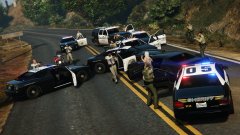
From the album: BeastyBill88's Gallery
© Images by BeastyBill88
-
From the album: BeastyBill88's Gallery
© Images by BeastyBill88
-
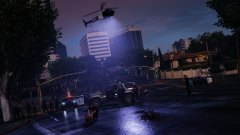
From the album: BeastyBill88's Gallery
The end of a pursuit through LS after shots were fired on officers during a traffic stop. 3 suspects DOA & 1 in custody.© Images by BeastyBill88
-
 I'm getting this problem aswell, assorted callouts and arrest manger load fine, but traffic policer won't. But in the RHP logs its saying it was it has been initialised and I have to go on duty to use it... Yet it still won't work. I can attach my RPH logs but its not going to tell you anything other than what I've already said.
- 3,646 comments
- 306 reviews
-
 Since update 0.3.1 this mod hasn't been working properly for me, I have all the settings on TRUE, but the AI cops still ram me when I'm in primary, they ram the suspect at a million MPH when I haven't hit them myself and they won't yield to me :/ I have it in the LSPDFR folder inside the plugins folder... That's the right location isn't it? Anyone else having these problems or is it just me?
- 176 comments
- 46 reviews
-
 Yeah before 0.36 I could play for hours, but this RHP update is just shit in my opinion, it wasn't tested properly even the devs said it was a rushed one. Also I know its off topic but does anyone know why my backup.xml keeps breaking? I haven't touched it in weeks and its now broken all of a sudden :/
- 1,081 comments
- 166 reviews
-
I believe it is actually something to do with RHP 0.36, LSPDFR and the whole game in general has been very crash happy since the newest update :/ been trying to play LSPDFR for the last 2 hours and I've had about 10 crashes, so its not Albo's mod, its ragehook.
- 1,081 comments
- 166 reviews
-
-

- 1
-
-
I'm also getting the same problem with LSPDFR crashing when trying to view the CCTV, I have to say its starting to get really irritating having to restart the whole game (5 minutes into getting everything set up and on duty) as it crashes on the black loading screen and you can't do anything else apart from exit the game :/ Not had this problem with the callout in previous versions. But knowing you Albo you'll be able to use your wizardry powers and fix it lol.
- 1,081 comments
- 166 reviews
-
The traffic turning around on the highways can usually be fixed by pressing N and closing and opening the roads a couple of times, it fixes it for me. Also if your using any handling mods that can affect the way the AI cops drive especially if its like the real suspension mod (with realistic steering)... The AI will not compensate for the new handling lines and go balls to the wall still and crash instantly :P
-
 Thanks :) that would be nice to have them all UV mapped Maybe a hint to Yard ;) lol
 -
 Don't worry its the next vehicle I'm going to be adding ;) just haven't got around to it.
 -
 Lol its usually the case, when you add something new the rest is like noooope xD
- 16 comments
- 3 reviews
-
Yard1 mate, I think its in the vehicle section of the downloads or its in his model release topic.
-
From the album: BeastyBill88's Gallery
© Images by BeastyBill88
-
From the album: BeastyBill88's Gallery
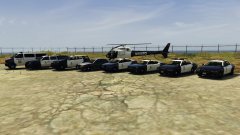
From left to right: Transport van, LSPD Granger, LSPD Gresley, Unmarked Stanier, Police Interceptor, LSPF Buffalo, LSPD Stanier (rotary L/B), LSPD Stanier (LED L/B) Note that all the LSPD vehicles are fitted with a pushbar (minus the transport van)... For that added ramming ability ;)© Images by BeastyBill88
-
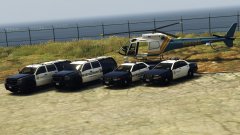
From the album: BeastyBill88's Gallery
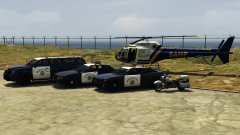
The BC & LS Sheriff Offices have a small budget and with Blaine County being the bigger area they got the helicopter.© Images by BeastyBill88
-
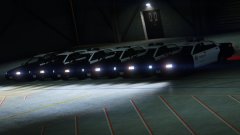
From the album: BeastyBill88's Gallery
From Left to Right: SAHP LED L/B, BCSO LED L/B,BCSO Rotary L/B, LSPD LED L/B,LSPD Rotary L/B, LSSD Vector L/B© Images by BeastyBill88
-
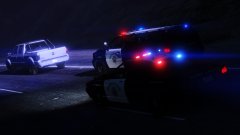
From the album: BeastyBill88's Gallery
© Images by BeastyBill88
-
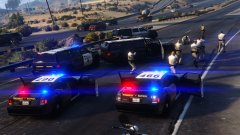
From the album: BeastyBill88's Gallery
© Images by BeastyBill88
-
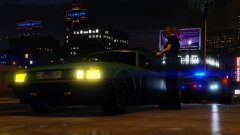
From the album: BeastyBill88's Gallery
© Images by BeastyBill88
-
Found a few problems with this one and your LSPD version. - Headlight texture is missing, only the corona shows. - In dials on the dashboard have no textures. - Rear window lights have no LED textures Apart from that the cage works fine lol
- 16 comments
- 3 reviews
-
 Hallelujah! I now no longer need to run for cover when the AI freaks out lol. Thanks for the update!
- 268 comments
- 44 reviews
-
-
- 1
-
-
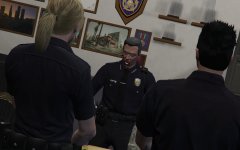 I swear to god I'll pistol whip the next person who says shenanigans... Lol
 -
Hopefully this helps you Steve If your using the OpenIV mod folder it will be here: C:\Program Files\Rockstar Games\Grand Theft Auto V\mods\update\update.rpf\common\data\handling.meta The original file is here: C:\Program Files\Rockstar Games\Grand Theft Auto V\update\update.rpf\common\data\handling.meta But I believe that the Sheriff2 uses the FBI2 handling lines so anything you edit on the FBI2 handling will effect the Sheriff2 model aswell, but someone correct me if I'm wrong.
-