



BeastyBill88
-
Joined
-
Last visited
Everything posted by BeastyBill88
-
From the album: BeastyBill88's Gallery
© Images by BeastyBill88
-
From the album: BeastyBill88's Gallery
© Images by BeastyBill88
-
From the album: BeastyBill88's Gallery
© Images by BeastyBill88
-
Do you have "cops never dispatch" turned on in a trainer? If so turn that off and they should be able to move again.
-
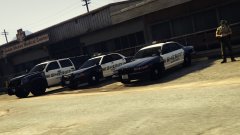 Ah well spotted, I'll get around to resizing that. Its not to bad considering I did that skin at like 3am lol
 -
From the album: BeastyBill88's Gallery
That 1st gen Stanier does look lovely in the BCSO livery© Images by BeastyBill88
-
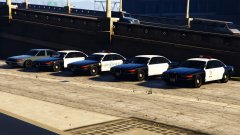
From the album: BeastyBill88's Gallery
1st gen Staniers starting from left to right: Civilian Stanier, retired BCSO, BCSO in use, retired LSPD, LSPD in use. I did forget to download the 1st gen stanier taxi cab which is why its missing from the picture.© Images by BeastyBill88
-
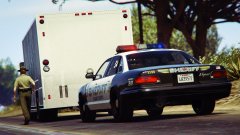
From the album: BeastyBill88's Gallery
At the time of taking the picture, I still had some tweaks to do on the skin.© Images by BeastyBill88
-
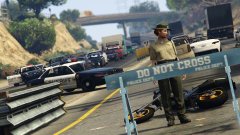
From the album: BeastyBill88's Gallery
Southbound carriage way closed, northbound slow moving traffic. best to avoid using this way and find another route.© Images by BeastyBill88
-
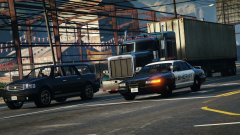
From the album: BeastyBill88's Gallery
With a BCSO skin (made by myself) to fit in with AlexVonShep's BCSO project vehicles.© Images by BeastyBill88
-
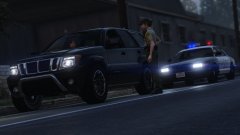
From the album: BeastyBill88's Gallery
© Images by BeastyBill88
-
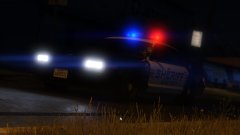
From the album: BeastyBill88's Gallery
1st gen Stanier showing that its still got what it takes.© Images by BeastyBill88
-
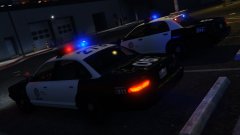
From the album: BeastyBill88's Gallery
Still got a few tweaks to make on the 1st gen staniers livery.© Images by BeastyBill88
-
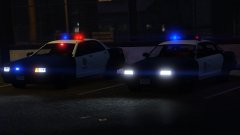
From the album: BeastyBill88's Gallery
Throughout the years they added more lights... And bigger cup holders. Still got a few tweaks to make on the 1st gen staniers livery.© Images by BeastyBill88
-
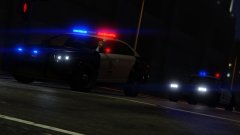
-
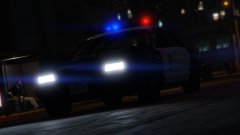
From the album: BeastyBill88's Gallery
© Images by BeastyBill88
-
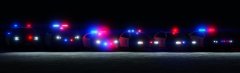 It does look a lot better, but jeez the Buffalo at night it just blinds you with how bright the lights are lol :P
 -
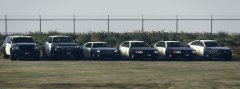
From the album: BeastyBill88's Gallery
From left to right: Declasse Granger, Bravado Gresley, Bravado Buffalo, Vapid Stanier (with LED LB), Vapid Stanier (with rotary LB), Vapid Interceptor© Images by BeastyBill88
-
From the album: BeastyBill88's Gallery
From left to right: Declasse Granger, Bravado Gresley, Bravado Buffalo, Vapid Stanier (with LED LB), Vapid Stanier (with rotary LB), Vapid Interceptor© Images by BeastyBill88
-
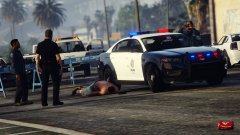
From the album: BeastyBill88's Gallery
© Images by BeastyBill88
-
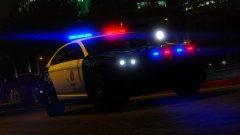
From the album: BeastyBill88's Gallery
Built Vapid tough for when the call needs it.© Images by BeastyBill88
-
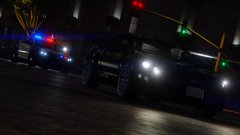
From the album: BeastyBill88's Gallery
© Images by BeastyBill88
-
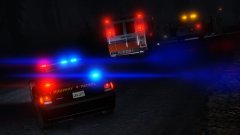
From the album: BeastyBill88's Gallery
© Images by BeastyBill88
-
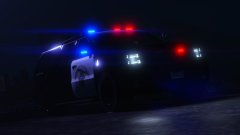
From the album: BeastyBill88's Gallery
© Images by BeastyBill88
-
Would anyone be willing to help me? I have no idea about how to use Zmodeler. Anyway I'm using Yard1's version of Lt. Caines mapped interceptor (from his LSPD/LSSD skin pack) and I have noticed that the lights on the pushbar aren't showing the LED texture, only the corona is flashing. (shown in the pictures below) Would anyone be able to help me out by fixing the texturing for the pushbar LEDs? Thanks in advance. Stock police3 (LED textures showing) Mapped police3 (no LED textures showing)


