



BeastyBill88
-
Joined
-
Last visited
Everything posted by BeastyBill88
-
Wait mine got on here again? :D sweet! I must be ok with taking pictures then lol :P thanks!
-
-
-
From the album: BeastyBill88's Gallery
Remember kids never race a train, there is always going to be 1 winner.© Images by BeastyBill88
-
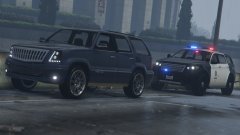
From the album: BeastyBill88's Gallery
Patrolling in the department's new marked Gresley.© Images by BeastyBill88
-
Try this its much easier than trying to go through the menus on a trainer. http://www.lcpdfr.com/files/file/8216-v002-easyrepair/
-
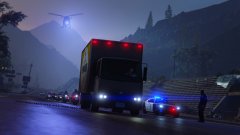
From the album: BeastyBill88's Gallery
Pursued this truck from Rancho in LS all the way to Paleto Bay and after 4 spike strips, he finally stopped.© Images by BeastyBill88
-
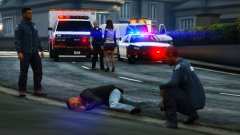
From the album: BeastyBill88's Gallery
© Images by BeastyBill88
-
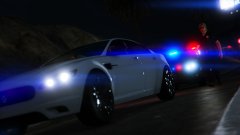
From the album: BeastyBill88's Gallery
© Images by BeastyBill88
-
-
 Hey Albo, the "arrest peace" part of the mod isn't working for me when I'm using an MP character. The AI cops still open fire and kill my suspect every single time. I don't get it when I'm using the normal cop model though. Any chance you could look into this for the next update please? Thanks.
- 1,915 comments
- 242 reviews
-
-

- 1
-
-
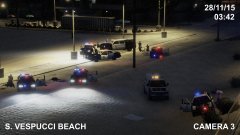
From the album: BeastyBill88's Gallery
Pursuit of the stolen coroners van ends up the Vespucci beach lifeguard station.© Images by BeastyBill88
-
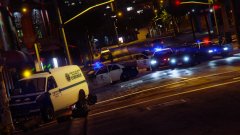
From the album: BeastyBill88's Gallery
Police pursue a stolen coroners van through the Vespucci beach area.© Images by BeastyBill88
-
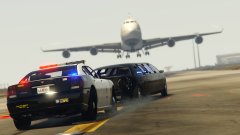 Lol not this time, it was Trevor on one of his rampages :P
 -
Thanks :D
-
From the album: BeastyBill88's Gallery
Pursuit spills onto the runaways at LSX causing havoc with all airport movements.© Images by BeastyBill88
-
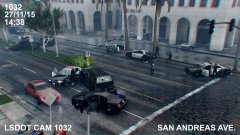
From the album: BeastyBill88's Gallery
Shootout between police and a single suspect outside the Lombank on San Andreas Ave. was captured on traffic cam.© Images by BeastyBill88
-
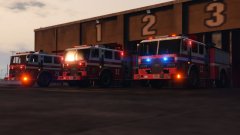 Your welcome :) thank you for making the original skin for me to work on.
 -
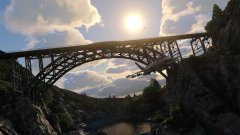
From the album: BeastyBill88's Gallery
© Images by BeastyBill88
-
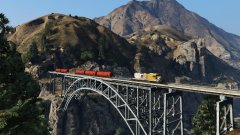
From the album: BeastyBill88's Gallery
© Images by BeastyBill88
-
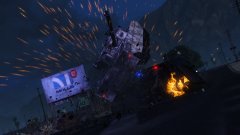
From the album: BeastyBill88's Gallery
© Images by BeastyBill88
-
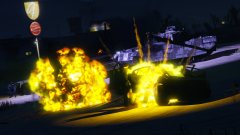
From the album: BeastyBill88's Gallery
© Images by BeastyBill88
-
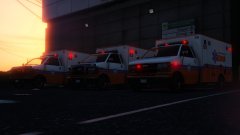
From the album: BeastyBill88's Gallery
An edit of orrwhat4's Nelson County EMS skin (http://www.lcpdfr.com/files/file/7820-nelson-county-ambulance-texture/) I added unit numbers and changed it from Nelson County EMS to San Andreas EMS. I did edit this for my personal use, I have no intention's of uploading it.© Images by BeastyBill88
-
From the album: BeastyBill88's Gallery
An edit of rcmp's Calgary FD skin (http://www.lcpdfr.com/files/file/9065-gta-v-calgary-fire-dept/) for nicks0112's Mapped fire truck. I changed some sections on the skin, added the crest to the front doors, unit numbers aswell as extend the yellow & white stripes onto the front and behind the cab/pump area of the truck. I did edit this for my personal use, I have no intention's of uploading it.© Images by BeastyBill88
-
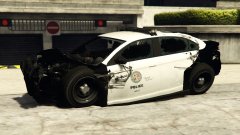 The condition of the car was alot worse than shown in the picture. But Unfortunately the game didn't save the full damage when I went to the editor :( there was no backend of the car when I was on patrol lol

