




RobertTM
Members
-
Joined
Everything posted by RobertTM
-
-
In the material editor make sure that the light material is above the taillight glass material.
-
From the album: Robert's GTA V Endeavors
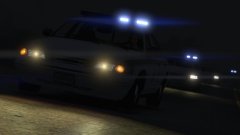
All models updated to now have brighter and more realistic lighting emissives and strobe patterns. Huge thanks to OfficerFive0, without all his help this wouldn't have been possible! Feedback? Video of lighting and more screenshots: -
 Thank you so much, without your help the lighting would have been much worse, i really appreciate your help!
 -
led, i feel like an idiot now , sorry for my ignorance EDIT: Now with strobes Hows this?
-
Possibly, but I was wondering what vehicle slots the the third and (maybe fourth?) should take as in sheriff and sheriff2 for the first two cars. I most likely will add a 2003 CVPI in the future still though. And thanks for the kind words :D EDIT: it seems that the 2003 base model has been taken down, so I have to wait until it is reuploaded or a new one comes out.
-
Try this: It's quite old so I'm not sure if it still works.
-
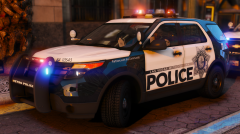 These cars need to stop staying in Vegas and come to my game :P But seriously, these look incredible!
 -
How does this look? Also, do you know another way to speed up flash patterns other than the LightFlashDelay option in the main ELS ini? I only want the faster patterns to effect these specific cars. Thanks for the tips, youve really helped me out
-
Wow, thanks! I really appreciate the tips and contribution! Ill try to implement these to the best of my abilities. A huge thanks once again!
-
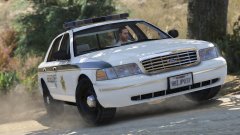
Im not sure why the light is so dark on the '96 cvpi in the second picture, it is not usually that dark. The darkness in the other pictures may be because I have lower radiance settings, and it seemed fairly fitting for an older light bar such as this. Should I lighten them a bit? Thanks for the feedback though, I try my best to cater to everyone :D
-
From the album: Robert's GTA V Endeavors
Added a 1998 CVPI to the pack. Since there are three vehicles, what slot should the third use? Ofc feedback encouraged More pics: -
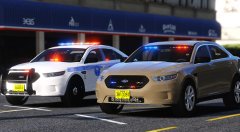 I always thought it was fascinating to see the inner workings of an airport, but I guess it wasnt successful enough to keep making episodes. Hopefully they bring it back someday, i'd surely watch it again
 -
Yeah, its a shame they ended that show, I really enjoyed it
-
These look really nice, I cant wait until the Miami Dade cars, I've loved the look of them since I first saw them in detail on Airport 24/7 Miami. Keep up the good work
-
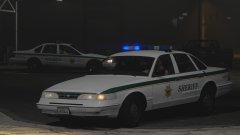
From the album: Robert's GTA V Endeavors
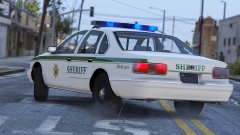
LODs improved and rear Chevy badge removed off Caprice & other misc/minor changes. Any other vehicle suggestions? I'm thinking of adding a '98 CVPI (And what slots should they use?) Red&Blue lighting option will be included in release. An interesting moment when doing a test patrol in the 96 CVPI (And more pics below): -
 Sure, I could throw that in :)
 -
That car is in GTA 4's wft format, which opens in Zmodeler 2, z3d files do work with Zmodeler 3
-
Make sure you are naming the file the same as it is in the zmodeler hierarchy when exporting.
-
The problem with that is that I do not have Zmodeler 2 so I can not convert it to V.
-
It might take around a week or so though since im preoccupied with a few projects right now and if i can find those hubcaps.
-
I don't think it would be much trouble(for the first car you sent) since this car has the correct base setup, it would only need a few antennas and hubcaps.
-
Maybe, I'd just need to find where to get those hubcaps.
-
-
From the album: Robert's GTA V Endeavors
Part of my WIP 90s sheriff (mini?)pack! Has all three lighting stages and takedowns. Suggestions and feedback encouraged! (I know I need to fix rear sheriff text)


