




RobertTM
Members
-
Joined
Everything posted by RobertTM
-
 Thanks!
 -
Alright! To change it to a 99, would I only need to recolor the trim and grill?
-
From the album: Robert's GTA V Endeavors
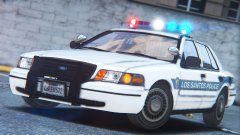
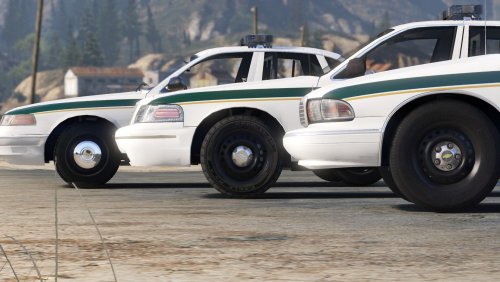
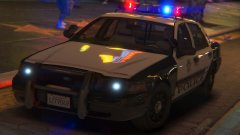
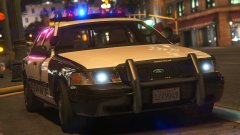
After a break from modeling I've began working on a 1990s LSPD pack to accompany my sheriff one of the same era! This pack is going to include a Caprice, 96 Vic, 99 Vic (pictured) and maybe an unmarked car if I can find some equipment. Some more pictures: -
From the album: Robert's Misc. Screenshots
-
 I see. I have to do so much wheel scaling on these base models :P Thanks for the feedback!
 -
From the album: Robert's GTA V Endeavors
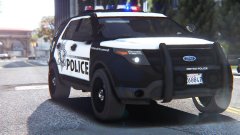
An update for the LSMPD pack is coming soon! This update will feature a brand new SLR, new FPIU base, new carcols and other misc improvements! Not to mention a couple of new cars added to the fleet! -
-
From the album: Robert's GTA V Endeavors
-
 Try redoing the vehicles.meta install, it must have been overwritten because that's where the dashboard setting is.
- 60 comments
- 14 reviews
-
What a shame, that was the only currently produced patrol car I liked :(
-
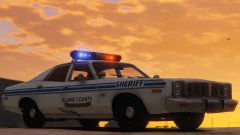
I completely agree. Another thing I believe they should change about the review system is the way the reviews are balanced, for example: my 90s sheriff pack has 8 five star reviews, and only one 4 star review. The average of all the reviews is approximately 4.9 stars, but the average still shows up as 4 1/2 stars on the download list, which I feel should be rounded to 5 stars. This is just my opinion and I'm probably the only person bothered by this but I felt like it would add to this.
-
 Well my like button doesn't work for some reason, but I really like it!
 -
Alright, thanks!
-
So in the past hour I've encountered a glitch that does not allow me to like any content. When I press the like button it registers and puts the (x) to unlike, but when I leave the page it's like I've never liked it. This keeps occurring after multiple attempts. The content I try to like also does not show up as liked in my activity feed on my profile.
-
 I wasn't planning on it as there's some NHP stuff already out there. I'm gonna work on updating my 90s sheriff pack and begin work on a 90s LSPD pack.
 -
From the album: Robert's GTA V Endeavors
Try it out! -
 You darn scuffed my ve-hicle!
 -
 I would, but I don't know what slot I would fit it into, since this takes up all the default police slots.
 -
From the album: Robert's GTA V Endeavors
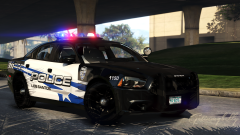
Inspired by LVMPD, so please don't judge on accuracy! Well the models are done! Now on to the meta files which always are a lot of fun. All cars in the pack have takedowns except the slicktop CVPI, and all have the interior setup displayed below. Here's an overview of the pack: -
Here this one's more clear and says it does not use the installer:
-
Still late this week to next week, thanks for your interest though.
-
It's because GTAIV was updated, and scripthook does not allow the game to launch with the new update. To play LCPDFR you need to downgrade your game version. Try this:
-
No problem! Glad you like it, I will be updating it with new vehicles and fixes in the future!
-
Disable the window tint with your trainer.
-
Try changing it to Lightsetting 7.


