




RobertTM
Members
-
Joined
Everything posted by RobertTM
-
From the album: Robert's GTA V Endeavors
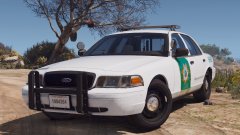
I guess I just have a thing for niche lightbars. So to keep a somewhat accurate setup to Marin County I had to scratch model a new lightbar, the 911EP Millennium. It's still in it's early stages of development, but it's getting there! Disregard the lightbar tint and license plate texture as they're placeholders. -
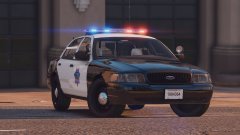 Thanks, and it's just based on the real one with the same setup:
 -
From the album: Robert's GTA V Endeavors
The CVPI is basically complete and is in the process of getting an interior, still need to add more equipment inside but it's almost done. The skins are in the process of being remade with new plates and numbers. Still trying to work on an older model CVPI with an Edge. All cars will have the same interior setup generally. -
From the album: Robert's GTA V Endeavors
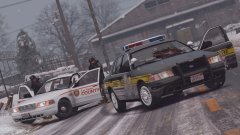
Nothing new, just some badassery from LSPDFR. Video: Description: On February 19, 2000, the North Yankton State Patrol and County Police responded to a man shooting at cars driving past. A total of five officers arrived, with three of them being injured in the gunfire. The suspect was pronounced dead on scene, with the officers expected to recover. No others were injured. Cars: -State Patrol Car: -County Police Cars by flwphoenix: -
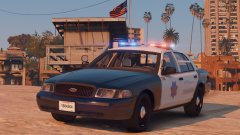 It won't be released very soon, as there is still tons of work left to do. I still have to redo interior equipment for all the SFPD cars as well as optimize the LODs more, redo the two Marin County sheriff vehicles, make one more older CVPI for the SPFD with a Whelen Edge (waiting on an older year base), make some optional ALPRs, and model an unmarked CVPI that can be shared between both departments. I'm going all in on this pack so it may be a while until I'm satisfied with it.
 -
-
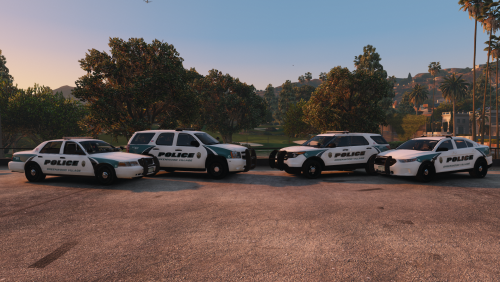 Looks good, but check the FPIS template and make sure to keep the keep black part black.
- 4 comments
- 3 reviews
-
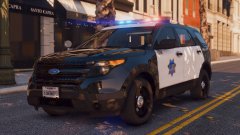
From the album: Robert's GTA V Endeavors
Congratulations if you understand the title! Model is still a WIP of course. (Forgot to remove default plates :/) -
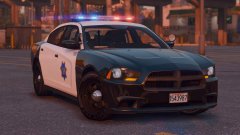
From the album: Robert's GTA V Endeavors
-
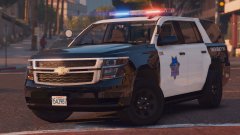
From the album: Robert's GTA V Endeavors
Working on a Tahoe now (obviously). The LSPD (SFPD) branch of this pack will probably have another Vic, 2014 Charger, 2014 FPIU and maybe a bearcat. The BCSO (Marin Cty.) will have a Vic and FPIU most likely. There will also probably be one unmarked Vic added in Police4 that will fit both departments. All these cars have/will have steady burns. -
From the album: Robert's GTA V Endeavors
The lights and lightbar now are correctly oriented, which is the most noticeable change, but the LODs are more optimized as well as dummy placement for the lights improved. Many material improvements have been made to some parts and now the taillights are improved to be less transparent looking. -
From the album: Robert's GTA V Endeavors
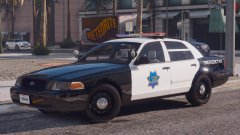
I've begun work on the San Francisco based part of my "Bay Area Project". It will include SFPD (LSPD) and Marin County Sheriff (BCSD). This car is still in super early stages of development, still need to fix and add MANY things. The LSPD will also be recieving an older model CVPI with a Whelen Edge (with other, more modern cars). These cars are to be to California specifications with steady-burns set up the same way as they are in reality. Hoping to add ALPRs too. Also, this CVPI has the same sized wheels all around :D (Looks like the lightbar orientation got messed up on export, great.) -
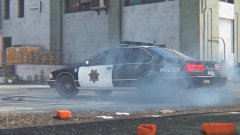 I meant the 96, it's not the best quality. The 98 base is good, but the equipment is not nearly as good as this new one.
 -
Looks really good! I don't recommend using the older vic though, it has a lot of issues and Lundy doesn't want the model being around anymore so I'm going to be removing it soon. This is one I'm proud of though: Only three years younger :D
-
-
 Yep
Yep -
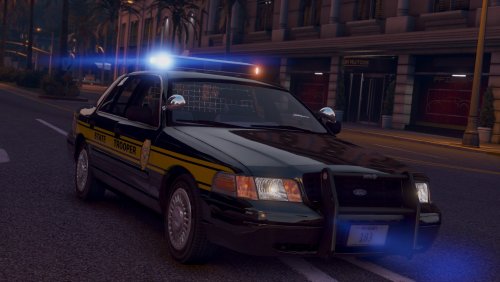 Thanks :D I set it to be stage 3 only due to my patterns not working right during the other stages and did not want to make the average user have to set their own patterns in game. You can change it with the instructions above to have all three stages, but you will have to set the stage 1 and 2 patterns manually while in game.
- 17 comments
- 7 reviews
-
-

- 1
-
-
-
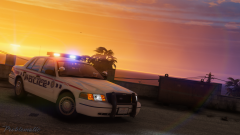 Awesome picture! Thanks for using my car :D
 -
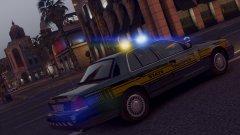
From the album: Robert's GTA V Endeavors
Yep, it's hard to believe but I actually released something! Have a look: -
San Andreas State Troopers _____________________________________________________________________________________________________________________ Note: Please do not leave bad reviews due to the way the ELS VCF is set up, you can change this to your liking by reading below or in the ReadMe! Information: After a long break of uploading anything I have returned with this 1999 CVPI, with my first scratch modeled part: the Tomar Heliobe (A DEV version is coming soon). The included ELS VCF uses auto lighting activation, meaning with one press of (J) all lights are activated. To change this set "LstgActivationType" from auto to manual. The VCF wasn't set up to be used like this so there may be issues with the lighting patterns for stage 1 & 2. This car has functioning takedowns and breakable windows. You can put this car in any slot as long as it is based on a CVPI (Stanier). Make sure to put all vehicle files in the latest patchday. Contents: - 1999 CVPI - San Andreas State Troopers - ELS VCF - ReadMe - Screenshots Video: Known Bugs: - When not in code 3, the warning lights flash slowly instead of strobe-like. You can fix this by manually changing the pattern while in stage 1 & 2 or using the warning lights with "L". _____________________________________________________________________________________________________________________ If there are any issues with credits please PM me and I will resolve the issue.
- 17 comments
- 7 reviews
-
-
-

- 24
-
-
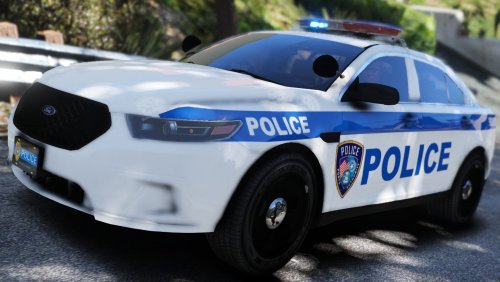 Looks good, just remember to make the "keep black" part of the taurus template black.
- 6 comments
- 2 reviews
-
From the album: Robert's Misc. Screenshots
-
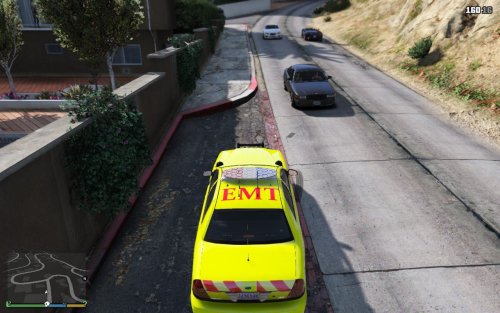 I completely agree. If everyone says that a file is great even when it isn't, then there's little incentive to improve your skills or try new things. Constructive criticism is key to improving your work. Also, listening to the very community that you uploaded the file to is important due to it being your target audience. Not trying to be rude, but if you aren't willing to address issues with a file that you uploaded I don't believe that you should upload until you refine your skills, that's what I did. I perfected my skills in before uploading anything. As for this texture, If I were you I'd shrink the badge and fit some text, such as San Andreas Medical Response (Or some other text to take up two lines) and edit the background color to something more realistic. That's just my opinion of course, it's your call on whether to follow or not. I do believe you have potential, and hope to see you improve your work.
- 12 comments
- 1 review
-
-
- 1
-
-
From the album: Robert's GTA V Endeavors
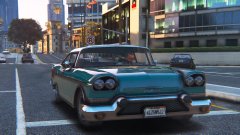
Nothing I've made, but I found this nice screenshot from awhile back on my PC. Anyway, here's a video of some madness from LSPDFR:

