


Mark Stavaros
Members
-
Joined
-
Last visited
Everything posted by Mark Stavaros
-
Hello, I have installed the Dynamic Lighting System with this pack https://www.gta5-mods.com/misc/dls-lore-friendly-vehicle-config-megapack-v1-0#comments_tab. However, the sirens on my vehicles when I turn the lights on, are on permentantly. Any way to fix thus?
-
Hell yeah
-
As a Jew and an Israeli-American this is awful. Yisrael chai
-
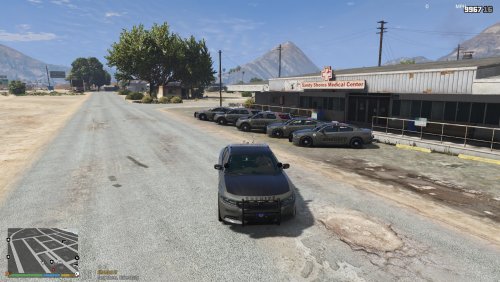 Good, but if you truly want to represent Sheriff Hege you need to have "NO Deals" in big block lettering on the front plate
- 16 comments
- 3 reviews
-
Trying to change the sheriff1 slot (CVPI) to a charger
-
No problem
-
Let me know how that works
-
You need CommunityScriptHookV and ScripthookV, it isn't a rage plugin. If you dont have a "scripts" folder, make one and put it in there
-
Some vehicles don't have cruise lighting, so just be aware of that. The best cruise lighting is on some of the Washington State Patrol packs.
-
Yes, I use it with my Pistol (Glock) and Carbine Rifle (HK416)
-
I'd suggest looking at Albo1125, Jeff Favigano, and StevetheGamer on YT. They have tutorials on how to get everything set up
-
1132
-
Recently, I decided to install a new BCSO pack that has a charger instead of a CVPI. I changed the handling line, but can't figure out how to change the vehicle sound to the buffalo. I have also seen warnings about changing a vehicle sound in a police package, some saying that it screws up the vehicle. Is this true?
-
I don't have it turned off, but I have had the same effect, sometimes. Usually, when I press "T" or "Y" during the stop the vehicles accelerates rapidly without any regard for whats in front of it. Tested, and realized when I don't press "T" or "Y" and instead press "1-4" I no longer have the issue. I'd try that
-
![Mega Pack WIP [2016 FPIS Taraus]](//s3-gallery.int-cdn.lcpdfrusercontent.com/monthly_2018_09/small.6.png.4116b7e5d918e67d9c11de4c5e5bd8ab.png) Is this going to be all blues?
Is this going to be all blues? -
Can I have a link to that too?
-
I recommend this, it works beautifully with VisualV and there are three different lighting modes (dim, bright and blinding)
-
https://www.gta5-mods.com/scripts/disable-reticle-net This is the one that I use
-
I have the patch but I don't think it is working, do you have any solution to that?
-
I decided to reinstall GTA IV on steam. I added an ENB, and a few NYPD ELS cruisers. Upon starting the game, it freezes at the dev/credit screen and crashes. I deleted my directory and reinstalled the game only to have the same result, it seems that it only works without mods. I have seen YouTubers running windows 10 with a working GTA IV with mods. What do I have to do to make the game compatible with vehicle and weapon mods.
-
I decided to reinstall GTA IV on steam. I added an ENB, and a few NYPD ELS cruisers. Upon starting the game, it freezes at the dev/credit screen and crashes. I deleted my directory and reinstalled the game only to have the same result, it seems that it only works without mods. I have seen YouTubers running windows 10 with a working GTA IV with mods. What do I have to do to make the game compatible with vehicle and weapon mods.
-
You're the man
-
I am currently using a BCSO pack I am growing tired of, I am taking community suggestions. What are y'alls favorite BCSO packs currently on this site that I should consider using?
-
I’ll get that to you today
-
When I am in the RageHook loading screen, I get an error message saying ERR_FILL_PACK_1 . Does anyone know the way to combat that? I have Realism Dispatch Enhanced installed along with a few other callout and realism mods.

![Mega Pack WIP [2016 FPIS Taraus]](http://s3-gallery.int-cdn.lcpdfrusercontent.com/monthly_2018_09/small.6.png.4116b7e5d918e67d9c11de4c5e5bd8ab.png)