Skip to content
View in the app

A better way to browse. Learn more.

LCPDFR.com

A full-screen app on your home screen with push notifications, badges and more.

To install this app on iOS and iPadOS
  1. Tap the Share icon in Safari
  2. Scroll the menu and tap Add to Home Screen.
  3. Tap Add in the top-right corner.
To install this app on Android
  1. Tap the 3-dot menu (⋮) in the top-right corner of the browser.
  2. Tap Add to Home screen or Install app.
  3. Confirm by tapping Install.

GreenAid

Members
  • Joined

  • Last visited

Everything posted by GreenAid

  1. Didn't you see the link in the desc.? http://depositfiles.com/files/njjw8aldm
  2. It's written saftey on the car door.
  3. Did you know it's professIOnalism, not proffeshinalism.
  4. Hmmm how comes I've already saw this skin as of vowciks1 on yotube?
  5. I think You need to set the textures in your pause menu to max. It happened also to me once.
  6. Many times it has been said: don't thread hijack, make one yours.
  7. Very weird, when BPM released them I think some already had these skins...
  8. I don't think it crashes, just that should be the handling id.
  9. Just replace the skin with a transparent 1 then you can change colours.
  10. :D :D :D Hoorayy!
  11. Try detaching the parts from the original taxi & place them & the right hierarchy of the car. Then map it & make livery?
  12. My comment did get removed?
  13. If only this car wasn't so low poly... :(
  14. GreenAid commented on EVI's gallery image in GTA IV Galleries
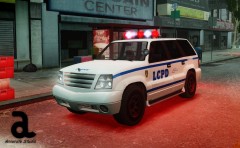
  15. GreenAid commented on aznairsoftdude's gallery image in GTA IV Galleries
  16. I made it to 9 & that sounds correct to me?
  17. Just edit Visualsettings.dat to an higher number where it's written emissive or some stuff.........
  18. Just use Paint (Windows standard) to choose a colour, then look for what numbers there are in the RGB section & replace them with another colour in the carcol.dat file.
  19. GreenAid commented on Cj24's gallery image in GTA IV Galleries
  20. Yes thanks lol.
  21. Could you add some lights under the doors? (Can't remember how they are called sorry)

Account

Navigation

Search

Search

Configure browser push notifications

Chrome (Android)
  1. Tap the lock icon next to the address bar.
  2. Tap Permissions → Notifications.
  3. Adjust your preference.
Chrome (Desktop)
  1. Click the padlock icon in the address bar.
  2. Select Site settings.
  3. Find Notifications and adjust your preference.