


GreenAid
Members
-
Joined
-
Last visited
Everything posted by GreenAid
-
 WinXP has start button too?
 -
Well, don't you think 06 Charger wheels would still be better than Ford rims?? lol
-
-
-
 Hahaaaa that Optometrist!! :D
 -
 I love hubcaps on all cars, I just love a silver sight rather than ugly black...
 -
 Lovely. Is there any chance of LC?
 -
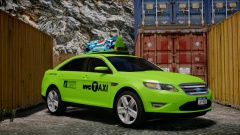 Not for DL.
 -
 Have a check at the Pc.....
 -
What ENB is it anyway?
-
That's why this colour was included in the file :D
-
No R2 is just with the cars already set on on, there's no difference.
-
-
Luckily I got this too!
-
Just to let you know you don't need to reinstall the game everytime, lol.... Just delete the enb files.
-
That .ini is already from ELS V7 so wtf?
-
EDIT: Sorry, I didn't read one part. I don't think you would find any other of them if gamemodels doesn't work...
-
Good boy.
-
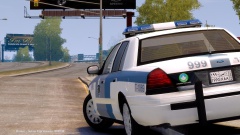
-
Actually dloo, can you tell me why in EAU they call side sliding on a strip drift??? It makes me really pissed, real drift is on a curvy track ffs..... (I hate them guys on GT5 so much...)
-
Lol why does people even call that Caprice.... I can't understand how people voted for it, knowing he didn't buy an HQ one....
-
I have to agree with you all, the rambar lights are wrongly mapped, & on some part it even flashes blue with a piece of red :s
- 8 comments
- 1 review
-
By Chevy Caprice what you mean?
-
& how do you even mod it?
-
![McHenry Sheriff [Skin]](//s3-gallery.int-cdn.lcpdfrusercontent.com/gallery/album_1613/sml_gallery_79222_1613_15001.jpg) So why did you ask :D
So why did you ask :D


![McHenry Sheriff [Skin]](http://s3-gallery.int-cdn.lcpdfrusercontent.com/gallery/album_1613/sml_gallery_79222_1613_15001.jpg)