


GreenAid
Members
-
Joined
-
Last visited
Everything posted by GreenAid
-
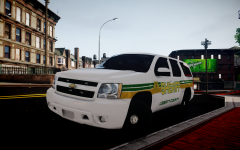 Maybe on this car the SHERIFF is a bit huge?
 -
^ Yeah to me = crash. Anytime.
-
Crash? Wow, then you PC must be very weak :/
-
Google "Chevrolet Caprice 2013 Pack gtainside". The pack is from GPM but it's not very accurate (The model itself is a beast tho).
-
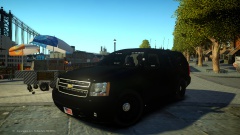 It's just black xD
 -
Cj24's car is available also here in his release thread last post. Some people say that looks more like the real one but it's LQ. I personally like more Schaefft's one because even if it's a bit bigger size you can see the difference in polys ;) (BravoZero's one is the most updated one that has double exhaust & parking lights, I guess this is how they are called). Somebody uses this & somebody uses that, so it's up to you...
-
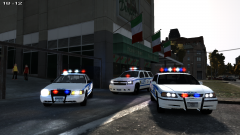 Not that much LOL.
 -
Just drag it in & test ingame. (OpenIV ofcourse)
-
 GTA4-Mods.com. You should check the MOST COMMON site for GTA mods...
 -
Haha :D
-
I had attached the square to the post, but I told you to replace it in the vehshare, not only the police file. This way of course all will be dirty & not the police one... Alternate way: http://www.gta4-mods.com/misc/clean-car-reflections-v11-f3902
-
They got took down looong time ago....
-
Ok you have to go into OpenIV > Vehicles.img > vehshare.wtd, from here you replace all the dirt textures you find with a small black square you can make with any image design program, then you are ready to go! EDIT: I will include it for you so it's faster.
-
You should keep it to your screen resolution or you can ruin it.
-
Nice!
-
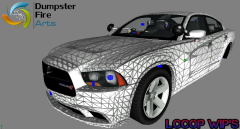 Ooooooh my gooooooood!!! My dream came true!!!!!! I love you full homo!!!
 -
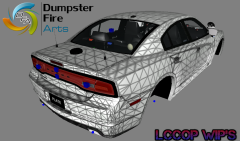 Ooooooh my gooooooood!!! My dream came true!!!!!! I love you full homo!!!
 -
Don't replace the handling.dat, easy.
-
 Didn't know it was EVI's, but it looks kinda low-poly. I was just suggesting him he could try to use something better for his own enjoyment, like this: '?do=embed' frameborder='0' data-embedContent>>
 -
gamemodels.ru if you are willing to convert it (from NFS).
-
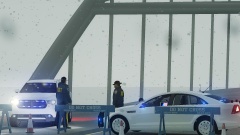 No way! I love Hubcaps! Givemuch more style to cars! That's why only USA uses Steel rims....
 -
Can't you see that car is like 100 poly's ?? There are many more more HQ....
-
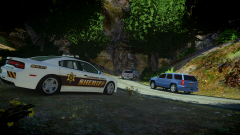 Wow Awesome love the rims! XD
 -
 Love it!!!
 -
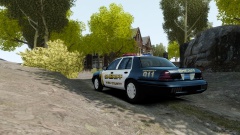 Wise County LOL.

