Kilyin
Members
-
Joined
-
Last visited
Everything posted by Kilyin
-
 If it says press 'none', you need to check again. The .ini files should be in \Plugins\EUP
- 2,342 comments
- 236 reviews
-
You can dump them all into the most recent patchday. The only catch is if the models require .meta edits you usually have to install/edit those somewhere else.
-
-
Check the .ini. if it says press 'none', you either don't have the .ini or you've made a mistake.
- 2,342 comments
- 236 reviews
-
Hi, I'm back. current gameconfig for 791.2, works for me. http://pastebin.com/1iphSfsc
-
 Even with the radar zoom disabled in the .ini, it still zooms when you press the key.
- 220 comments
- 55 reviews
-
-

- 2
-
-
Welp, I dunno then. I was swapping back and forth between version 4.5 and 6.x and with 4.5 my arjent_emis texture worked fine and made the lightbar look good. With 6.x and my arjent_emis texture the lightbar still looked like a giant ball of sunlight. After installing the 'fixed' version above, it looks normal again. I also noted the 0.5 changelog states: Fully reconfigured lightbar by DroidRZRLover(now sirensettings is 1) added Traffic Advisor(Federal Signal Latitude Signalmaster) by DannyBoy1909, converted to GTA IV by Him1250., converted to GTA V and configured by DroidRZRLover, thanks a lot to DroidRZRLover for this,
-
Yeah, it was updated. I've been messing with the new version for awhile today trying to make the lightbar look right, before I happened to look at this thread. I had photoshopped that same texture you posted and it wasn't doing anything anymore. He's using a new lightbar now, which I knew, but wasn't sure which texture to modify.
-
That doesn't work on the new version of this model because the lightbar no longer uses that texture. The fix posted above does work though, because it uses the radiance version of FCVP71's lightbar texture.
-
-
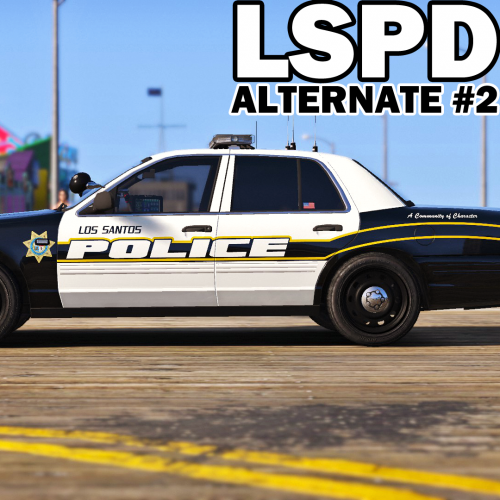 Do you think you might add the F5544 Taurus to this pack? I noticed it's in the other LSPD pack, but not in this one.
- 51 comments
- 14 reviews
-
-
 Have you tried just putting ... TowTruckColourOverride=White Pretty sure that's what you are supposed to do.
- 1,915 comments
- 242 reviews
-
-
- 3
-
-
Double post, stupid forums.
-
You've reached the hard limit I think. No amount of editing the gameconfig or anything else will make it stable from my experience. You've got way more cars than I've ever been able to install without getting those game memory errors. I think it's a limitation of the RAGE engine. It's quite frustrating. Anyway, delayed reply, I've been out of the game for a bit, as it were.
-
 change handling of police3 to police2 via a carvariations.meta edit. You can do this in mpchristmas2 or mpluxe.
- 202 comments
- 51 reviews
-
-
- 1
-
-
Use mods folder for anything you mod with OpenIV.
-
Turn it off. There are other ways to enable the mplowrider2 cars in singleplayer without using that. If you run RPH 38 it's turned off by default. From what I've seen, that setting causes nothing but crashes if enabled similar to the one you're describing. My game wouldn't even start with it turned on. By all game DLCs I mean I have them all enabled. If you don't care about certain new DLC cars, you can remove them from the dlclist.xml to give yourself some headroom to install cars. I have not tried world of variety so I'm not sure what to tell you there.
-
-
 Assumed you did since it says this: Traffic Control: [Traffic Control] ERROR: Traffic Control requires v1.3.0.0 of RAGENativeUI DLL. Different version (1.3.1.0) found; Traffic Control cannot run.
- 338 comments
- 46 reviews
-
Nope, because it's hardcoded not to do so. Needs to be updated. @Stealth22
- 338 comments
- 46 reviews
-
-
- 1
-
-
Try car.headlights.global.HeadlightIntensityMult I have mine set to 2.0 and it is still a little bright. The default I believe is 5.0. I might lower it some more.
-
 Reverted to version 1.2.2 and it fixed it. With 1.2.3 it doesn't matter where you put the file, it just ends the Burglary callout. That alarm.wav is still obnoxiously loud, so I still use my own. You should focus on fixing the current issues instead of adding more stuff.
- 130 comments
- 28 reviews
-
-
 @PimDSLR So how about fixing the car duplicating itself on collision? That would be swell.
- 38 comments
- 10 reviews
-
-
- 1
-