Kilyin
Members
-
Joined
-
Last visited
Everything posted by Kilyin
-
 You have to train Windows to recognize your voice with the builtin speech recognition. It's all in the documentation.
- 587 comments
- 106 reviews
-
-

- 1
-
-
 According to this, you're missing a file... [2017-12-01 9:52:21.150] LSPD First Response: Exception type: System.IO.FileNotFoundException[2017-12-01 9:52:21.150] LSPD First Response: Exception message: Could not load file or assembly 'PoliceSmartRadio, Version=0.5.0.0, Culture=neutral, PublicKeyToken=null' or one of its dependencies. The system cannot find the file specified.
- 781 comments
- 85 reviews
-
Looks like you didn't install Police SmartRadio correctly. Try reinstalling with the exact file structure in the archive.
- 781 comments
- 85 reviews
-
 Check \Grand Theft Auto V\Plugins\LSPDFR\PoliceSmartRadio\Config\KeyboardConfig.ini
- 1,196 comments
- 127 reviews
-
-
- 1
-
-
-
-
When Rick dies in the television show.
-
.thumb.png.e2108197eebd2a115a71434e78afdd67.png) Well let's see, they're all LAPD themed with arjents, and ELS... so more than likely these:
Well let's see, they're all LAPD themed with arjents, and ELS... so more than likely these:- 31 comments
- 15 reviews
-
 How about making it so if the PeterUCallouts.ini doesn't already exist in \plugins\LSPDFR, PeterUCallouts.defaults.ini is automatically copied/generated as PeterUCallouts.ini?
- 546 comments
- 103 reviews
-
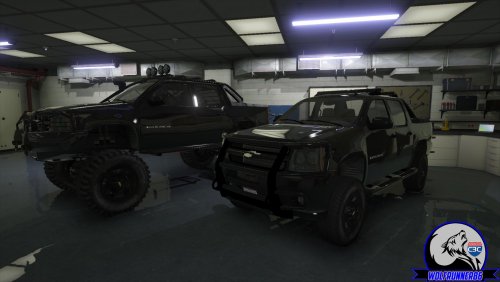 One other small bug, using window tint also tints the headlights... unless you fixed that with the update.
- 8 comments
- 1 review
-
-
 @Ron445 Hey genius, the plugin compatibility warning is exactly that, a warning. You can still use the callout pack. Kind of shitty to leave a 1 star review because the mod is 'warning' you that it hasn't been updated for the latest game version.
- 1,081 comments
- 166 reviews
-
-
- 1
-
-
 it's because of CustomBackupLocations.ini. Change below to whatever. [Weapons] // All officers will be issued this weapon when spawned by custom backup // Recommended to be some type of handgun like pistol or combat pistol StandardIssue = WEAPON_PISTOL
- 378 comments
- 23 reviews
-
-
It's chance of survival, so the higher the number, the higher the chance. 0.85 is a high probability of survival.
- 781 comments
- 85 reviews
-
-
- 1
-
-
Nice model, LODs are all there and look good... only issue I've found is the hands aren't on the steering wheel using the provided meta.
- 8 comments
- 1 review
-
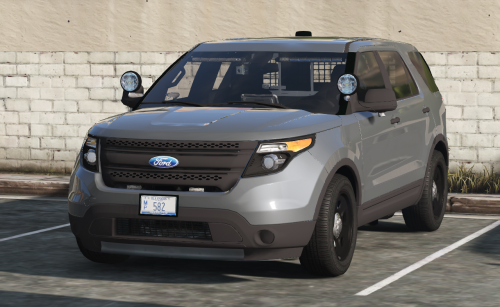 _hi.yft is a copy of the normal .yft, and no LODs. Hopefully you plan to fix that at some point.
- 53 comments
- 15 reviews
-
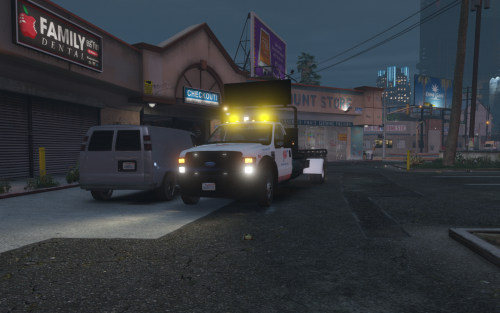 @Thero doors don't open, lightbar doesn't work for AI... kind of a dealbreaker. I have another ELS tow truck managed by Arrest Manager and it works fine so it's something with your model I'd have to assume.
- 45 comments
- 12 reviews
-
-
 From the description: ARE YOUR WINDOWS AND LIGHTBAR COMPLETELY BLACK!? Go into the vehicle.meta and find the 'diffusetint' line for the particular model (SHERIFF2, SHERIFF, POLICE, etc). Replace that value with <diffuseTint value="0x00FFFFFF" /> ... Or simply change the tint in game with a native trainer
- 206 comments
- 94 reviews
-
-
- 1
-
-
-
Nobody uses this because it causes peds to drive in a straight line into walls, off the road, over mountains/cliffs, messes up traffic stops, and just generally causes chaos because it's buggy as fuck and will probably never be fixed.
-
-
 Don't need to replace, just put in latest patchday. FYI, OpenIV has search feature, ctrl-f3.
- 209 comments
- 40 reviews
-
To change the type of response vehicles and peds you want \Plugins\LSPDFR\EMSmod\EMSUnits.xml
- 781 comments
- 85 reviews



.thumb.png.e2108197eebd2a115a71434e78afdd67.png)