




Albo1125
Insiders
-
Joined
Everything posted by Albo1125
-
 3.5: NEW: Road Management. Press F6 (default) to bring up the Road Management menu. This allows you to manage the road by placing all kinds of road signs, barriers and cones.Vehicles will drive more carefully around the signs you place.Now relies on Albo1125.Common 2.1.Now relies on RPH 0.25+.Now relies on RAGENativeUI.dll (place this in your GTA V Root folder). This is an open source library ported to RPH by AlexGuirre, Stealth22 and LtFlash. Credits for the original ScriptHook version go to Guad.Fixed some issues with the OwnerWanted callout.Albo1125.Common 2.1, RPH 0.25+ and RAGENativeUI.dll required as packaged!!!! Thank you for all your continued support! If you enjoy, please leave a 5 star review (or even a donation) for my 160+ hours of work Doing so would help me out immensely.
- 3,646 comments
- 306 reviews
-
-

- 2
-
-
 Yes yes yes! Highly recommended to use this in conjunction with my Arrest Manager mod: it'll truly make your experience fully British! An awesome piece of work!
- 1 comment
- 2 reviews
-
-
- 1
-
-
 In your 20 most recent logs it seems like you don't have Arrest Manager installed at all. Are you sure it's in your Plugins/LSPDFR folder? Stuff that's known to cause crashes on RPH 0.24 and what I can see in your log: Police Radio. Stuff you haven't installed properly: Code 3 Callouts (you need to get the latest Stealth.Common). Also, this: Is LSPDFR's own Arrest Manager and has nothing to do with my Arrest Manager. Like I said you don't have my Arrest Manager installed (properly) so it's not even running. Let me know how it goes!
- 1,915 comments
- 242 reviews
-
-
- 1
-
-
You need to get rid of your HeroCop mod, it's crashing lots of other plugins.
- 3,646 comments
- 306 reviews
-
-
Please attach your Ragepluginhook log file, which is located in your GTA V root folder, so I can discover your problem. Thanks!
- 1,915 comments
- 242 reviews
-
-
While I think it's a good idea, I think LSPDFR 0.3 will offer something along these lines as a new feature soon. If it doesn't, I'll be happy to go with it! Thanks for the suggestion.
- 1,915 comments
- 242 reviews
-
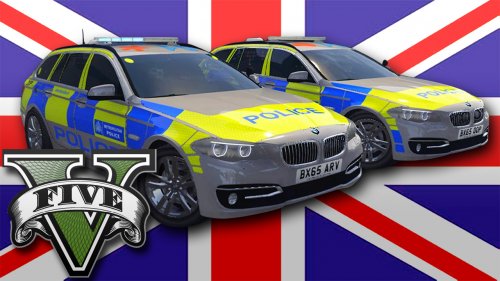 Awesome work again, Double Doppler! I'm hoping it's possible to alter the handling of the Traffic car so it's a bit more powerful, but that's only a minor issue!
- 17 comments
- 7 reviews
-
RPH 0.25 is not supported as it's very unstable and causing crashes. "We've received reports of crashes with the new v0.25, and are investigating..."
- 3,646 comments
- 306 reviews
-
-
 Excellent, highly recommended! Only thing that can be improved upon is the installation process, it was a little bit confusing but definitely not deal-breaking.
- 246 comments
- 40 reviews
-
It has been updated, hope to have fixed. It's weird because your issue seems to be random and across multiple mods so I'm thinking it's something to do with GTA itself. Are you on RPH 0.23+?
- 3,646 comments
- 306 reviews
-
-
3.0.1: Parking tickets work again. (Tried to) fix an issue with custom vehicle hashes some people were experiencing. Small conflict between OwnerWanted and GrabKeys solved. GrabKeys can now be disabled from the ini.
- 3,646 comments
- 306 reviews
-
-
- 1
-
-
Most likely something to do with custom vehicles. I've attempted a fix that'll be in the next release, thanks for reporting!
- 3,646 comments
- 306 reviews
-
Thanks a lot Can you try adding in the modifier keys in different mods and checking if that also has problems? EDIT I just tried switching up my modifier keys and it works fine for me.
- 3,646 comments
- 306 reviews
-
It's a great idea and I've been thinking about it myself as well. I *might* start work on this soon :)
-
Great to hear, I really appreciate people giving feedback that's positive haha!
- 3,646 comments
- 306 reviews
-
-
- 2
-
-
They have to be at the stop line with no other cars in front. Modifier key issues: no idea what's wrong there, maybe your keyboard layout? Me and my testers have never experienced the hex format - but I'll see what I can do. This could be a custom vehicle issue; if it's occurring across multiple mods, this is likely. Thanks.
- 3,646 comments
- 306 reviews
-
3.0: Adding more realism to and enhancing your traffic stops! Traffic Stop Assist: FollowMe: fixed a rare pathfinding issue. NEW: NoSweat: Only the vehicle you're pulling over will react to your siren. Other vehicles will keep driving normally and won't act like they're in the wrong. NEW: RunTheLight: When a vehicle is waiting for a red light and you're performing a traffic stop on them, honk your horn for a second to make them run the light. NEW: GiveMeYourKeys: You get the option to reach for the car keys of the vehicle you're pulling over (default key is 0), preventing them from driving off. They might anticipate your move and flee, however, depending on their persona. OwnerWanted: Fixed a crash in the Handsup situation. Completely rewritten the situation where the motorbikes pursue, they now have a custom AI. They will now also target other police units and they have become slightly easier to deal with. Other units will also attack them as a second priority. This was per popular request (which sometimes got pretty desperate...LOL! Polished the Fire situation. I've updated the INI file, you'll have to replace it or add the part for the GrabCarKeys keybindings. Albo1125.Common 2.0 & RPH 0.22+ required. Thank you for all your continued support! If you enjoy, please leave a 5 star review (or even a donation) for my 150+ hours of work Doing so would help me out immensely. Thank you xShadowPro for the image.
- 3,646 comments
- 306 reviews
-
-
- 1
-
-
-
-
Teaser!
-
Something I'm trying to improve :) You can tell by the huge notification telling you to shoot the phone out of the suspect's hand lol. Also, I would appreciate it if you could check my PMs out. And no there's not an option in the INI file as you've probably noticed. The whole point about the ANPR callout is the unpredictability. This particular situation has a 13% chance of occurring.

