




Albo1125
Insiders
-
Joined
Everything posted by Albo1125
-
 I think they said they were adding ambulances in lspdfr 0.3?not sure though. And thanks :) I added in my own because Police Radio's tow truck hasn't been working properly for quite some time for me. People have been PMing me to do it for ages so I though why not :P Have you tried the insurance pickup yet?
- 1,915 comments
- 242 reviews
-
-

- 1
-
-
I remember it too. I still have the first version in my archive and I sometimes play with it for the good feeling 4.0.1: Sorry for the double update! 4.0.1 resolves some issues people were having and improves the tow truck & insurance car pathfinding.
- 1,915 comments
- 242 reviews
-
-
4.0: Arrest Manager is now bundled with RAGENativeUI.dll 1.2. This is now required.Arrest Manager is now bundled with audio files. These are required.NEW: VEHICLE MANAGER. Press Ctrl + H (default) to open the Vehicle Manager menu. This will allow you to get a tow truck for a vehicle, or call its insurance company for them to pick it up.Added in some bugfixes.Only works with Traffic Policer 4.4+. Lower versions of Traffic Policer are not supported.
-
 4.4: 1 New Owner Wanted situation!Added support for Arrest Manager 4.0.Fixed a bug that caused some issues for a few users.
- 3,646 comments
- 306 reviews
-
-
- 1
-
-
4.0: I'd first like to give a shoutout to @PoliceLifeS for creating an awesome mod, which can be found HERE! Arrest Manager is now bundled with RAGENativeUI.dll 1.2. This is now required.Arrest Manager is now bundled with audio files. These are required.NEW: VEHICLE MANAGER. Press Ctrl + H (default) to open the Vehicle Manager menu. This will allow you to get a tow truck for a vehicle, or call its insurance company for them to pick it up.Added in some bugfixes.Only works with Traffic Policer 4.4+. Lower versions of Traffic Policer are not supported.Required files: Albo1125.Common 2.3, RAGENativeUI.dll 1.2, RPH 0.25+, Arrest Manager audio files, (Traffic Policer 4.4+, optional).
- 1,915 comments
- 242 reviews
-
-
- 1
-
-
Right. Why don't you go find the time and money to treat this as a full time job and work on this 12 hours a day just so you have to press the download button less often? I Do not: I release as I go. Some people really needed performance fixes, others wanted faster picking etc. For them, this update is huge. If you don't think an update is worth it, just stay on the old version: nobody's stopping you.
- 1,915 comments
- 242 reviews
-
-
- 1
-
-
Can you please send me screenshots of your GTA folders and the Rage console after attempting to load Arrest Manager?
- 1,915 comments
- 242 reviews
-
-
- 1
-
-
4.3: With my first exam week finally behind me, I've got some fresh new content for you to enjoy! Several new audio files included. Please make sure to copy them as instructed.Owner Wanted: There are 4 new situations for you to discover, enjoy and beat! The older ones have been spiced up a bit and new content has been added.The new situations may only activate if you perform a certain action in the traffic stop!Drugs Runners: There are 3 new situations for you to discover, enjoy and beat! New charges have been added in court! The callout has been spiced up a bit, improved upon and new content has been added!Performance issues: I have attempted to improve performance for some users. If you're still experiencing issues let me know!Bugfixes: Several small bugs have been fixed.Installation Checks: As I'm sure most of you are unaware of (you all read the ReadMe, don't you?), in the last version I added some checks that prevent Traffic Policer from running if installed incorrectly. The help messages displayed when this occurs have been clarified and you are now automatically redirected to the installation video. @Kilyin and @Kal74, I hope this reduces some of your appreciated workload in the comments - you've been added to the credits!
- 3,646 comments
- 306 reviews
-
-
- 2
-
-
Yes I do! I'm also very excited to see what LSPDFR 0.3 is going to bring to the developers :)
- 3,646 comments
- 306 reviews
-
-
- 3
-
-
-
The Owner Wanted is meant to be a bit of a dangerous challenge :P If you don't like it you can just disable the callout while still enjoying the rest of Traffic Policer and other callout mods :)
- 3,646 comments
- 306 reviews
-
-
- 2
-
-
-
3.8: Improved the picking up part of the transport officers.Added some performance fixes.You can now hold down the transport key for some time to force the transport to teleport to you if their IQ appears to be 0.
- 1,915 comments
- 242 reviews
-
-
- 1
-
-
First perform a traffic stop with Shift like normal. When the car has stopped, you can drive in front and make them follow you to a better spot :) Please update all the mods you have (CalloutsV for a start). If that doesn't help, try removing all your other mods and put them in one by one to see what's causing a problem.
- 3,646 comments
- 306 reviews
-
-
- 1
-
-
https://www.youtube.com/watch?v=CijkMpyLy0M Should that fail, please send me your RagePluginHook log file (in your main GTA Folder).
- 3,646 comments
- 306 reviews
-
-
-
Will take it into consideration! Thanks for the feedback!
-
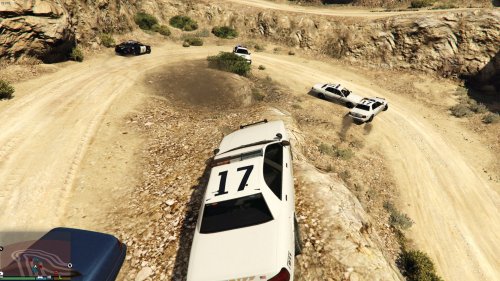 Good as a start! Hope to see more of your creations soon
 -
The problem is not even caused by Arrest Manager. It's caused by Stealth.Common.
- 1,915 comments
- 242 reviews
-
-
- 1
-
-
When it says 'Arrest Manager handled the exception' it means Arrest Manager did NOT cause the crash. Also, you're way out of date as @Kal74 said; please update to the latest version.
- 1,915 comments
- 242 reviews
-
-
- 1
-
-
-
I suspect you have quite a few mods that your pc won't be able to handle very efficiently. To try this, open the Rage console ingame. Type 'recordperformance true'. Then type 'printperformance'. Check the times out; if they're higher than 2-3ms you probably have to lower your settings or upgrade your PC or remove some mods.
- 3,646 comments
- 306 reviews
-
Your LSPDFR installation seems to be corrupt: there's stuff crashing behind the scenes which is causing a crash with my callouts but also with LSPDFR itself. What are your pc specs?
- 3,646 comments
- 306 reviews

