


xGessx
Members
-
Joined
-
Last visited
Everything posted by xGessx
-
Bugatti for sure.
-
Lol, friggin medics. Like it happened to someone in a video, he called the medics, the medics came and instead of helping the woman drowning in her own blood... guess what... there was a hotdog guy next to the dying woman, well I'm just gonna say that he preferred to save his stomach rather than the life of the woman.
-
0.95 Beta, I must say It's a big step away from 0.91.
-
I think that the bike also needs to be mapped to be used with ELS.
-
-
Everyone chooses what to do, If everyone was the same we wouldn't progress lol. To me It doesn't seem like a bad job at all.
-
Incoming sabotage.
-
GOOOOOOOOOOOOOD .... I just saw my group and i was eating. And fuck i almost choke eating the fucking cookie lol.
-
Mmm... I made one exactly like those for Traffic Cop. But is not exactly the same because It's impossible to remove stuff from Peds, so it has the Jacket and everything (And it also shines a lot when light hits it) but you can still see the tie, pockets and the other stuff... http://www.lcpdfr.com/cops/forum/index.php?showtopic=1707 Just in case you want to see it.
-
It says 31 minutes left. I'm gonna be looking at that timer for 31 minutes.
-
Your opinion does not mean that it's the reality. I'm American and i prefer the Spetsnaz over US SOF.
-
LOL I just found this one too!:
-
It was really difficult for me to get adapted to Photoshop CS5 (I think i have Extended, I'm not sure) , I started with Flash and got used to the Adobe Interface so when you get used to one the other ones are pretty much self explanatory. I must've spend like many time trying to figure out how to use Photoshop, but at the end it's good(and ridiculously expensive.) So yeah, GIMP is your best option I would say(I think that's the one i saw in GPM and it looks really good)
-
Lol at the video. I've heard of this game but never really played it. Just once but by myself.
-
Wait... those are the Nstockade?(The ones on the front).
-
I recommend you use something else other than Photoshop unless you're going to buy it for 598$ I think it costs. Or you could always try it for 30 days, but after 30 days of using it you get used to it and then It was for nothing because it was a trial. I think that there are very good online Photoshop-like programs that are almost or as good as Photoshop. Look on GPM, that's a good place to start.
-
Didn't say I had 8 for every car. I said 8 in total counting all the cars. Well actually 9 counting the Noose car. Oh by the way. Are those fire trucks?
-
It's actually an owl lol.
-
-
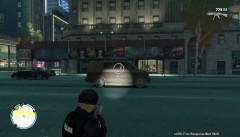 Wow nice! Is it the same one as the default from LCPDFR?
 -
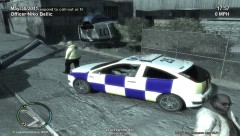 You better call the meat wagon .
 -
Of Course, the USSR, CCP, however you want to call it.
-
You don't wanna know. The most addictive and crappiest game on the history of men(After WoW of course). I just got to like level 15 and realized how crappy it was.
-
I have like 8 different skins. One for algonquin, one for alderney city, and I'm gonna make one for bohan and broker so I have like all the Departments and make it look realistic. I also have for impala, K-9 unit, sergeant patrol, traffic control, and regular patrol. So yeah I have a lot of diversity lol, I'll post them here later.
-

