


xGessx
Members
-
Joined
-
Last visited
Everything posted by xGessx
-
I think someone posted already something asking about Hardcore mode... as a matter of fact the post is above yours lol...
-
You should also use SNT unless you're already using it lol. You could make even more awesome stuff, looking forward seeing more.
-
NOW i can say that it works, even though the database is down.
-
I want to try this... i hope my graphics card doesn't suffer a heart attack when i install this.
-
Mmm... i will need to change to another cat... Lol.
-
Don't even worry i managed to log in, and I'm logged in but everytime that i click "Downloads", it says Server Overloaded.
-
It told me server is busy blah blah blah. The whole world logged in so... it crashed... , even the cat tried to log in:
-
LOLZORX. Wow Epic Fail seriously. Crashed again? Really?...
-
This = win . LOL
-
It should work what Sniper said, but never tried that. Yeah about "Can i Run This" Don't trust that... it told me the same thing with my last graphics card and it was 256mb(which is the minimum) and it told me that i had the recommended stuff(which was 512mb)... and i had everything on lowest and i still had low and choppy FPS.
-
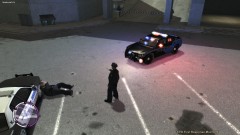 He was eating donuts, and he was caught in the middle of the firefight lol.
 -
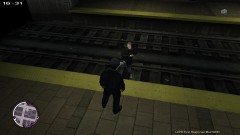 I think the train is going to be too fast to get him out of the rail... lol poor guy.
 -
 I didn't see it... ... ...
 -
Mmm... Laptop worst enemy of GTA IV lol. Anyways when you install SNT (**Make sure you put it in the main folder not /scripts**), go to the .ini file and change most of the things to "00" that's what i did. If you don't everytime you want to arrest someone you will spawn a Turismo or some car like it happened to me, but don't put "00" in the menu binds one because if you do you won't be able to make the menu "pop-up".
-
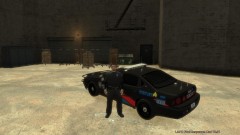
From the album: xGessx
Sgt. Pedrol received a promotion for his excellence and with that comes a brand new sergeant car. -
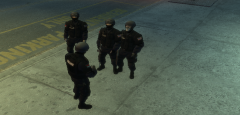
From the album: xGessx
Talking with my team before breaking into a drug house. -
Also it happened to me because i was going too fast in the car and the game couldn't load the streets and everything at the speed of the car, so i think you have a processor or RAM problem even if you say you don't...
-
How do you disable them? Please don't tell me that i have to put 00 on all the key places lol, I've done it more than 3 times because i re-install GTA IV and forgot to save the .ini.
-
Yes, i noticed the fat thing... if i was able to modify the actual model i would fix it, but it doesn't let me... Mmm... Yes i'll look into the pilot and will try to make him sheriff. EDIT: If it's because fat cops run slow this ped runs even faster than regular cops lol.
-
I don't think being punched in the head kills you instantly in real life... Maybe just knock you and throw you at the floor. You could make that when they punch you in the face, activate a script that your character becomes a ragdoll and falls. Would be cool.
-
Nice mission to do. Kill all the guys not caring about anyone and directly go and buy donuts. Perfect.
-
Lol people you should check for topics that say that already... isn't it obvious that someone would've noticed the clock and posted something about it long ago?...
-
Lol in hardcore if they punch you in the head you = dead. So hell No.
-
If I gave you a link with the original weapons, it would be Copyright Infringement, like when i gave someone the original vehicles. Your best bet is to reinstall i think.
-
Lol from time to time or 12 hours a day? I used to play but bah, i get bored pretty quick of MMO's and all that stuff. Nice character btw.
