
72will
Members
-
Joined
-
Last visited
Everything posted by 72will
-
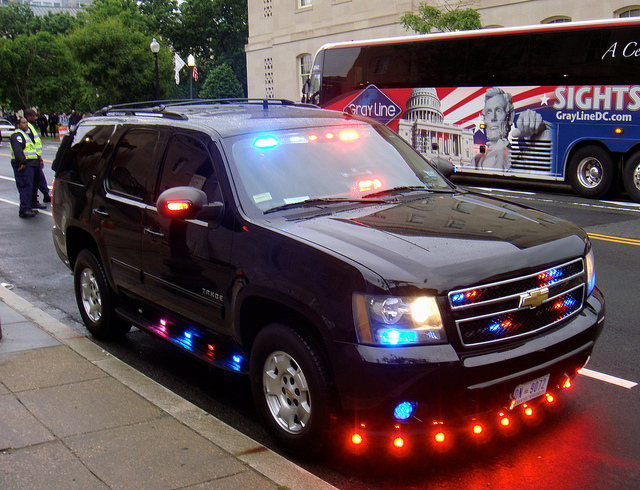
This my friends is real Christmas tree lighting for your reference. http://policecars.tumblr.com/post/56482138852/dc-metro-police-chevy-tahoe-christmastreestyle
-
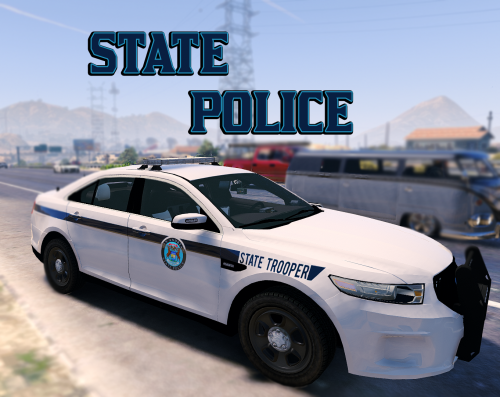 Awesome, goes perfectly with the all blue FPI
 -
 Yes, it was stupid of me, thankfully a MOD removed it. I feel so stupid but know what i did
- 19 comments
- 6 reviews
 Love it but when I use the sheriff siren (not sheriff2) there are 2 sirens playing at once your the wail.
- 316 comments
- 31 reviews
 Awesome
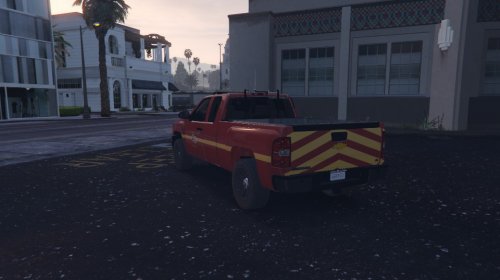
I am working on getting the Bar brighter, I only put colored glass because it looked weird with clear since everything else was colored. Thank you for your suggestions.
Awesome
I am working on getting the Bar brighter, I only put colored glass because it looked weird with clear since everything else was colored. Thank you for your suggestions.- 19 comments
- 6 reviews
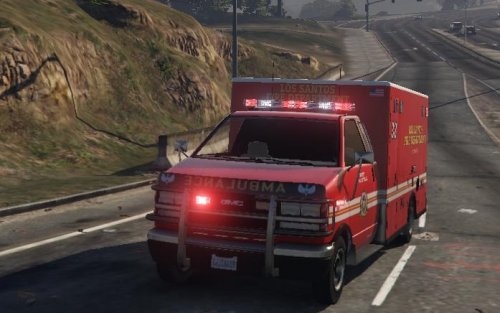
Updated 4/2/16 - VERSION 1.1 FIRST AMERCIAN AMBULANCE WITH LED LIGHTBAR!!!!!! I am tired of the old ambulance and wanted something a little more modern and sleek. (I mean a LED Whelen Lightbar) Install Instruction are included in the download I AM LOOKING FOR 2 TEXTURES TO REPLACE DEFAULT ONES THAT WILL COME WITH THE MODEL, IF YOU WANT PM (LCPDFR.COM) ME YOUR TEXTURES AND I IF I LIKE THEM I WILL PUT THEM IN THE NEXT REALEASE Known Bugs: -Lightbar not bright enough during day -Traffic advisor stops working if crashed front of the vehicle -Scene light on right side is missing -Lightbar having issue with colored glass Model By: LeoAllTheWay Designed &Some Retextures By: 72will Orignal Ambulance By: Rockstar Games GMC Logo By: AuthorSaulAlan DO NOT REUPLOAD TO ANY SITE WITHOUT WRITTEN PERMISSION FROM ME, 72will- 19 comments
- 6 reviews
-
-

- 5
-
Do you have visual V or Radiance V installed?I have a friend who is working on a car. Everything works fine until they add textures then It crashes in game. sheriff2 patchday3 png texture file Thanks for your helpI don't know what files are default or what are rage. I did realize that part of the rage problem is it is not not starting, it says launching game and then enjoy but the it takes me to the main menu. I think if that is fixed my key should fix because I know the keys have nothing to do with rage since it is not running in game.If it is a steam game just go to your steam library, click play on gta 5, then select GTA Online then play. None Steam: Open the game (no ragehook) on the main menu there is a button next to story mode that says online, just click that.Hello, Unmarked Charger- fbi Unmarked Crown Vic- police4 Unmarked Tahoe- fbi2 (Those names are what the default cars are supposed to represent, i know the tahoe is a granger, not sure what the other game model names are that is why i said what they represent :)Make sure your carvariations are default (or you installed the one that came with the mod)Fix: COMPLETLY REINSTALLED THE GAME AND EVERYTHING WORKS I just downloaded GTA (steam) and once I did that I ran it once (until the first mission loaded) then i shut it down installed latest rage,lspfr,scriptkoos,and my trainer, with some car mods. I also manually changed settings in settings.xml. Last I found a 100% save game from the internet and installed that. When I start the game (through rage hook) 1. I don't go directly into story mode like I used to before rage and the game updated, it had me go the main menu and load story mode then rage had not loaded when i was in game and the problem is persistent, I reinstalled it and tried running it again. 2. Once in game it is like some sort of sticky key about 50% of the time when i press a key it either does nothing or become frozen like if i start walking (pressing w) then let go, i keep walking and I have to keep tapping it or press s a lot to make it stop). It does that for every key, i tried to start a new game to see if it was just the save but nope. I need help please. All I want to do is play. [UPDATE]- Just tried putting back original settings.xml with not luck, still being weird, even my trainer is doing it. It was working perfectly fine then i let go of w and it kept going then tried to turn with a and nothing so i went crashing into a wall. Then it stopped, i was writing down some notes (hands nowhere near keyboard) and it just started backing up, it might have been a delayed response but the game is in control.Nice, what are you computer specs and what streaming/recording software are you using? You are correct
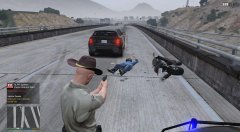 You know they are drunk when the fall trying to get off their bike at gun point.
LOLOLOLOLOLOLOL, PERFECT
You know they are drunk when the fall trying to get off their bike at gun point.
LOLOLOLOLOLOLOL, PERFECT
From the album: Best of LSSD
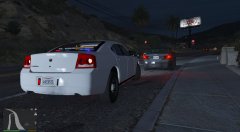 Can i download it?