



alexguirre
Members
-
Joined
-
Last visited
Everything posted by alexguirre
-
-
 The first crash you got isn't from my callouts [04-Nov-15 12:20:13 AM.370] LSPD First Response: [Wilderness Callouts | WantedFelonInVehicle] End() [04-Nov-15 12:20:13 AM.436] LSPD First Response: No more suspects useable, aborting chase [04-Nov-15 12:20:13 AM.437] LSPD First Response: Aborted chase [04-Nov-15 12:20:21 AM.381] LSPD First Response: Creating stolen vehicle event [04-Nov-15 12:20:53 AM.136] LSPD First Response: Creating ImpairedDriver This is what happens before the crash: my callout(Wanted Felon) ends, then an ambient event(stolen vehicle event) is created and thirty seconds later a callout(Impaired Driver) is created. Between the end of my callout and the crash there were 40 seconds, the cause can't be my callout. And about the second crash I'm not really sure if the cause my callout or not. I think it wasn't my callout because I don't use the function that is mentioned where it says that it crashed [04-Nov-15 12:39:48 AM.345] LSPD First Response: at Rage.World.GetEntityByHandle[EntityType](PoolHandle handle) <=== This function I don't know what can cause the second crash.
- 302 comments
- 66 reviews
-
-

- 1
-
-
 I already tried that, the problem is that if I use that as sprite it has a black background and it looks awful and very plain and I can't find anyway to make it look like a car headlights.
- 473 comments
- 73 reviews
-
-
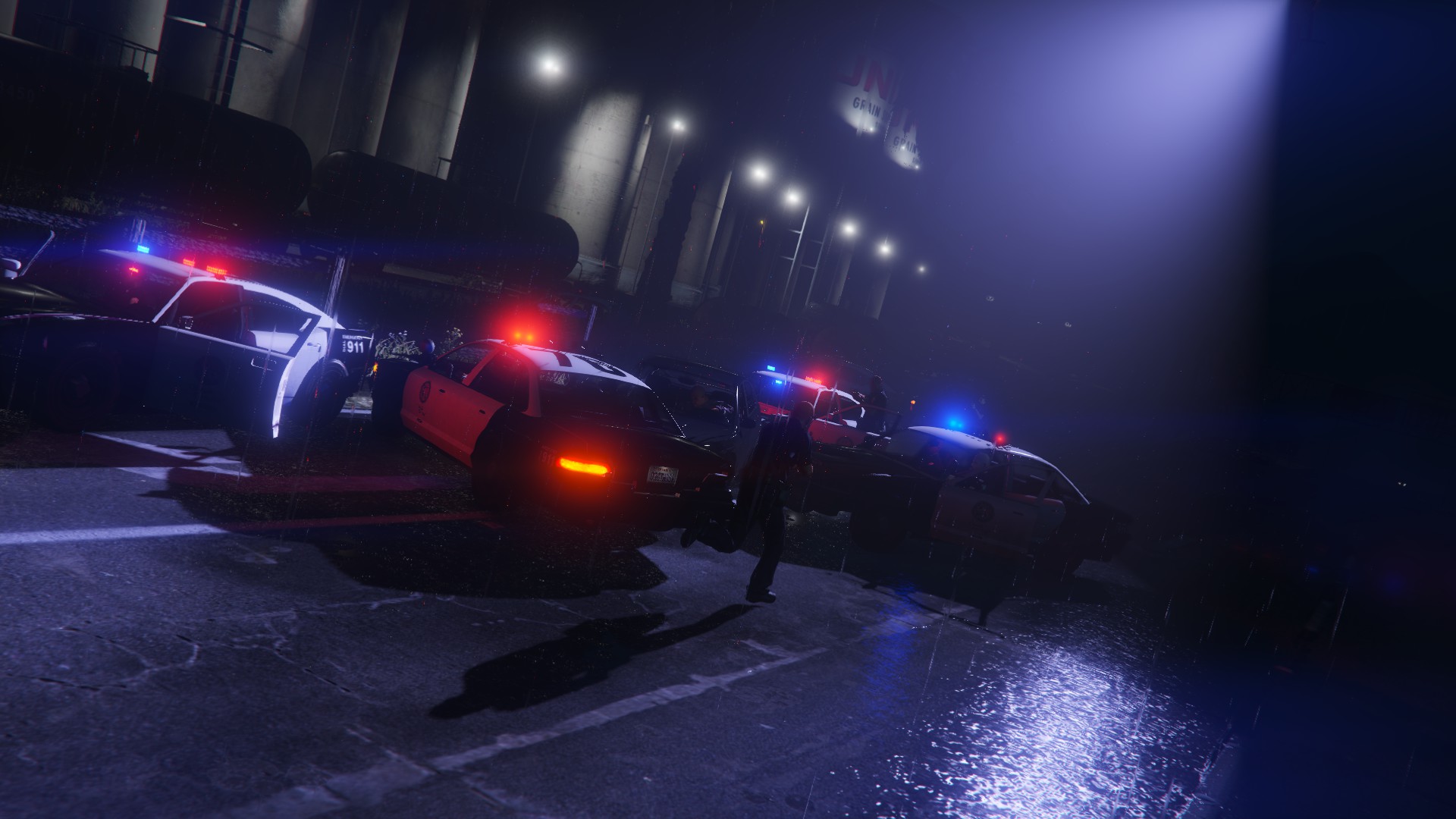
Dealing with an arson suspect, this is how it's done in San Andreas!
-
Yes, there will be a search area and I will add be some kind of variant with the fire source been a car
-
@Kal74 you give me ideas for the Arson callout and I make them real(inside a virtual world) :) The next update is going to be BIG
-
-
Wilderness Callouts News After take a two/three weeks break, I came back with a new callout, Hostage Situation. Here you can see few screenshots: Also if the release of LSPDFR 0.3 takes much longer I might release this before. And keep suggesting ideas!
-
I found where is the bug, remove the line "TimeScale=1" from RagePluginHook.ini and it will be fixed. I will communicate this as soon as possible to the RPH devs.
-
I never played SimCopter, basically because I wasn't born when it was released :), but if you still need help with the code contact me.
-
If your problem is something like what happens in this video(http://www.mediafire.com/download/xlx8drpp0khab6l/Grand+Theft+Auto+V+10.21.2015+-+17.10.14.02.mp4), it also happens to me and I already contacted the RPH developers about this bug.
-
 You can try to spawn the truck using the Simple Trainer in spawn vehicle by name type "trash2" and see if that works, if not some file may be corrupted. Or try the mod with all the other mods unloaded.
- 35 comments
- 14 reviews
-
Do you have any modded vehicles? It seems like it can't load the truck. You can try to restart your computer, crashes like this usually get fixed doing that.
- 35 comments
- 14 reviews
-
Not in the current version. It will be added for sure About the driver you can change his driving style in the settings file. In the documentation you can find how to create your driving styles and one that respects the traffic lights and traffic laws.
- 35 comments
- 14 reviews
-
Released!!
-
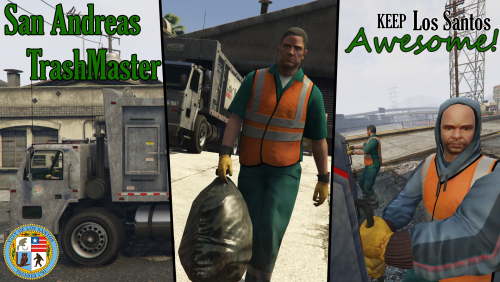
San Andreas TrashMaster is RAGEPluginHook based plugin, that finally will allow you to do what you always wanted to do... clean the trash of San Andreas!!! Features Two types of job: driver and trash picker. XML based routes, save and settings systems. In-game route creator. Money system(tp upgrade your truck, buy new buildings...) Please read the documentation file included in the download. There it says the requirements, how to install it, how to play it and how to use the in-game route creator. There are two. One is a notepad text file for those who cannot access the other document. You can do your own routes, and if they are cool share them!
- 35 comments
- 14 reviews
-
-
- 8
-
-
-
-
I don't think I understood you. If you mean open the back door of the truck(as you can see in the third image of the post above), yes, you will be able to open it while you play as the driver. If you mean pick a trash container with the truck and drop the trash inside the truck, no.
-
Look at this topic in gtaforums: http://gtaforums.com/topic/808173-list-of-input-names/?hl=input As you can see it uses the game controls and the problem with that is that if the user changes the game keys, the key icon also will change. And I don't know if there is any control that uses the F10 key by default. That's the only method I know of.
-
You can use the Function.RequestBackup() with the EBackupResponseType as Pursuit Functions.RequestBackup(spawnPosition, EBackupResponseType.Pursuit, EBackupUnitType.LocalUnit);
-
Remember that LSPDFR adds more audios, like the INTRO, the OUTRO or the NOISE_LOOP, so it makes it longer.
-
Probably the problem is that LSPDFR can only play one audio at once. When the second audio should start, the first audio might still playing. You can either make the sleep time bigger or simulate the sounds between one audio and other in only one PlayScannerAudio() like I did: Functions.PlayScannerAudioUsingPosition( "CRIME_OFFICER_REQUESTS_AIR_SUPPORT IN_OR_ON_POSITION OUTRO/*Here you play the outro audio and then the intro audio*/ OFFICER_INTRO HELI_APPROACHING_DISPATCH", Game.LocalPlayer.Character.Position);
-
 ...in Kerbal Space Program


