


OfficerFive0
Members
-
Joined
-
Last visited
Everything posted by OfficerFive0
-
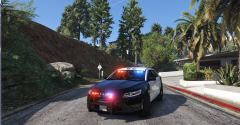 want to use a tir3 dominator for the ta?
 -
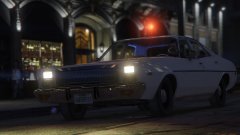 there was this photobucket that had a lot of close up of some classic lights but it was made private :( his name eric6913 was so if you search you can still find the individual photos (mostly thru elightbars.com ) here's one (it was one i downloaded after he made the album private but u can still find it online)
 -
-
a few were made for gta 4 but were private. they used the same car though just a different grill
-
the 2015 is the same as the 2012-14
-
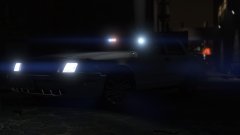
From the album: Five0 WIP
WIP LAPD detective/Gang unit cvpi. Photo taken by @steinberg4145 Model by OfficerFive0/Five0 uploaded with explicit permission from steinberg4145 -
try verifying the cache. that may help.
-
.thumb.png.90a7c3cbeab905405aad5c0b0d8b90bb.png) watch this video it should help or this its important to watch the videos even if its not relevant to what you're looking for as you will learn something that will make it all much easier. trust me.
watch this video it should help or this its important to watch the videos even if its not relevant to what you're looking for as you will learn something that will make it all much easier. trust me. -
its completely safe, and yes it does come with rage hook, it may not be the latest version. so download lspdfr first then the latest rph
-
why is there audio of a car driving in the background??
-
yes but in most cases unless its on the bumper it seems it just used as a spotlight
-
i dont think its for ca steady burn its for this
-
ah ok. i currently have a unity, fedsig/soundoff, whelen par46 P46S2X combo light. im going to make the other one later.
-
the dominator is too tall also did i ever give you my spotlights?
-
Yes Msg me and ill send it to you when I get home
-
Imo you should. You won't really able to see them anyways from my experience
-
For the foglights if someone wants a different color then they can just change the texture.
-
 no its hardcoded in sorry
 -
gta 4 only supports 8 rotators while this car would use 9
-
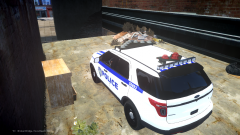
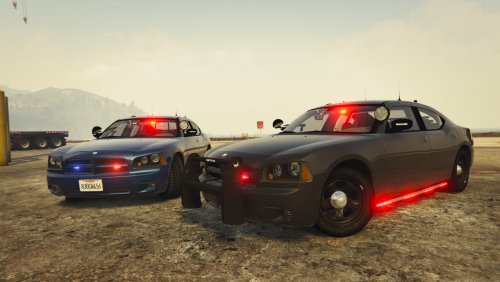
to be clear this will NEVER be released due to the fact that its impossible to work ingame. i took this picture when i was testing whether it would work or not.
-
ah ok so then ill set it up to have the corona affect
-
some more work done on the console
-
hoping to get another dev update out tomorrow
-
finished modeling the intersector converting it now
-
how many sirens are you using already?


.thumb.png.90a7c3cbeab905405aad5c0b0d8b90bb.png)
