


OfficerFive0
Members
-
Joined
-
Last visited
Everything posted by OfficerFive0
-
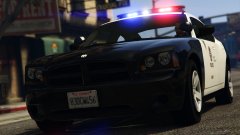 ok if u want u can use mine
 -
hey here's a list i've compiled of every police car and what each siren faces and color. i think itl be very useful to beginners who have no clue why the list above isnt working for them
-
are you going to add in these corner lights? and also do you know what brand/model they are? i made them for the slicktop but id rather know because i probably made a mistake or two
-
my bad lol wasn't really paying attention. still i was only placing it there, it isnt set up yet thank you for pointing that out!
-
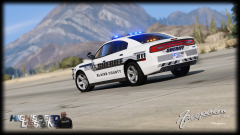 i was joking. lmao. anyways i think the law is stupid and is very outdated.
 -
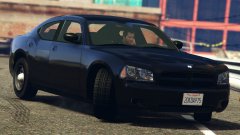 not sure but they may be the same seats i have. well anyways, good!
 -
are the seats hd?
-
ok i was under the impression u could have more than 2. but never tried it so i wouldnt know
-
what about extralight 3? or will it not work?
-
rear view with the coplites
-
do i also need bobble_head_col ?
-
rockstar is a company that glorifies violence and crime do you really think they'd obey the law? and the code from my previous post is from san andreas goverment site. so...
-
lmoa sorry no im too busy atm maybe in 2-5 months
-
same in San Andreas ;)
-
i think i will at this point seeing as they do use it on some of their units. and of course it will be an extra!
-
how were you able to do that? id like to use that on one of my antennas for the lapd cvpi
-
finished modeling old coplite lights. just have to make the stand for the front one and then i think i just have to assemble the car and test it out!
-
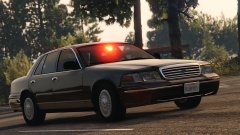 ahem.. 03 model with fully accurate lighting @Lundy if u want u can use these deck lights. i just finished modeling them. they're the ones lapd used. i also plan on doing the 97 version after im done with the 03. although im not sure if the cvpi i have is good to use as it was the one lundy gave out weeks ago for others to test.
 -
ah ok
-
whose coplite (the "mounted light" lapd used before the tricuda) are u using?
-
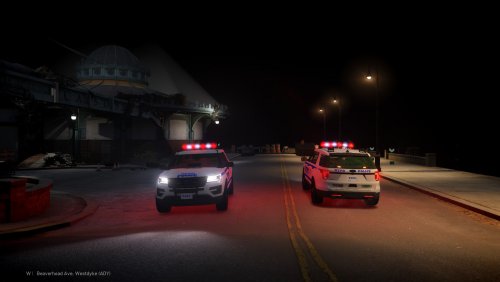 no i only gave him a working slr.btw if any of the authors agree i can give them the correct spotlight to use
- 23 comments
- 6 reviews
-
its new as of 2016 that they have started using spotlights on pct rmps. so u just want the added spotlight? id ask authors of previous cars to just add one in then.
- 23 comments
- 6 reviews
-
-
-


