OfficerFive0
Members
-
Joined
-
Last visited
Everything posted by OfficerFive0
-
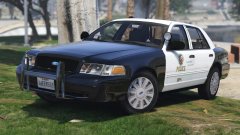
From the album: Five0 WIP
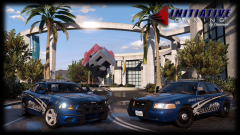
WIP LAPD Gang unit cvpi. Photo taken by @steinberg4145 Model by OfficerFive0/Five0 CREDIT Photo taken by steinberg4145 Model by OfficerFive0/Five0 -
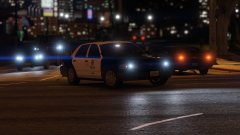
From the album: Five0 WIP
WIP LAPD Gang unit cvpi. Photo taken by @steinberg4145 Model by OfficerFive0/Five0 CREDIT Photo taken by steinberg4145 Model by OfficerFive0/Five0 -
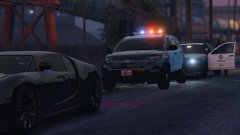
From the album: Five0 WIP
WIP LAPD Gang unit cvpi. Photo taken by @steinberg4145 Model by OfficerFive0/Five0 CREDIT Photo taken by steinberg4145 Model by OfficerFive0/Five0 explorer by desmond -
you're not supposed to notice that....
-
pic by steinberg
-
some generic flares based off of orion flares. going to be apart of the low poly trunk cabinet im making
-
finished the window guard
-
wip polycarbonate windows for chevy tahoe @PimDSLR ps. dont mid the sharp edges, they wont be visible when im done
-
 ah ok neat! if you ever need any parts i made hmu id love to contribute!
 -
is it a new charger? and same lighting?
-
fixed :)
-
doesn't really matter just whatever you like best
-
ok i have a fedsig/soundoff signal spotlight unity spotlight whelen P46S2X combo light i haven't made the other par46 yet :(
-
it needs a real spotlight. i can hook you up with one if you want
-
thats what im working on changing it from a four door to a 2 door
-
no problem. btw use the quote button on the bottom of the post to directly respond to it. that way the poster also gets a notification that you responded
-
yea i wouldn't recommend reducing your settings just darken the yellow texture a bit more
-
only thing is other vehicles lighting may look like crap after that
-
yea im not really sure which one it is, sorry
-
use a photo editing program like gimp or paint.net then darken the image. you can find a tutorial online.
-
if you dont want to mess around with the settings i would suggest making the emissive textures a bit darker
-
ballistic panel label added
-
ugh with new cvpi comes new crap ...................... L0 L1 L2
-
whelen m2 ive made
-