




CouthInk4
Members
-
Joined
-
Last visited
Everything posted by CouthInk4
-
This topic has been moved to the appropriate forum. Please post in the correct location in the future.
-
-
This topic has been closed by G17 Media Community Team Staff as it is a topic regarding support for the RAGE Plugin Hook. We are unable to provide support for the RAGE Plugin Hook (RPH), and require all support topics pertaining to this be posted over on the official RAGE Plugin Hook forums: http://forums.ragepluginhook.net/ If you feel this topic has been closed in error, please report this post.
-
This topic has been moved to the appropriate forum. Please post in the correct location in the future.
-
This topic has been moved to the appropriate forum. Please post in the correct location in the future.
-
Your topic has been moved to GTA V Support, this is not LSPDFR related. Please post in the correct location in the future.
-
Your topic has been moved to GTA V Support, this is not LSPDFR related. Please post in the correct location in the future.
-
This topic has been moved to the appropriate forum. Please post in the correct location in the future.
-
This topic has been closed by G17 Media Community Team Staff as it is a topic regarding support for the RAGE Plugin Hook. We are unable to provide support for the RAGE Plugin Hook (RPH), and require all support topics pertaining to this be posted over on the official RAGE Plugin Hook forums: http://forums.ragepluginhook.net/ If you feel this topic has been closed in error, please report this post.
-
Your topic has been moved to LCPDFR Support Requests. Please post in the correct location in the future. Hello there -- welcome to LCPDFR.com and thanks for trying out LCPDFR! Please do the following: Make sure you aren't using a crack - We don't support cracks or people using pirated software Update GTA IV to 1.0.7.0 (the latest version of the game, or 1.1.2.0 for EFLC) - These patches are needed. Make sure that you run the game as an administrator. Make sure that your GTA IV root folder (and every subdirectory) is not set to "read-only" Ensure that AdvancedHook.dll, ScriptHook.dll, ScriptHookDotNet.asi and Dsound.dll OR Xlive.dll are in the GTA IV ROOT folder Ensure that there is a folder titled 'LCPDFR' in the ROOT GTA IV folder. Check that all the above files exist, if they do not, reinstall LCPDFR with the MANUAL installation. Ensure that you are using up to date versions of every LCPDFR dependency and LCPDFR itself. Install these: https://www.microsoft.com/en-us/download/details.aspx?id=30653 , https://www.microsoft.com/en-us/download/details.aspx?id=30679 In some cases, your issue is resolved after following the above steps. If it did help, please let everyone know in the topic that your issue is resolved. If you do have to post a topic, do the following; Give a clear, detailed description of the problem. Explain any circumstances surrounding the problem. State what solutions you have tried. Post ALL relevant logs (LCPDFR.log, Scripthook.log, ScriptHookDotNet.log, AdvancedHook.log). Include as much information as possible. Post your system specifications. Post what other mods you are using. This includes car and script mods. Post a screenshot of your GTA IV or EFLC game directory. Please note that failure to follow these instructions may cause this thread to be closed.
-
Agree with OL, Razer Game Booster/Cortex will help reduce lag. i've always used it and it's given me performance boost in every game. Also what's your PC specs?
-
This topic has been moved to the appropriate forum. Please post in the correct location in the future.
-
does your game need razor 1911 to run or can it run without it?
-
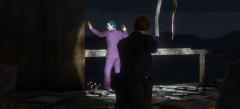 I'm guessing he got arrested.. and on the way to booking he wouldn't shut up about how he got his scars?
 -
Did he buy it legally? or is it a downloaded copy and put onto a disc? Can you provide a photo of the disc?
-
You're using a crack. razor 1911 is a crack for illegal copies of the game. Where did you buy your game from?
-
Whether it's a digital download or a physical copy, it doesn't matter as LCPDFR will work on either copy. As long as it's a legit game (bought and not torrented) then it will work.
-
This topic has been moved to the appropriate forum. Please post in the correct location in the future. Are you running a legit copy of GTA IV? or is it pirated?
-
This topic has been moved to the appropriate forum. Please post in the correct location in the future.
-
I'm guessing this is one of those easter eggs like Francis and the hooker inside the officer in LCPDFR? (i haven't tried out 0.3 yet so i don't know any of the features apart from what has been announced)
-
This topic has been moved to the appropriate forum. Please post in the correct location in the future.
-
Rather than dragging and dropping, right click on the file and choose replace. for example right click on the police2.yft - replace then choose the police2.yft file of the mod you want to install. if should replace. I could never get the drag and drop method to work, however the method i just mentioned works like a charm :D
-
Keep Calm! see what i did there? The developer of the mod is most likely working on a new version, he also has a callout pack which probably needs updating also. I'm sure the developer will update it when he has the chance to. =)
-
Can you explain a little more? Right now, i don't know what you're trying to ask.
-
This topic has been moved to the appropriate forum. Please post in the correct location in the future.


