




CouthInk4
Members
-
Joined
-
Last visited
Everything posted by CouthInk4
-
There's nothing wrong with users sharing their maps here. If you don't like them then simply don't download them i say. Just because this is a site based around Law Enforcement doesn't necessarily mean our Download Section is too, Our download section is open to any kind of mod, not just those directed at Law Enforcement/Emergency Services.
-
This topic has been closed by G17 Media Community Team Staff as it is a topic regarding support for the RAGE Plugin Hook. We are unable to provide support for the RAGE Plugin Hook (RPH), and require all support topics pertaining to this be posted over on the official RAGE Plugin Hook forums: http://forums.ragepluginhook.net/ If you feel this topic has been closed in error, please report this post.
-
Your topic has been moved to GTA V Support, this is not LSPDFR related. Please post in the correct location in the future.
-
No, giving out or linking to places to original GTA files is considered piracy, which is against our Community Guidelines. people with higher end systems get this error because they're card is more than 3GB VRAM which causes this issue. which is fixed by a commandline, Yours however is due to you not having a graphics card. Intergrated graphics cannot run this game at all (and if it does it's not for long) since it's not powerful enough to handle a graphics intesive game like IV
-
You already have a topic regarding this. Please don't create multiple topics for the same thing. If you feel this topic has been closed in error, please report this post.
-
No. Because your computer can't handle them. If you want to enjoy mods (apart from script mods like LCPDFR) then you'll have to either upgrade or buy a new computer
-
Car mods will also cause crashes due to them being high-poly. Chances are you can't use any vehicle mods
-
That is because some places requite more VRAM. Staying in an apartment watching TV doesn't need as much resources as going over a bridge with vehicles, buidings and textures loading. If you have any car mods, remove them
-
Yeah, that is why. You're running integrated graphics. which won't support GTA IV on high settings. Your game can only just run on the lowest settings as it's not a very good PC and isn't suitable for gaming. Set all your settings to low (including the graphics) and if you're still encountering this issue then your computer can't support GTA
-
What's your graphics card? If you're unsure then download a program called Speccy and take a screenshot of the Summary page.
-
What's uour system specs? by the sounds of it your graphics card doesn't have enough memory to support GTA IV. That being said i do believe there was an issue with cards that have more than 3gb VRAM and you had to use a commandline.txt (might be worth googling it). i know when i first got my 780Ti i had to use a commandline otherwise GTA IV wouldn't work properly
-
I actually quite enjoyed this, your commentary is comedic :D I rarely subscribe to LSPDFR YouTubers since i don't go much on the gameplay (well, watching LSPDFR anyways). The only person who i'm subscribed to that does LSPDFR is Jeff Favignano, I'm now subscribed to your channel. Keep up the great work!
-
This topic has been moved to the appropriate forum. Please post in the correct location in the future.
-
Your thread has been moved to GTA IV Development Suggestions and Requests. Please read the Showroom Style Forums announcement before posting in the showroom forums.
-
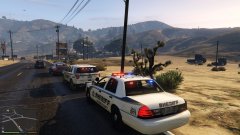
From the album: CouthInk4's LSPDFR Gallery
Assisting a fellow LSSD Deputy in a traffic stop -
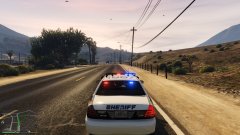
From the album: CouthInk4's LSPDFR Gallery
Responding Code 2 to Assist in a Traffic Stop -
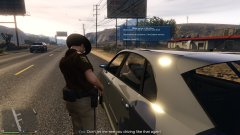
From the album: CouthInk4's LSPDFR Gallery
Citing a driver for Reckless Driving -
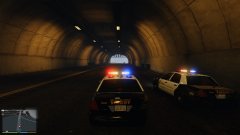
From the album: CouthInk4's LSPDFR Gallery
Trying to bring a stop to a suspect who stole an LSSD Crown Vic -
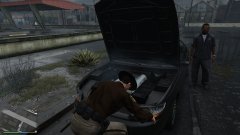
From the album: CouthInk4's LSPDFR Gallery
LSSD officer repairing a broken down vehicle after being flagged down by the driver -
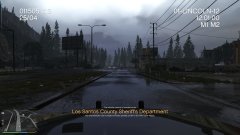
From the album: CouthInk4's LSPDFR Gallery
Rain and Thunder out in Paleto Bay -
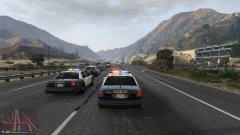
From the album: CouthInk4's LSPDFR Gallery
LSSD and SAHP in pursuit of an escaped prisoner driving a stolen Police Transporter -
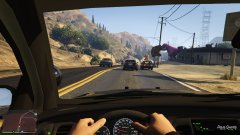
From the album: CouthInk4's LSPDFR Gallery
Pursuit on a wanted suspect by the LSSD -
I will suggest you build your own PC rather than buying a pre-built one. You'll probably end up with better components at a cheaper cost
-
Sheriff - update/x64/dlcpacks/patchday3ng/dlc.rpf/x64/levels/gta5/vehicles.rpf Sheriff2 - update/x64/dlcpacks/patchday3ng/dlc.rpf/x64/levels/gta5/vehicles.rpf
-
Can you give us the system specs? Graphics card, RAM, CPU etc. .


