




CouthInk4
Members
-
Joined
-
Last visited
Everything posted by CouthInk4
-
-
-
If you shut down your computer afterwards, then that's why it didn't work. Once you install new software (especially if it's system related) you'll need to restart your PC before for it to fully work. Glad to hear you got it working. Have fun with LCPDFR!
-
-
-
Your topic has been moved to GTA V Support, this is not LSPDFR related. Please post in the correct location in the future.
-
This topic has been closed by G17 Media Community Team Staff as it is a topic regarding support for the RAGE Plugin Hook. We are unable to provide support for the RAGE Plugin Hook (RPH), and require all support topics pertaining to this be posted over on the official RAGE Plugin Hook forums: http://forums.ragepluginhook.net/ If you feel this topic has been closed in error, please report this post.
-
Please download the x86 versions of the two files that are linked in my original post.
-
Considering Staff can't download anything aswell, it's most likely either a site or server issue. This will be fixed when Cyan sees it.
-
This seems like a Native Trainer issue rather than an LSPDFR issue. Have you disabled your shortcut keys in your Trainer options? Chances are you have a certain key binded to something that does that
-
Hello there -- welcome to LCPDFR.com and thanks for trying out LCPDFR! Please do the following: Make sure you aren't using a crack - We don't support cracks or people using pirated softwareUpdate GTA IV to 1.0.7.0 (the latest version of the game, or 1.1.2.0 for EFLC) - These patches are needed. Make sure that you run the game as an administrator.Make sure that your GTA IV root folder (and every subdirectory) is not set to "read-only"Ensure that AdvancedHook.dll, ScriptHook.dll, ScriptHookDotNet.asi and Dsound.dll OR Xlive.dll are in the GTA IV ROOT folderEnsure that there is a folder titled 'LCPDFR' in the ROOT GTA IV folder.Check that all the above files exist, if they do not, reinstall LCPDFR with the MANUAL installation.Ensure that you are using up to date versions of every LCPDFR dependency and LCPDFR itself.Install these: https://www.microsoft.com/en-us/download/details.aspx?id=30653 , https://www.microsoft.com/en-us/download/details.aspx?id=30679 In some cases, your issue is resolved after following the above steps. If it did help, please let everyone know in the topic that your issue is resolved. If you do have to post a topic, do the following; Give a clear, detailed description of the problem.Explain any circumstances surrounding the problem.State what solutions you have tried.Post ALL relevant logs (LCPDFR.log, Scripthook.log, ScriptHookDotNet.log, AdvancedHook.log).Include as much information as possible.Post your system specifications.Post what other mods you are using. This includes car and script mods.Post a screenshot of your GTA IV or EFLC game directory. Please note that failure to follow these instructions may cause this thread to be closed.
-
Your topic has been moved to LCPDFR Support Requests. Please post in the correct location in the future. Hello there -- welcome to LCPDFR.com and thanks for trying out LCPDFR! Please do the following: Make sure you aren't using a crack - We don't support cracks or people using pirated software Update GTA IV to 1.0.7.0 (the latest version of the game, or 1.1.2.0 for EFLC) - These patches are needed. Make sure that you run the game as an administrator. Make sure that your GTA IV root folder (and every subdirectory) is not set to "read-only" Ensure that AdvancedHook.dll, ScriptHook.dll, ScriptHookDotNet.asi and Dsound.dll OR Xlive.dll are in the GTA IV ROOT folder Ensure that there is a folder titled 'LCPDFR' in the ROOT GTA IV folder. Check that all the above files exist, if they do not, reinstall LCPDFR with the MANUAL installation. Ensure that you are using up to date versions of every LCPDFR dependency and LCPDFR itself. Install these: https://www.microsoft.com/en-us/download/details.aspx?id=30653 , https://www.microsoft.com/en-us/download/details.aspx?id=30679 In some cases, your issue is resolved after following the above steps. If it did help, please let everyone know in the topic that your issue is resolved. If you do have to post a topic, do the following; Give a clear, detailed description of the problem. Explain any circumstances surrounding the problem. State what solutions you have tried. Post ALL relevant logs (LCPDFR.log, Scripthook.log, ScriptHookDotNet.log, AdvancedHook.log). Include as much information as possible. Post your system specifications. Post what other mods you are using. This includes car and script mods. Post a screenshot of your GTA IV or EFLC game directory. Please note that failure to follow these instructions may cause this thread to be closed.
-
This topic has been moved to the appropriate forum. Please post in the correct location in the future.
-
Your topic has been moved to GTA V Support, this is not LSPDFR related. Please post in the correct location in the future.
-
*sigh* I actually just fixed mine from crashing, i edited the .ini wrong and didn't put =None next to the certain features i wanted disabled. However i do remember @Jeff Favignano mentioning in one of his latest videos that the spotlight script started causing some issues?
-
Since the latest RPH version has come out the Spotlight script has now become outdated and no longer works, I know myself and many other people would love to have it brought back to life. Maybe someone who is good with scripting will be able to create a new spotlight script? Just a suggestion considering many people including myself would like to see this become a thing again.
-
This topic has been moved to the appropriate forum. Please post in the correct location in the future.
-
This topic has been moved to the appropriate forum. Please post in the correct location in the future.
-
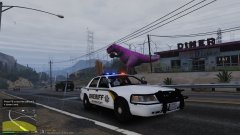
From the album: CouthInk4's LSPDFR Gallery
@LukeD Is this your dinosaur? -
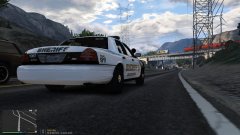
From the album: CouthInk4's LSPDFR Gallery
Cinematic views -
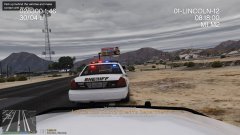
From the album: CouthInk4's LSPDFR Gallery
Assisting a fellow LSSD deputy on a traffic stop -
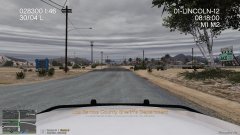
From the album: CouthInk4's LSPDFR Gallery
WHERE DID ME SUN GO?! -
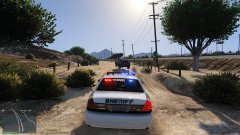
From the album: CouthInk4's LSPDFR Gallery
Pursuit with the LSSD, It went offroad unfortunately the FPIU couldn't keep up. #CVPIFTW -
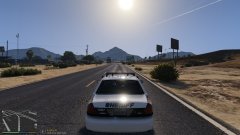
From the album: CouthInk4's LSPDFR Gallery
Beautiful day in the LS County area. -
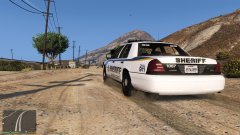
From the album: CouthInk4's LSPDFR Gallery
Patrolling in the desert with the LSSD


