




CouthInk4
Members
-
Joined
-
Last visited
Everything posted by CouthInk4
-
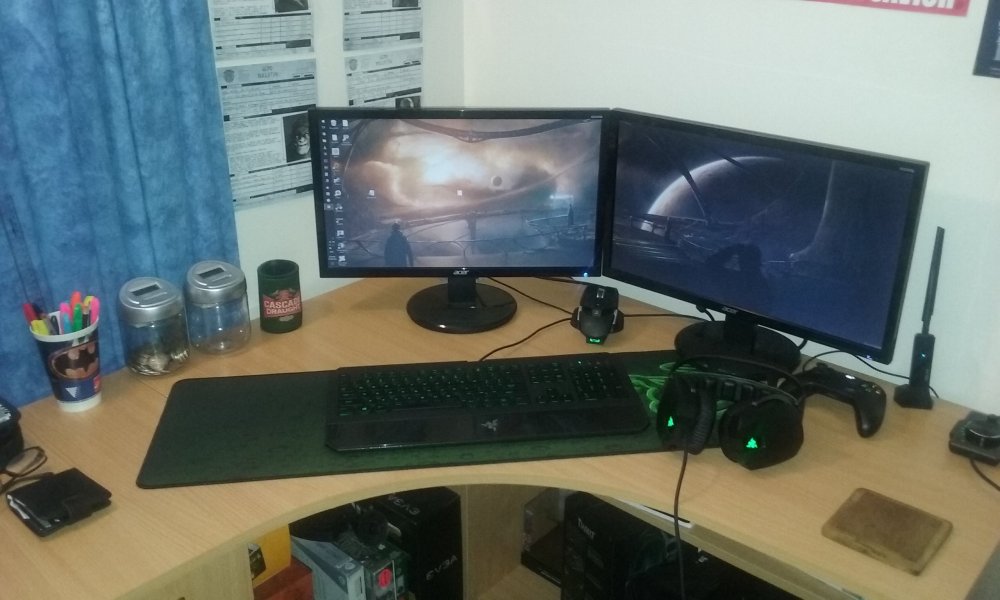
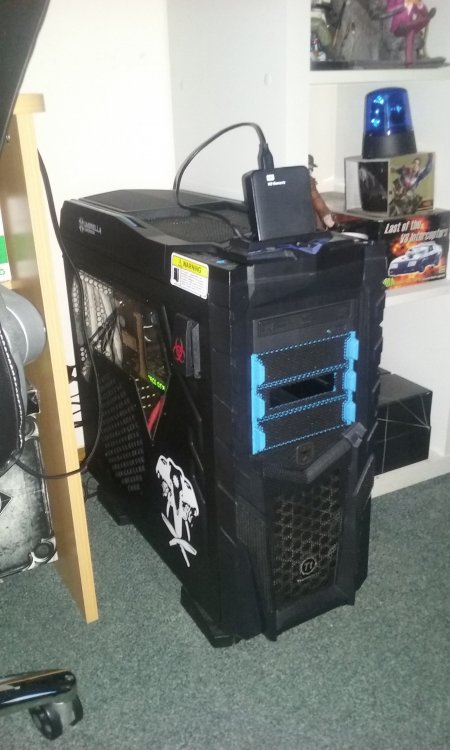
I've just cleaned up my desk, So i'll show my setup off. Although this will slightly change soon since i'm upgrading to 3 27" monitors, but everything else will stay the same... especially the desk, I freakin love my desk! :D
-
This is a common issue with Mirillis Action. It's because of the software itself and how it acts with GTA IV, there is no way to fix it unfortunately.
-
If you feel this topic has been closed in error, please report this post.
-
You already have a topic regarding this, Creating multiple topics regarding the same issue is considered spam. Please stick to your original topic here -
-
This topic has been moved to the appropriate forum. Please post in the correct location in the future.
-
Hello there -- welcome to LCPDFR.com and thanks for trying out LCPDFR! Please do the following: Make sure you aren't using a crack - We don't support cracks or people using pirated softwareUpdate GTA IV to 1.0.7.0 (the latest version of the game, or 1.1.2.0 for EFLC) - These patches are needed. Make sure that you run the game as an administrator.Make sure that your GTA IV root folder (and every subdirectory) is not set to "read-only"Ensure that AdvancedHook.dll, ScriptHook.dll, ScriptHookDotNet.asi and Dsound.dll OR Xlive.dll are in the GTA IV ROOT folderEnsure that there is a folder titled 'LCPDFR' in the ROOT GTA IV folder.Check that all the above files exist, if they do not, reinstall LCPDFR with the MANUAL installation.Ensure that you are using up to date versions of every LCPDFR dependency and LCPDFR itself.Install these: https://www.microsoft.com/en-us/download/details.aspx?id=30653 , https://www.microsoft.com/en-us/download/details.aspx?id=30679 In some cases, your issue is resolved after following the above steps. If it did help, please let everyone know in the topic that your issue is resolved. If you do have to post a topic, do the following; Give a clear, detailed description of the problem.Explain any circumstances surrounding the problem.State what solutions you have tried.Post ALL relevant logs (LCPDFR.log, Scripthook.log, ScriptHookDotNet.log, AdvancedHook.log).Include as much information as possible.Post your system specifications.Post what other mods you are using. This includes car and script mods.Post a screenshot of your GTA IV or EFLC game directory. Please note that failure to follow these instructions may cause this thread to be closed.
-
Hello there -- welcome to LCPDFR.com and thanks for trying out LCPDFR! Please do the following: Make sure you aren't using a crack - We don't support cracks or people using pirated softwareUpdate GTA IV to 1.0.7.0 (the latest version of the game, or 1.1.2.0 for EFLC) - These patches are needed. Make sure that you run the game as an administrator.Make sure that your GTA IV root folder (and every subdirectory) is not set to "read-only"Ensure that AdvancedHook.dll, ScriptHook.dll, ScriptHookDotNet.asi and Dsound.dll OR Xlive.dll are in the GTA IV ROOT folderEnsure that there is a folder titled 'LCPDFR' in the ROOT GTA IV folder.Check that all the above files exist, if they do not, reinstall LCPDFR with the MANUAL installation.Ensure that you are using up to date versions of every LCPDFR dependency and LCPDFR itself.Install these: https://www.microsoft.com/en-us/download/details.aspx?id=30653 , https://www.microsoft.com/en-us/download/details.aspx?id=30679 In some cases, your issue is resolved after following the above steps. If it did help, please let everyone know in the topic that your issue is resolved. If you do have to post a topic, do the following; Give a clear, detailed description of the problem.Explain any circumstances surrounding the problem.State what solutions you have tried.Post ALL relevant logs (LCPDFR.log, Scripthook.log, ScriptHookDotNet.log, AdvancedHook.log).Include as much information as possible.Post your system specifications.Post what other mods you are using. This includes car and script mods.Post a screenshot of your GTA IV or EFLC game directory. Please note that failure to follow these instructions may cause this thread to be closed.
-
Your topic has been moved to GTA V Support, this is not LSPDFR related. Please post in the correct location in the future.
-
This topic has been moved to the appropriate forum. Please post in the correct location in the future.
-
Hello there -- welcome to LCPDFR.com and thanks for trying out LCPDFR! Please do the following: Make sure you aren't using a crack - We don't support cracks or people using pirated softwareUpdate GTA IV to 1.0.7.0 (the latest version of the game, or 1.1.2.0 for EFLC) - These patches are needed. Make sure that you run the game as an administrator.Make sure that your GTA IV root folder (and every subdirectory) is not set to "read-only"Ensure that AdvancedHook.dll, ScriptHook.dll, ScriptHookDotNet.asi and Dsound.dll OR Xlive.dll are in the GTA IV ROOT folderEnsure that there is a folder titled 'LCPDFR' in the ROOT GTA IV folder.Check that all the above files exist, if they do not, reinstall LCPDFR with the MANUAL installation.Ensure that you are using up to date versions of every LCPDFR dependency and LCPDFR itself.Install these: https://www.microsoft.com/en-us/download/details.aspx?id=30653 , https://www.microsoft.com/en-us/download/details.aspx?id=30679 In some cases, your issue is resolved after following the above steps. If it did help, please let everyone know in the topic that your issue is resolved. If you do have to post a topic, do the following; Give a clear, detailed description of the problem.Explain any circumstances surrounding the problem.State what solutions you have tried.Post ALL relevant logs (LCPDFR.log, Scripthook.log, ScriptHookDotNet.log, AdvancedHook.log).Include as much information as possible.Post your system specifications.Post what other mods you are using. This includes car and script mods.Post a screenshot of your GTA IV or EFLC game directory. Please note that failure to follow these instructions may cause this thread to be closed.
-
Your thread has been moved to LCPDFR Support Requests as it isn't a LSPDFR Support Request.
-
I've been wanting a CVPI (preferably LAPD based) in my game for a while now, Although the ones available only have the option for a Arjent or MX7000, they never have them both available to be used in game (different models entirely). My reuqest is, if someone could kindly create a CVPI (modern) that supports both an Arjent and MX7000 lightbar (the vehicle also needs to have a pushbar (nothing too flash just a decent pushbar type thing) and hubcaps (i love the hubcaps on the CVPI's) And yes, I do know there is one already available, which i'm currently using but my biggest issue with that is the Mx7000 lights are a bit messed up, The center of the lightbar is waaaay to clear to the point it makes the red/blue look like they're their own seperate lights and it's weird. If someone is able to fix that and make it a slightly transparent or a solid white then i'd be happy with that. link -
-
they affect on how the lightbar works, certain settings are for certain vehicles. <sirenSettings value="1" /> = This siren lights is used by Police Buffalo, Police Riot, Park Ranger SUV and Sheriff Granger.<sirenSettings value="2" /> = This siren lights is used by Police Interceptor.<sirenSettings value="4" /> = This siren lights is used by Ambulance. <sirenSettings value="5" /> = This siren lights is used by NYSP Police Roadcruiser, NYSP Police Rancher and LSPD Police Transporter.<sirenSettings value="6" /> = This siren lights is used by Police Bike<sirenSettings value="7" /> = This siren lights is used by Fire Truck<sirenSettings value="9" /> = This siren lights is used by Tow Truck and one of Boxville models.<sirenSettings value="10" /> = This siren lights is used by Lifeguard SUV.<sirenSettings value="13" /> = This siren lights is used by Stanier Police Cruiser and Sheriff Cruiser.
-
From the album: CouthInk4's LSPDFR Gallery
Ariel view of 1-LINCOLN-12 as they patrol -
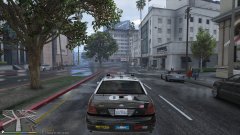
From the album: CouthInk4's LSPDFR Gallery
been a rainy day in LS -
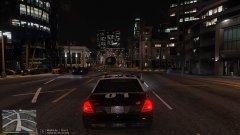
From the album: CouthInk4's LSPDFR Gallery
LAPD style LSPD liveries just.. make my game look better. They just feel right. It's kind of weird tbh -
Any reason why you changed the light and siren settings? you've got the lights set at 1 and the sirensetting at 1. Whereas in the readme/carvariation of the download it has lights set at 0 and siren set a 5. change it to that, and it might work.
-
Make sure the vehicle above and below in the vehicle.meta is fine. (starting with <Item> and ending in </Item> i've deleted them countless of times and spent 30 minutes wondering what went wrong. Also, How many cars have you got added on. You may need a modified gameconfig file to support more vehicles
-
Hello there -- welcome to LCPDFR.com and thanks for trying out LCPDFR! Please do the following: Make sure you aren't using a crack - We don't support cracks or people using pirated softwareUpdate GTA IV to 1.0.7.0 (the latest version of the game, or 1.1.2.0 for EFLC) - These patches are needed. Make sure that you run the game as an administrator.Make sure that your GTA IV root folder (and every subdirectory) is not set to "read-only"Ensure that AdvancedHook.dll, ScriptHook.dll, ScriptHookDotNet.asi and Dsound.dll OR Xlive.dll are in the GTA IV ROOT folderEnsure that there is a folder titled 'LCPDFR' in the ROOT GTA IV folder.Check that all the above files exist, if they do not, reinstall LCPDFR with the MANUAL installation.Ensure that you are using up to date versions of every LCPDFR dependency and LCPDFR itself.Install these: https://www.microsoft.com/en-us/download/details.aspx?id=30653 , https://www.microsoft.com/en-us/download/details.aspx?id=30679 In some cases, your issue is resolved after following the above steps. If it did help, please let everyone know in the topic that your issue is resolved. If you do have to post a topic, do the following; Give a clear, detailed description of the problem.Explain any circumstances surrounding the problem.State what solutions you have tried.Post ALL relevant logs (LCPDFR.log, Scripthook.log, ScriptHookDotNet.log, AdvancedHook.log).Include as much information as possible.Post your system specifications.Post what other mods you are using. This includes car and script mods.Post a screenshot of your GTA IV or EFLC game directory. Please note that failure to follow these instructions may cause this thread to be closed.
-
Your topic has been moved to LCPDFR Support Requests. Please post in the correct location in the future.
-
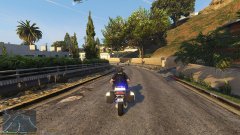
From the album: CouthInk4's LSPDFR Gallery
The LSPD now have their own designated SWAT team.. except they drive big ass Police riot vans and unmarked SUV.. not bikes -
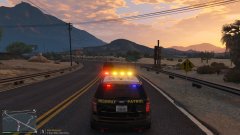
From the album: CouthInk4's LSPDFR Gallery
trying out new SAHP vehicles. -
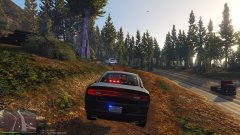
From the album: CouthInk4's LSPDFR Gallery
suspect went off road.. so i went offroad :D -
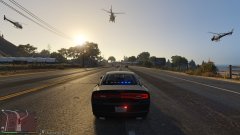
From the album: CouthInk4's LSPDFR Gallery
testing my backup.xml.. hence why there is 3 helicopters. -
It works. Thanks for your help! :D Would i also need to change anything to make other police recognize the added ped as police? Of is that all fixed up in the meta? I plan on adding a LSPD and LSSD SWAT, so i'll need them recognized by police as their own.




