




CouthInk4
Members
-
Joined
-
Last visited
Everything posted by CouthInk4
-
You already have a topic regarding this, creating multiple topics regarding the same thing in a short period of time is considered spam. Which is against our Guidlines. Please use your original topic located here. If you feel this topic has been closed in error, please report this post.
-
Straighten u the Police.. since the decal is mean to be straight and not angled. Also, maybe add a version with this logo on the bonnet since some vehicles (including the VF) use these (i say some since there are vehicles that don't have it). The image is a bit small, although it's the only one i could find that matches.

-
You already have a topic regarding this issue. Don't create multiple topics for the same thing as it's against our Community Guidelines. If you feel this topic has been closed in error, please report this post.
-
Look at people's profiles or signatures. or check YouTube. That's your best bet. Just don't create a topic here specifically looking for one as it's a violation of our Community Guidelines to do so.
-
No problem. You're not the first (and you won't be the last) to make the mistake of not updating the RPH that comes with LSPDFR.
-
The one provided with LSPDFR is outdated, So when a game update is released you will need to update RPH as each update breaks RPH. You can download the latest version from here - https://ragepluginhook.net/Downloads.aspx
-
No you don't. You need to upgrade your version of RagePluginHook to the latest version. You're using an outdated and unsupported version
-
See. If people did more of these, this entire topic would be 100% better Although, it's technically not the first since a Taspol divvy van texture was made. but it's the first sedan. and it's something i see a lot.. weird considering they're Traffic and i see them more than GD units. Just in time aswell since Taspol has started to use the VF commodore in their Traffic fleet, they mainly the FG Falcon.
-
Anyone planning on creating the 2018 Holden Commodore? Now that pictures have been released.. although the vehicle itself is ugly (especially the sportswagon) i thought the VF (non SS version) was ugly.. not until i saw the 2018 version.
-
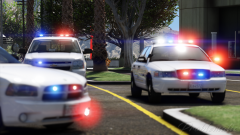 That looks pretty awesome! What vehicles are you using?
 -
This topic has been moved to the appropriate forum. Please post in the correct location in the future.
-
This topic has been moved to the appropriate forum. Please post in the correct location in the future.
-
Download and Install these: -Restart your PC after installing them- https://www.microsoft.com/en-gb/download/details.aspx?id=30679 https://www.microsoft.com/en-gb/download/details.aspx?id=5555 Also, Make sure you read this guide before creating a support topic, Most of the issues that occur with LCPDFR as listed here with fixes -
-
Wino problem. when it comes to PC Parts in Australia its either MSY or PCCaseGear.
-
MSY has everything tbh. That's why i was glad when they opened a Store in Tassie.. and if they don't have it in store.. you could always buy it on their online store (which is in Victoria) Just call them first to see if they have any in stock.. That way a 20 minute trip isn't wasted. I switched from PCCaseGear to MSY because they're essentially the same, just MSY is local :D
-
Have you tried either PCCaseGear or MSY? You should have an MSY in your town they tend to stock SSD (good ones aswell). It's probably cheaper than Newegg.. since i believe they ship their stock from the US (regardless of where you buy it from)
-
You already have a topic regarding this issue. stick to that one and don't create multiple topics. it clutters up the forums and it's against the Community Guidelines to do so. If you feel this topic has been closed in error, please report this post.
-
This topic has been moved to the appropriate forum. Please post in the correct location in the future.
-
As stated above. Use your backups or reinstall/repair your game. giving out game files is considered piracy and it's also against the Community Guidelines. If you feel this topic has been closed in error, please report this post.
-
This topic has been moved to the appropriate forum. Please post in the correct location in the future.
-
Your topic has been moved to GTA V Support, this is not LSPDFR related. Please post in the correct location in the future.
-
Please create your own topic in the correct forum section.
-
This was posted in 2012, Chances are the mod is dead (especially if the download doesn't work) Not to mention from the screenshots it's massively outdated.
-
Although i understand everyone's hype for the mod, I will ask for people to refrain from asking for release dates or teasers. These will be released when the developers feel that they're ready to do so. If anyone has an issue with this then they can PM me and we can discuss it further. However everyone please don't go off topic and respond to people asking for release dates. Keep to the discussion of ELS V.
-
oh no. Wait. TBOGT features Police 3 and 4 as the Police buffalo and Stinger. forget what i said about adding that line to handling. go into TBOGT handling.dat and find the police 3 handling line, change it with the one in the readme (which is included with the download). You're looking in the wrong part for police 1 and 2. When you have Episodes from Liberty City installed things get split up into their games. Scroll through SparkIV (on the side panel) until you find the GTA IV section (it should be right at the bottom) there you will find Police 1 and Police2

