


Sgt.Kanyo
Members
-
Joined
-
Last visited
Everything posted by Sgt.Kanyo
-
You don't have handling on it. If you don't have handling on a car, the wheels won't show up. I'd look into vehicles.ide and handling.dat at the moonbeam section.
-
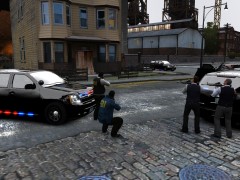 Yeah this is my timecyc. Cloudy weather, brightness 10%, contrast about 70% saturation 70%. Also I modified the textures of the tahoe :P
 -
In my opinion EFLC copes better with mods. If I use high textures in GTA IV without mods, I still get texture bug, but EFLC seem to be coping with it a lot better, even though it has car mods installed.
-
You mean the car tends to oversteer in corners a lot? If you move the center of mass a little bit to the rear, for example -0.05, that should help you be able to recover more easily, and also you can add more grip to the tyres. 1777.0 0.33 85 0.0 0.0 -0.25 0.0 4 0.128 1.0 260 0.52 0.67 0.7 33.0 1.45 0.95 14.0 0.11 0.47 2.5 1.7 1.7 0.1 -0.08 0.0 0.49 2.0 1.0 2.2 2.5 0.0 25000 400010 0 0 Red number stands for the center of mass' y coordinates, green number stands for cornering performance (higher the number, the faster the car will corner), blue number stands for tyre grip (the higher the number, the less likely will the car get out of the control, and also it'll be easier to recover)
-
Is it any similar to this bug in the video: If yes, then I'm afraid I can't do anything about it, because this is like one of the weirdest things in GTA IV, some people has these bouncy suspension bugs, while others never had it. For example there's smokey's 93 Mustang, it worked perfectly fine on both smokey's and mine side, however a friend of mine had that bouncy suspension bug. Since I can't recreate that bug I can't really do anything about it. You should check if you have the original vehicles.ide line and actually everything original except for the handling line I gave. If nothing works, I usually suggest making the suspension feel softer. Like it's on "4.0 1.7 1.7" right now, it should be around "2.5 1.5 1.5". If you have a different sort of bug, it could be because the center of mass of the car is moved in zmodeler on the x / y (left and right / forwards and backwards) axis which usually messes up the handling. That's why I try to convince modders only to move it on the z coordinates (up n down).
-
Well I'm running EFLC at around 30 fps, sometimes it even gets to 25 (early morning, when the sun is shining and all street lights and car lights are on), so I don't understand why is it so fast. Also my v-sync is off, since all I noticed when it was on, is that I was capped at like 27 fps or something like that, and it didn't do any change. As far as I know it corrects the mouse lag, well according to Valve. I'll try turning back v-sync on, and if that fails, I'll try to remove the delay, and report back if it fixed.
-
Ah yes, I made 1 for the original police cruiser, but that was based on a 1998-2010 crown vic. Anyway I can't promise anything, but I'll see what I can do.
-
Well I wish, anyway thanks for the help so far.
-
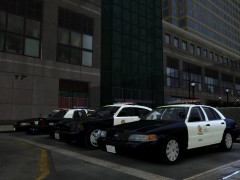
From the album: LAPD
-
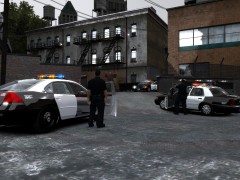
From the album: LAPD
-
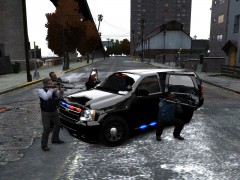
From the album: FBI
-
From the album: FBI
-
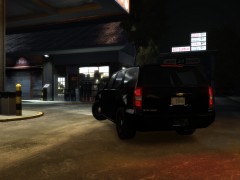
From the album: FBI
-
Oh yeah that could be a problem, however I don't delay them, then the pattern will be insanely fast. I optimized those numbers to fit the LAPD arjent lightbar's speed lol. Oh well nevermind the second problem I mentioned, however there's still the first one. I did modify a lot of textures, but I don't think any of them were in connection with ELS. Anyone knows what textures and what other stuff does ELS use?
-
Well tbh I think ELS works like that (as my 2nd problem), however since nobody has the this flickering black line issue, I'm pretty sure, that's only on my side, so I'd like to fix that, I just don't have a clue how. I even tried fiddling with the shaders files, that's not it.
-
Well I can try increasing the range, but I don't want to have the headlight and secondary light reflection (since those are a bit buggy imo). Also as far as I can tell, my intensity is higher then your's, mine is 5 yours is 2. And since I put the value on 5 I can clearly see the blue and red at night as well, simply not all the time. EDIT: Here are 4 more pictures: As you can see on the first picture 3 lights are on, however there are no reflections, it should be like on the 2nd picture. (that's regarding the 2nd thing I mentioned) Same thing here, and also to demonstrate that my blue lights work just as fine in game as the red ones: Also don't be fooled by the pictures, this is what it looks like in game when the primary lights are on:
-
Nope, this bug is definately ELS related and not vehicle related. I get it on every single ELS car, whenever I turn on ELS, I'm using EFLC, but if I remember well I had this bug back in GTA IV as well. Here are my ELS settings: [GLOBAL VALUES ] Resolution_W = 1920 // Your game resolution width Resolution_H = 1080 // Your game resolution height Speedometer = 1 // Speed measurement display / 0 for MPH, 1 for KPH Range_LightsF = 0 // Range of headlight environment lights Intens_LightsF = 0 // Intensity headlight environment lights Range_LightsP = 15 // Range of primary environment lights Intens_LightsP = 5 // Intensity of primary environment lights FlashDelaySP = 3 // Flash speed delay for ELS lights in SP (in milliseconds) / higher is slower FlashDelayMP = 7 // Flash speed delay for ELS lights in MP (in milliseconds) / higher is slower Ai_ELS_SP = 0 // Toggles ELS on/off for AI in SP Ai_ELS_MP = 0 // Toggles ELS on/off for AI in MP / Not recommended with other players These lines appear when I turn on ELS, doesn't matter what primary lights mode I have selected, doesn't matter if it's blue or red, I get those dark lines, and they keep flickering. You know that weird effect when you capture a monitor on a video camera, it gets those dark lines moving up and down all the time. It's very similar to that. As for the second thing I mentioned, it doesn't just happen with blue, it happens with red as well. It's like, I have A-04 (which means a light is always on, therefor there should be some kind of light reflection on the ground every time) on and if I wanna take a picture of the lights 2 out of 10 pictures will have the light reflection on the ground. I also tried to fiddle with the visualsettings.dat, and found this: # car.siren.color 200.00 0.00 0.00 car.siren.color.red 200.00 car.siren.color.green 0.00 car.siren.color.blue 0.00 # car.siren.color2 200.00 200.00 200.00 car.siren.color2.red 200.00 car.siren.color2.green 200.00 car.siren.color2.blue 200.00 car.siren.intensity 15.00 car.siren.falloffMax 60.00 car.siren.innerConeAngle 360.00 car.siren.outerConeAngle 360.00 The values that looked important are innerCone and outerCone. As you can see all of them are on 360, while default they were on 30 or sth like that, but that didn't work either.
-
Hi, so my problem with ELS is that, every time I turn it on, I get these dark lines flickering on the surface where the lights are reflected. It's very difficult to explain, and unfortunately I can't even take a picture of it, so I edited one of my pictures to show you how it looks in game. When I take a screenshot of a car with els lights on, this is what I get: That's how it should look like in game, but instead, when ELS is on, I get bugs very similar to this: (I edited this picture, so that's not exactly the bug, as I've said before, I can't take a picture of the bug, maybe a video would work) So my question is, can this be fixed? I spoke to a friend of mine he said he doesn't have that bug, and I also saw a video on YT, where the guy didn't have this bug. Also I have another question about ELS, when I switch to A-04 (or as a matter of fact any -04 line) it means that the lights on the car are not flashing, they are just on, however the els reflection is not always on when the lights on the car are. Here's a picture of what I mean: As you can see the lights on the car is on, however there are no reflections on the ground.
-
It'd be nice if the traffic stops were a bit smoother. What I mean is, when you pull a car over, it shouldn't immediately pull over and hit the brakes as hard as they can. They should leave you some space to park up behind them.
-
Yeah it'd be nice if some1 managed to speed them up. Also they need to brake a lot earlier. I'm tired of peds hitting their brakes as hard as they can on the highway, and then every single car runs into them. Also doing 20 Km/h on a highway is not exactly what you'd call wise.
-
Actually about the LAPD CVPI, will you be fixing the bugs with it? And the Mobile Command Center looks pretty nice, although your ENB is quite dark, so it's hard to see.
-
The view distance in EditIV is called Farclip, I could set it to 3000 from 1500, and it wouldn't really affect the gameplay, but I noticed that, I had more texture bug, when I had it on 3000
-
Well you could give my handling a try. I try to make my handlings as real as possible, and if I remember well, I made a trailblazer handling already.
-
-
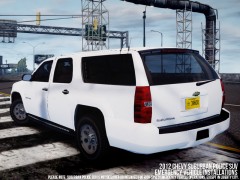 Awesome :D I love subbies


