


Sgt.Kanyo
Members
-
Joined
-
Last visited
Everything posted by Sgt.Kanyo
-
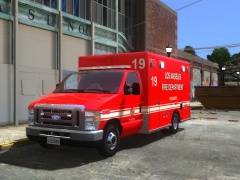 Yeah I based it on his, but the front part wasn't accurate, so I made it wider, also gave it proper lighting, and did a few modelling work from parts.
 -
-
From the album: LAFD
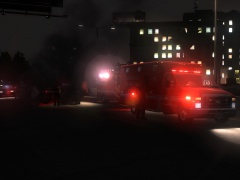
Two persons were injured in a single MVA when the driver of the Ferrari lost control of the vehicle at a very high rate of speed. After the vehicle crashed into highway barrier, the car flipped and rolled 3 times. The car was travelling at approximately 100+ mph. Both the driver and the passenger is in critical condition. -
From the album: LAFD
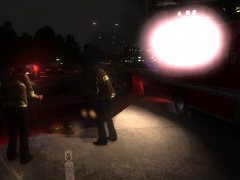
Two persons were injured in a single MVA when the driver of the Ferrari lost control of the vehicle at a very high rate of speed. After the vehicle crashed into highway barrier, the car flipped and rolled 3 times. The car was travelling at approximately 100+ mph. Both the driver and the passenger is in critical condition. -
From the album: LAFD
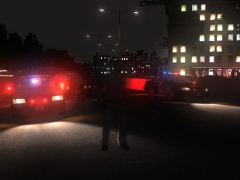
Two persons were injured in a single MVA when the driver of the Ferrari lost control of the vehicle at a very high rate of speed. After the vehicle crashed into highway barrier, the car flipped and rolled 3 times. The car was travelling at approximately 100+ mph. Both the driver and the passenger is in critical condition. -
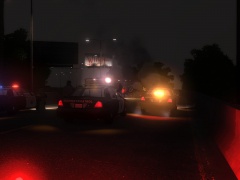
From the album: LAFD
Two persons were injured in a single MVA when the driver of the Ferrari lost control of the vehicle at a very high rate of speed. After the vehicle crashed into highway barrier, the car flipped and rolled 3 times. The car was travelling at approximately 100+ mph. Both the driver and the passenger is in critical condition. -
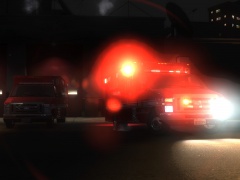
From the album: LAFD
LAFD ambulance responds to an MVA call on the East Pacific Coast Highway. -
From the album: LAFD
Yes, it means that -
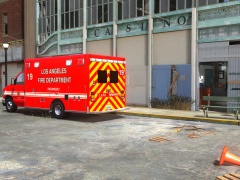
From the album: LAFD
-
Oh what I'd give for that map in GTA IV. I might just get this, since the graphics look pretty nice and I do like trucks.
-
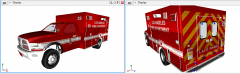 I see, well good luck, I'll definately DL it when it comes out
 -
I can't see the amber the lights on the box part. Also does the Ram have an interior already or do you still have to make it? '> Also if you need any help with the light set up let me know. As in lightbar pattern or the actual lights (headlights taillights)
-
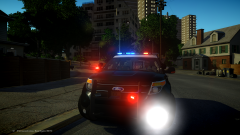 Light set up is wrong. All the lights, including the white flashers in the fog light area should be at the same side, and should be oscillating slowly from left to right like here: http://losangeles.cbslocal.com/2013/08/22/chp-unveils-new-police-interceptor-suv-pursuit-vehicle/ Also I've seen your video about it, and the tail light was wrong as well. Here's a video of it:
 -
-
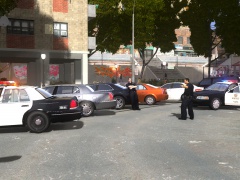 Well I'm using this ENB: http://www.gta4-mods.com/misc/enb-mix-for-gta4-eflc-1120-1070-v2-f24409 with this enbconfig: http://speedy.sh/JPC6C/enbseries.ini and my timecyc mod
 -
From the album: Random
-
From the album: Random
-
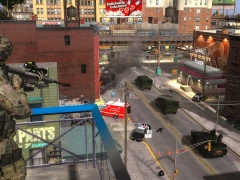
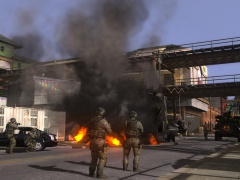
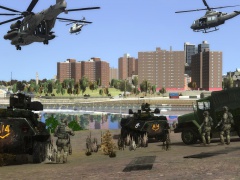 lol unbelievable, 3 completely seperate pictures, but one story.
 -
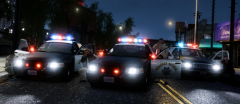 That is one great shot :D
 -
From the album: Random
-
Well because the asian stole the car, while the black guy is learning at university :D
-
From the album: LAPD
LAPD had reports of a wanted suspect in the projects area. Civilians saw the stolen vehicle that was involved in an officer shooting. Multiple units were sent to the scene to investigate. -
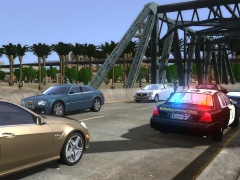
From the album: CHP
A Chevrolet Corvette ZR1 was driving recklessly on a bridge in dense traffic, so the officer decided to pull him over as soon as possible, resulting in the traffic stop on the bridge. -
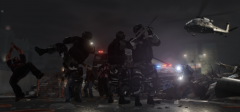 Niiiice
 -
That is great to hear gangreen. It looks pretty nice. I'm currently trying to recreate that lightbar btw from leftovers. So far I'm using the cover glass from a 21TR, the insides from the Liberty, and I guess I'll use the MX-7000 stands. Question is, why would they use a different stand, also it might be just me, but even the inside leds look different to an RX2700.



