Sgt.Kanyo
Members
-
Joined
-
Last visited
Everything posted by Sgt.Kanyo
-
It's not colored glass, it's trying to imitate the reflection of the upper glass, as seen here: '' target='_blank'>> As far as I know, there are no arjents that have those glasses colored, it's always just the reflection. IMO it looks better this way.
- 23 comments
- 15 reviews
-
Anyone knows what lightbar does the new E450 Ambulances have? Talking about this one: '> '> It looks a bit like the Code 3 RX2700, but with Whelen Liberty stands. It's kind of weird.
-
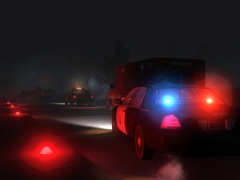 Yupp, since there's an ENB that works with EFLC, I've been using it :D
 -
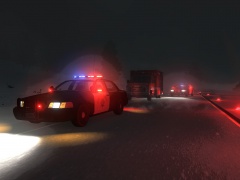 Yupp, in the mountains. Cali is epic, you can find all kinds of weather there: '>
 -
From the album: CHP
-
-
I think I said a lot of times why I don't want to install IVSA, and the creators said it's not for EFLC, it's for GTA IV, as mentioned on the official site as well.
-
I don't think there's any option like that. Besides IVSA was made for IV only, not for EFLC, so it wouldn't work here and it disabled MP.
-
Anyone got the San Andreas map to work on EFLC? I know about IVSA, but let's be honest, what it does, is take everything that's good in GTA IV.. and throw it away, and replace it with low poly models. So my question would be, is it possible to get only the SA map working? Maybe with vehicle and ped paths, although I heard it was so badly written, that you can't even pull people over on it with lcpdfr. (this works perfectly on other maps) EDIT: I tried to install some parts of LS by taking IVSA's map files, and adding them as a normal map mod (images.txt, gta.dat bla bla bla), however usually if you went near the new map part, the game crashed. There were some parts that worked, only a very small part, but those did.
-
I believe this is his site: http://lcpdmod.gtaiv.treesoft.dk/Default.aspx However yeah, it doesn't seem he'll be releasing it. Shame, tbh I'm only interested in that yield thing, or maybe the traffic stops. Anyway so anyone any idea how would I go about modifying the effective radius of the siren?
-
I guess I could add another antenna on the roof, since they have another 1 there, but I don't really like the ALPR system or the ASAP system, and it seems it's really rare to see a car equipped with those.
- 23 comments
- 15 reviews
-
I'm not talking about the siren sound itself, I'm talking about how the peds react to it. I've seen in an unreleased mod (LCPD mod), that it is possible to modify the siren so that people will pull over properly to the right or the left, depending or where you are on the road. I'd like to know if there's any mod at all, that does that, or if anyone has a clue how to do something like that. Even if it's something small like, modifying the radius of the siren's effectiveness, that'd be very helpful, because a standard gta iv ped does actually more blocking the moving over. They love to stop in intersections, and they just love to stop on the road blocking like they were cops from the 1980s. If any of you don't know what I'm talking about here's the video about that LCPD mod:
-
One thing for sure, don't go to xbox live about it. I reported a spammer 2 months ago, they didn't even ask for his name, I contacted them 2 times about it, not a single fuck was given. If you're the host, kick them immediately. Another good idea is to make yourself appear offline, so they can't join you from the players list. If they join from the "server" browser, then you'll have more time to act. We could pull up a list here of who's an evil modder, who is a crasher who is a spammer, but tbh what I do is simply mute them all in GFWL, so when they join the game, I see a big X next to their name. Also if they have other accounts, go to the lobby, not a lot of mods can crash you there. FYI the helicopter spammer is xpoloniax with a shitload of other accounts.
-
-
They are my LAPD Police Officers, you can also find them here on lcpdfr. As for the hats, you just have to delete m_y_cop_p files from pedprops.img
- 4 comments
- 10 reviews
-
LAPD has the 2006-2008 Charger, and they have only one 2011-2012 Charger as of right now. The 2009-2010 differs from the 2006 in having new rear lights, and LAPD doesn't have that. Also they don't have Ford PI right now.
- 23 comments
- 15 reviews
-
No, no we were talking about his LASD charger. You can find it here on lcpdfr: '?do=embed' frameborder='0' data-embedContent>>
- 23 comments
- 15 reviews
-
GTA, S.T.A.L.K.E.R. and Half Life 2 games with mods are unbeatable.
-
Well tbh I'm quite disappointed with the GTA V vehicles, and I like realism, so I probably won't make those, however some people made some GTA V police car skins on gta4-mods.com, I suggest looking into those.
- 23 comments
- 15 reviews
-
- This is a Ford Crown Victoria P71 Los Angeles county Sheriff's Department police car. It replicates the marked version with the FS Arjent lightbar. - This car trys to be as close to the real one as possible. - Primary lights: Code 3 mode - Secondary lights: Steady burns + warning lights - ELS v5 settings: E-01C and C-06 - ELS v8 settings are included. Secondaries: C-00 Rear warning lights + Steady burns at the front, C-03 Rear warning lights only
- 23 comments
- 15 reviews
-
- This is a 2006 Chevrolet Impala Los Angeled Police Department police car. - This car trys to be as close to the real one as possible. - Primary lights: Code 3 mode - Secondary lights: Traffic stop mode / Warn mode - ELS settings: X-03 and C-06 Handling Lines: ============ 6 speed auto (faster, shorter gears): ---------------------------------------------- 1696.0 0.33 85 0.0 0.15 -0.5 1.0 4 0.16 1.0 225 0.45 0.56 0.6 33.0 1.6 1.3 11.0 0.11 0.48 2.7 1.8 1.8 0.1 -0.07 -0.01 0.54 1.0 1.0 2.2 1.5 0.0 25000 400010 00000010 0 4 speed auto (slower, longer gears): ---------------------------------------------- 1696.0 0.33 85 0.0 0.15 -0.55 1.0 3 0.13 1.0 283 0.45 0.56 0.6 33.0 1.6 1.1 11.0 0.11 0.48 2.7 1.9 1.9 0.1 -0.06 -0.01 0.52 1.0 1.0 2.2 1.5 0.0 25000 400010 00000010 0
- 4 comments
- 10 reviews
-
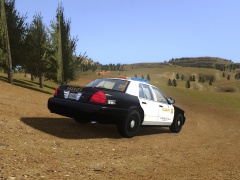 Nope, not yet, but I'll be releasing this and the lapd impala soon. The map is cliffside rally beta.
 -
Yeah sure, is it released?
-
From the album: LASD
-