


Hystery
Members
-
Joined
-
Last visited
Everything posted by Hystery
-
If you still have no clue on how to install cars after reading those two guides (that were on top of the support subforum page), come back on this thread and say specifically what you cannot do. Otherwise no one can help you.
-
Shaders and PostFX options set to high or above in the graphics tab of your game. Also search bar, because this question has been asked so many times already. Just saying, of course.
-
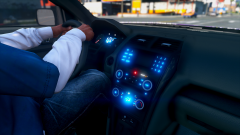 Different template, or same as the previous model (assuming it's the Explorer we're talking about)?
 -
You should try that before asking a question. You might find the answer you're looking for.
-
You don't have a scroll lock key next to your print screen key? That's weird, I thought all keyboards had one.
-
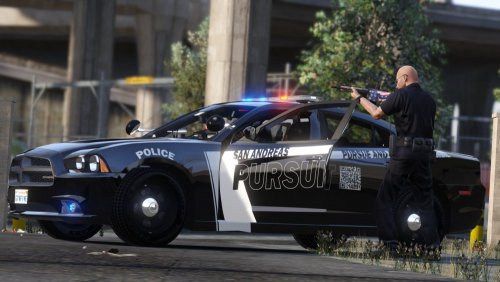 Even NFS, I've played pretty much all the NFS games, police cars have badges for example. The badge of the police department, even if it's fictional. Seacrest County, Rockport, Fairheaven. That's a detail that can only improve the livery.
- 17 comments
- 4 reviews
-
-

- 1
-
-
They're not necessary, it depends on how you play the mod and how you want it to be. And no, there won't ever be a single package for all this, for plenty of reasons, like different updating schedules, redistribution rights, and so on.
-
The problem I see with that is that the mod might not be detecting the car you actually want to pull over if there's a couple of them in a line. Let's say you're actually not driving too fast, and dere's a car you want to pull over, and another one right in front of it. If you're not at the exact optimal distance, it might detect the car completely in front instead of the one you want to pull over. Having the pull over signal distance pretty close makes it less problematic to pull over specific vehicles. I prefer it this way personally.
-
Not play. Their tutorials. There's a ton of them on Youtube, you just have to search for it. You can't expect someone to do the work for you, you'll have to learn that stuff by yourself.
-
Design is way too simple for me. No badge, no motto, no department name (San Andreas is a state, not a police department), unit number is too small on the roof for me (imagine an air support trying to read it from above, poor guy needs good glasses). I won't rate it because I dislike bringing people down, but if I had to, it'd be 3/5 max.
- 17 comments
- 4 reviews
-
-
- 1
-
readme.txt files bear their titles for a reason: read them. You'll know everything you need to know about the installation.Rockstar has nothing to do with a website having difficulties. That's some conspiracy theory right there.I somehow really doubt that. There's always a recipe of what you buy online. Check your bank account on your bank website and see if the money has been withdrawn from your account. If yes, then you did pay it and Rockstar won't contest that and refuse a refund. If not, then something went wrong when you bought that shark card and you actually lost nothing, nor do they owe you anything. But just like my above neighbour, I question the purpose of buying so much GTA$ when you can simply farm them or buy a new game for that price.Check for tutorials on the internet and on Youtube, you'll find plenty of step by step guides to hold your hand through it. I know this is a thing that really irritates me when playing Online. Thank you for removing it from the solo.
- 7 comments
- 3 reviews
-
-
- 1
-
Search engines have a tendency to ignore those categories to my knowledge. If you type 'ELS' in google, skins with said 'ELS' in the title would show up and mix with the actual models. Same with the search bar of this very website, if you type 'ELS' without actually narrowing the search to car models (and technically you should have to, because ELS is for car models, not skins), you also get skins mixed with actual car models, and it's confusing people. Especially newcomers.It was on top of the page of the support subforum. I'd suggest that you make a research using the searchbar on the top right beforehand next time, your question might have been already answered before by someone else. Just saying though.I'm bumping this because this is really turning into a plague, so many people put 'ELS' in their file title when they just upload skins. Couldn't there be some new sets of rules when it comes to file naming, to avoid confusion?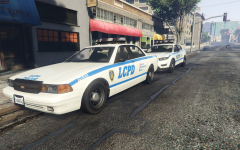 Yes please. Take all of my yes.
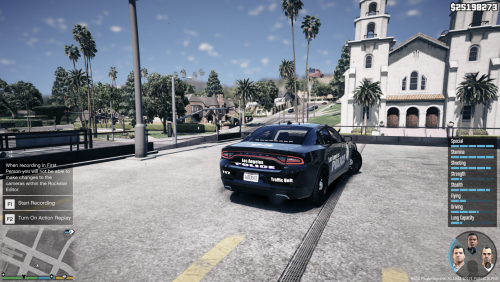 I came here thinking it was a new ELS model. How disappointed I was to see it was just a skin. Advice: ELS is for car models. Skins are .png pictures, nothing more, so you might want to reconsider your title to something that actually describes your content.
- 4 comments
- 2 reviews
-
-
- 2
-
Found this on Reddit: Said patch is located here. Dunno if it works, but that's one possible solution as another. It is to be noted though that it took me less than five minutes to find both just by using Google, so you might want to consider to do some research if you encounter a problem beforehand. Of course that's just an advice to avoid for the forums to be cluttered by identical threads, I wouldn't ever tell you what to do, so take that with a grain of salt.Nice, that way I'll have a valid reason to have NYPD cars installed in my game.If you have a car model that is, say, supposed to replace the police2 slot. You want it to put in the sheriff slot. You'll need to change the name of the model (police2) to the name of the slot you want it to replace (sheriff). But if the car comes with specific carvariation.meta and vehicles.meta files, you might also need to replace the police2 mentions to sheriff in order to connect those code lines to the correct model.Didn't take a look at them yet as I didn't update OpenIV and the like, but if that's the latest in the long list of patchday#ng folders, then it's the newest released. Unless Rockstar released a DLC that has a different name like they already did in the past, but I doubt so. So yes, it should be the newest, and yes, they'll override any other vehicle in the previous patchday folders that are bearing the same name. Those instructions say that because the author of the mod replaced the police car present in this patchday folder. But it's not necessary to replace the exact said model since you can simply override it by installing the modded car in a more recent patchday folder. That's the gist yeah. Should work fine, as long as you don't forget to also install any side file necessary for the car to work properly (vehicles.meta and carvariation.meta files, amongst other things). Exactly, you got it.

