XTREMEHEAT
Members
-
Joined
-
Last visited
Everything posted by XTREMEHEAT
-
Thanks, I'll give it a shot.
-
Hello everyone, I vaguely remember that there was a script/plugin that allowed an officer to go to the back of his patrol car (whether federal or local law enforcement) and be able to choose a health kit, armor, different type of sidearms. Would anyone remember which script it was? I also believe that it was not the main objective of the plugin, but rather a side thing (its main feature was some callouts which again, I do not remember what were they). Thank you very much.
-
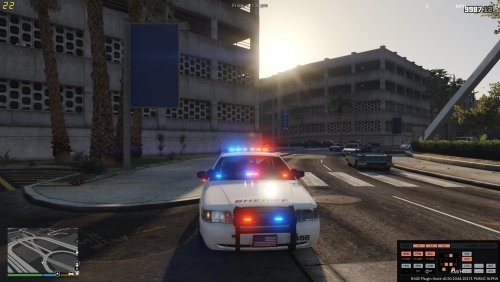 is there a way to have this script not just activated but also automatically have it press "ENTER" when going on duty, so you don't have to press enter each time and know that the assassin will be coming?
 -
-
 Unfortunately, after the latest update, this does not work for me anymore. I tried it on the stock (not modded game directory) after reinstalling the game and it does not work. I am running the latest RPH as well. The log says: "Failed to disabled game's headlights and tail lights sequences...". Anyone else having this issue?
- 246 comments
- 45 reviews
-
-
 I think you can fix it via the following steps: 1) Go to vehicles.meta located in "mods\update\update.rpf\common\data\levels\gta5\vehicles.meta". 2) Search for your vehicles slots with the above problem (SHERIFF2 and other one, not sure if it is POLICE4 or FBI) 3) Look for the line which has: " <diffuseTint value=" />", after the equal sign should be some value of 0s, X, and other characters. 4) Replace that entire line with the following: <diffuseTint value="0x00FFFFFF" /> Should work. I think you can fix it via the following steps: 1) Go to vehicles.meta located in "mods\update\update.rpf\common\data\levels\gta5\vehicles.meta". 2) Search for your vehicles slots with the above problem (SHERIFF2 and other one, not sure if it is POLICE4 or FBI) 3) Look for the line which has: " <diffuseTint value=" />", after the equal sign should be some value of 0s, X, and other characters. 4) Replace that entire line with the following: <diffuseTint value="0x00FFFFFF" /> Should work.
- 206 comments
- 94 reviews
-
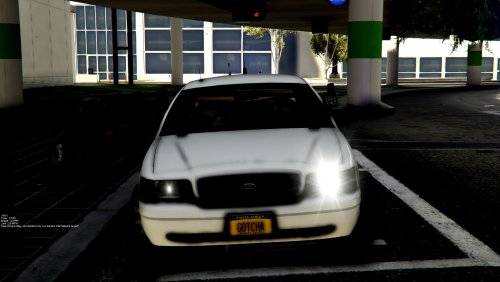 Could it also be that the tint of the rear windshield is too much as well, cause if you look at the LEDs at the front windshield, they are a bit brighter perhaps cause front windshield is not tinted? Just throwing out some guesses, probably wrong though :)
- 19 comments
- 7 reviews
-
-
-
Beautiful Ass car bro!! Is there a way to: 1) Brighten the emergency lights for this car specifically (cause all my other cars are already really bright due to edited visualsettings.dat)? 2) Force License Plates (Extra_11) to always spawn via trainer (I always have to spawn it through the vehicle components menu via trainer and in my understanding a vehicle is always supposed to spawn with license plates)? 3) Have the visor lights folded downwards already by default without pressing Alt+[? Thanks!!!
- 19 comments
- 7 reviews
-
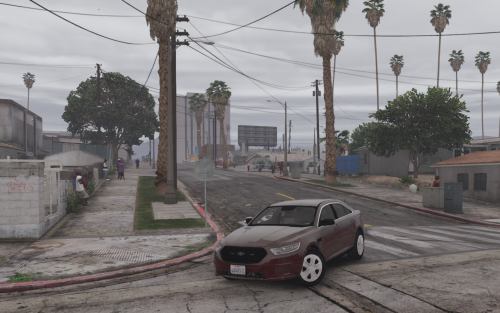 Great pack, have been using it from the early stages. I was wondering if it would be possible to do the following to make it more accurate: 1) To change the headlights to light up the upper bulb instead of the lower one. 2) To illuminate both the upper and lower brake lights cause as it is now, only the upper brake light is illuminated in game while the bottom is off unless the indicators are on. 3) To separate the tail lights and brake lights, cause the taillights are actually the outer square edges, while the brake lights are the inner squares boxed in by the outer taillight edges. As you can see, in-game the outer edges which are the actual taillights are not illuminated. I've seen other Tahoes have it as mentioned above, but would die to see it on an actual Suburban. BEST SUBURBAN REGARDLESS (but would be even more insane with the above improvements :) )!!!
- 39 comments
- 11 reviews
-
-

- 1
-
-
Great news! I'm sure we all sincerely hope you do it and are on the edge of our seats right now!
- 39 comments
- 11 reviews
-
which texture is used for the windows for the suburban? i wanna tint them myself.
- 39 comments
- 11 reviews
-
-
 I believe this means that when cruise control is activated when you are driving above the speed limit, the cruise control forces the car to slow down/brake until it reaches the speed limit and then will continue driving at that speed. For instance, if you were driving at 65mph at Code 3, your cruise control gets disengaged due to code 3, and you can drive as fast as you wish. Once you deactivate your lights (Code 3), cruise control gets engaged again and will force your car to slow down/brake until it reaches the cruise control speed limit (which I believe is defaulted to 35mph) thus the you see the message "Cruise Control is breaking (braking is the right spelling of course lol)" until the scripts slows down the car from 65mph to 35mph.
- 126 comments
- 25 reviews
-
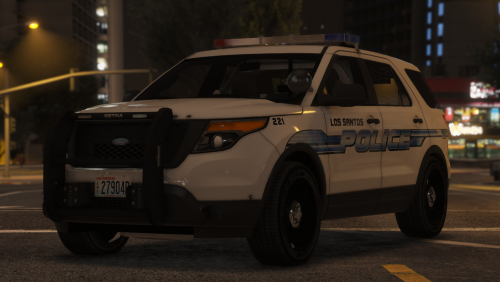
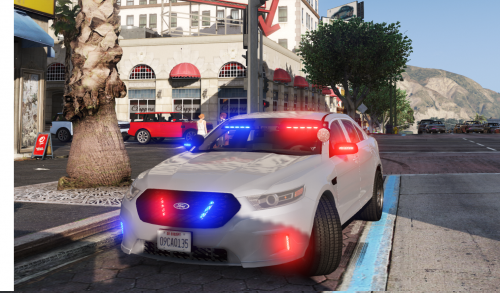 Beautiful car; the red LED in the back windows seems a bit too shifted off to the center relative to the blue LED. Other than that, great car!
- 47 comments
- 24 reviews
-
-
Hi guys, Wondering if there is any mod out there that forces you to hit a certain key to shift to drive, reverse, neutral etc for automatic transmission in GTA V? I mean like for enhanced and increased immersion, is there any mod that enables an automatic transmission gear shift key? Like you would press one key to go down the P, R, N, D and another to go up the gears? And if the car is in Park, then the player would have to hold down the brake or reverse button to keep the car stationary? What you guys think? Thanks!
-
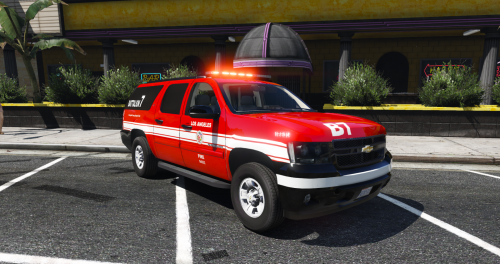 beautiful car...is it possible to somehow convert this into an FBI suburban by using black skins and any other necessary adjustments etc?
- 15 comments
- 7 reviews
-
-
- 1
-
-
-
 This is so beautiful...wish I could get it to work tho since it always crashes my game when loading.
- 779 comments
- 187 reviews
-
 best tahoe iv'e ever used, lights at the back window seems to be giving me issues...do I have to modify the carvariations.meta? Thanks!
- 148 comments
- 34 reviews
-
Hi, I just want to thank everyone who is working hard to create such a memorable experience for us LCPD:FR addicts! I was wondering if the developers can somehow script a points system where you would be rewarded points for completing calls and lose points for failing to respond to complete them. I think it would add more incentive to the game. Furthermore, a countdown clock would be nice where if it counts to zero before you have successfully completed the call, you would lose points for that call and the suspect would have escaped. I think it would be more realistic that way because in reality, the police don't have all day to respond to an emergency call and must get to the scene ASAP. If we can add a timer somehow to implement that, it would be great. The point system will be more complicated to script but I am sure that the countdown timer should be a bit easier for our experienced coders to implement. Thank you for the great work and keep it up!!!