XTREMEHEAT
Members
-
Joined
-
Last visited
Everything posted by XTREMEHEAT
-
 Yes correct! I am not sure why you are having the issue. Can you PM me with some screen shots of the problem please? Thank you.
- 54 comments
- 5 reviews
-
-

- 1
-
-
I am using VisualV and its visualsettings.dat but edited the emissive bits section to my liking. Please PM me if you would like the visualsettings file. Thanks.
- 54 comments
- 5 reviews
-
Hi, actually the names are different but long so perhaps your file explorer didn't show the full name because you have to drag the slider to extend the name column. One folder is: "Install for Pattern fix with Vehicle Coronas on during Emergency lighting only" while the other is "Install for Pattern fix with Vehicle Coronas on at all times". However, I did re-upload the folders with more intuitive names for easier installation. Hope that helps.
- 54 comments
- 5 reviews
-
Mod updated! Carcols files included now. Site does not support ymt attachment.
- 54 comments
- 5 reviews
-
Yes, all the lines that have "1431655765" and "2863311530", the value in the quotes has to be changed to 0. All of the lines. So you can replace all of them by using the search/replace feature. They have a search feature in which you can simply put what you want to change, and it will replace everything once you click replace all. If it is too difficult, I can send you a carcols that fixes the pattern issue without removing the vehicle coronas. Let me know, thanks.
- 54 comments
- 5 reviews
-
Hmm, good point. I do not know how I got mine to work. Perhaps I used this link: https://www.gta5-mods.com/tools/carcols-ymt-converted-into-xml-format Please let me know if it works. I think it is a bit outdated but it still may work. If not, I will post my carcols.ymt file here. It is already in the zip folder but that carcols removes coronas as well. I will make one that simply fixes the patterns without removing coronas and update the mod. In the meantime, please try editing the carcols.ymt from the above link and follow their instructions specifically in the "HOW TO USE IN GAME " section. Thank you for bringing this to my attention.
- 54 comments
- 5 reviews
-
-
Hi, I would suggest to setting the Brightness Multiplier in the original script INI file to higher than 1, perhaps 2 or 3 and giving that shot. Please let me know how it goes. Hi, is this the case even after following the steps in the "TROUBLE?" section? Thank you.
- 54 comments
- 5 reviews
-
-
-
Hello GTA V community, We are all aware of the famous mod called Emergency Strobes - Now with Wig-Wag Lights! 4.6.0 by alexguirre linked below (NOT MY MOD, CREDIT TO ORIGINAL AUTHOR): http://www.lcpdfr.com/files/file/9909-emergency-strobes-now-with-wig-wag-lights/ https://www.gta5-mods.com/scripts/emergency-strobes The function of this mod is to mimic the strobing effect of real life emergency vehicles regarding their headlights and taillights. The original mod by alexguirre already comes with patterns; I am simply modifying these patterns to give it a more realistic look. Therefore, his mod must be installed first. Again, all credit goes to him for the original script, I only edited the pattern that comes in the “Emergency Strobes Patterns” XML file for personal preference and am sharing it with the community. ---------------------------------------------------------------------- WHAT DOES MY PATTERN DO? Police taillights and headlights remain ON all the time at night and do not flash as that would be a hazard. There is a strobe light which flashes from within the brake light fixture of the car while the actual taillights remain on. Furthermore, the headlights remain ON at night ALWAYS and it is the high beams that wig-wag. If the actual headlights were to flash on and off, that would be a hazard to the driver and surrounding vehicles as well. In this regard, I have modified the patterns that came with the stock mod to give a more realistic feeling to the taillight strobing effect. I replaced the stock patterns with two patterns; one is called "DAY" and one is called "NIGHT". You can switch between them when it is day or night using the button set in the original mod INI file. NIGHT PATTERN It keeps the taillights and headlights on but strobes ONLY the brake lights very rapidly to mimic a more realistic flash pattern. To get wig-wag effect for headlights, you must use the ELS mod with the proper corona patterns. The ELS corona pattern for headlight can be set for best results from patterns 1 to 10 in each ELS XML file located usually in: C:\Program Files (x86)\Steam\steamapps\common\Grand Theft Auto V\ELS\pack_default. Edit the following lines and set to any pattern from 1-10: <ACORONAS> <Headlights DfltPattern="1" ColorL="white" ColorR="white" /> DAY PATTERN Strobes all the lights, meaning the brake lights, taillights, and headlights very rapidly to mimic a more realistic flash pattern. ------------------------------------------------------------------------------------------------------------ SHOWCASE VIDEO ------------------------------------------------------------------------------------------------------------------------------ VISUALSETTINGS.DAT For this mod to be properly and distinctively visible for cars which both the brake lights and taillights share a single lighting fixture, such as the famous Ford Crown Victoria and Ford Police Interceptor Sedan, the taillight and brake light emissive values must be edited. This is so because when the taillight is on already, if the brake light is not much brighter, then you will not be able to see the strobing effect. Thus, there has to be a significant difference between the emissive values of the taillights and brake lights. I have included my visualsettings.dat which is compatible with VisualV and will give similar results as the one in the showcase video. But if you have modded visualsettings.dat file, then I would recommend there to be a gap of at least 60-70 in emissive value meaning the taillight emissive value has to be lower and the brake light emissive value must be 75 higher. If I set my taillight value to 75, then I would have my brake light value to 150. If your taillight value is initially too high and then you set your brake light 75 higher, then it may be too bright, so you will have to lower your taillight settings first. I cannot provide a good recommendation for everyone because some people may be using VisualV, NVR, or other modifications which change the overall lighting in the game. So, play around with it, but make sure that there is enough of a different between the taillight value and brake light value (60-70 difference). THE TAILLIGHT VALUE HAS TO BE THE LOWER VALUE. I use VisualV and have my game set to: car.taillight.day.emissive.on 75.0 car.taillight.night.emissive.on 75.0 car.brakelight.day.emissive.on 150.00 car.brakelight.night.emissive.on 150.00 Be sure to keep the taillight values for night and day same and likewise for the night and day values for the brake lights for best results. --------------------------------------------------------------------------------------------- TROUBLE? Sometimes the game engine still manages to override the strobe patterns from the emergency strobes mod. If you see that your headlights or taillights are still flashing fully on and off in the night pattern and not in accordance to how my pattern looks, this means you also have the issue. All you must do to is install the provided carcols in the "TROUBLE" folder in the mod download at: mods\update.rpf\x64\data. If you have a modded carcols already, simply search for "1431655765" and "2863311530" without the quotes and replace all of them with "0" without the quotes. Only follow these above steps if you see ANY of your emergency vehicles' headlights or taillights flashing on and off when using NIGHT pattern. Please also bear in mind that my modification is ONLY a pattern modification. If there is any actual problem which is not resolved with these steps, please bear in mind that it can be your game has conflict with the actual EMERGENCY STROBE script by alexguirre, my modification is not the actual script but simply a mere pattern which runs through his script. ------------------------------------------------------------------------------------------------------- WANT MORE REALISM? USE BOTH THE FOLLOWING OPTIONS FOR BEST RESULTS. OPTION 1: Remove all vehicle coronas. There are many mods out there removing vehicle coronas but mine is different. The other mods permanently remove the coronas so that even when they are needed for ELS patterns, they do not show. Mine however removes them only when the emergency lights are OFF, but they still show when active for ELS CORONA patterns. This means if you have ELS CORONA patterns, the coronas will turn on when you activate your emergency lighting but once you turn off your emergency lights, they will not show. I have provided a carcols file that disables the vehicle coronas and addresses the issue mentioned in the "TROUBLE?" section. If you have a modded carcols, then to disable the coronas, you must search for all the lines in that carcols file which says: <headLightCorona> <size value="0.00000000"/> -AND- <tailLightCorona> <size value="0.00000000"/> and change the size value to 0 as I did above here. OPTION 2: Disable taillight ELS CORONA patterns for emergency vehicles so only my strobe patterns shows. This means you are deactivating the taillight pattern in favor of my strobe pattern instead of using BOTH. Simply go into the ELS XML file for each emergency vehicle and set the taillight corona pattern to 0. The files are located usually at C:\Program Files (x86)\Steam\steamapps\common\Grand Theft Auto V\ELS\pack_default. Go to each XML file and change the taillight corona pattern as follows to 0: <ACORONAS> <TailLights DfltPattern="0" ColorL="red" ColorR="red" /> --------------------------------------------------------------------------------------------------- FEEDBACK Please give constructive feedback as this is my first upload. I tried to give as much as detail as possible for best results but I could have missed somethings, please do not hesitate to ask for help in the comment section for help; Review section is to be used only as per LSPDFR policy. ------------------------------------------------------------------------------------------------ CREDITS: ALL CREDIT TO "ALEXGUIRRE", creator of the original script. I am uploading only my version of the XML file for more realistic patterns with personal preference.
- 54 comments
- 5 reviews
-
-
- 3
-
-
-
 i personally never used the one from Computer+ but rather from PoliceSmartRadio by Albo1125 with TrafficPolicer. Perhaps that may be more stable...
- 1,742 comments
- 172 reviews
-
-
WHen you hit dl button, you get option to dl one of 2 folders, one of them is called: Additional_ComputerPlusImageAssets.zip
- 1,742 comments
- 172 reviews
-
you have to download the additional images folder and install them as instructed in the readme, the default download does not have them i believe.
- 1,742 comments
- 172 reviews
-
 just started having same problem, but has been working since day 1, but i recently installed NVR, does that have something to do with it?
- 1,196 comments
- 127 reviews
-
 Go to the ini file located in the plugins folder in your GTA V directory. You can exclude police vehicles there.
- 246 comments
- 45 reviews
-
Wow! You are an actual police officer! That's awesome! How realistic do you think LSPDFR is compared to actual police work? Just want to know what a real officer's point of view is. Thanks :)
- 1,742 comments
- 172 reviews
-
Will definitely give this a shot. I have been using the following gameconfig which is also updated: https://www.gta5-mods.com/misc/gta-5-gameconfig-300-cars But will give your recommended one a shot. Thanks!!!
- 1,742 comments
- 172 reviews
-
I also had/have same issue. Although I can't tell if I STILL do because I have avoided using it for a while now out of fear for CTD.
- 1,742 comments
- 172 reviews
-
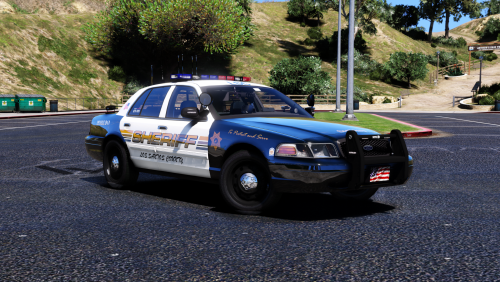 You can simply take the default vehicles.meta from update/update.rpf/common/data/levels/gta5, extract it to desktop, then go to mods/update/update.rpf/common/data/levels/gta5, and replace it with the one on the desktop. BEWARE though, this will replace all handling lines for ALL cars with the vanilla GTA V ones. It will NOT replace ONLY the lines for the car you intended to but for ALL cars. If you want to replace only for the car you are trying to fix, meaning this LSCSD CV, then a little different approach is needed. Let me know which one you prefer and I will help. Good luck!!!
- 21 comments
- 18 reviews
-
-
-
Hi, Can you kindly mention which callout plugins did you remove? Perhaps I can use some guidance for my crashes as well. Thanks a lot!