


Everything posted by EFox
-
There might be a window template included in the files, otherwise just look through the .wtd for an image that is semi-transparent and that will most likely be it. Just an FYI though, some cars do not have a window tint texture included.
-
I believe it was made by AlecDurbin over at GPM, check his download section or PM him.
-
You need a trainer. When you go into the object spawning menu in the first column there are a few objects that say barrier as part of the name. The first on is a standard orange and white sawhorse style barrier, and the second one on that list is a blue "Police line Do not cross" sawhorse style barrier. As for the traffic cone I do not know what object that one is.
-
Wow! That M4 had a huge clip hahaha Nice vid
-
I believe that was the Virginia Beach PD CVPI that was made by EVI if I'm not mistaken.
-
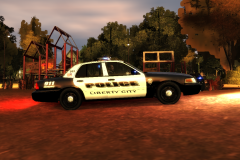 Where might this be released at? It is beautiful!
 -
-
-
You can just delete your savegame and start again. If that isn't to much to ask hahaha
-
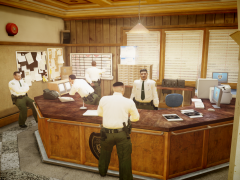 seriously, this looks amazing.
 -
If you could show me too, I wouldn't mind seeing the end result.
-
-
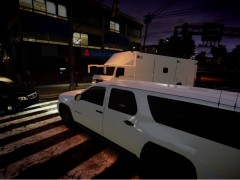 Oh man! These are looking better by the minute.
 -
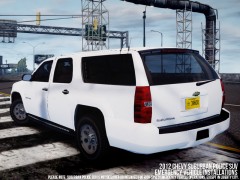 This looks amazing!
 -
I have a mouse with a button on my thumb so I use that. It's really nice!
-
I just changed the siren key in game by going to the options menu and configuring the setting to be a button on my mouse. It's really nice in pursuits to be able to steer and change the siren at the same time.
-
True that man, true that.
-
If you have ELS installed go into your ELS configuration setting and change the colors for the vehicle you are editing. Here is a link to a GPM topic about it. Note the 19th post. http://gtapolicemods.com/showthread.php?6452-Realistic-LED-light-textures-for-ELS/page2
-
I had a call of a shoot out in Hove Beach, when I got there I took out the original suspects and then for about the next 5 minutes people that just happened to be carrying weapons would get out of their car and shoot at me also. Luckily I had lots of back up from the original shoot out so it worked out okay.
-
I've actually found that a lot of cars have a separate texture for the laptop. Most of the ones I've found have had a separate texture labeled "Laptop".
-
Oh my gosh! That Tahoe is Epic! I am definitely going to use that assuming you release it!
-
Most of the time they are in the specific vehicle files you are putting in game. Check there.
-
![[WIP] LC Database](//s3-gallery.int-cdn.lcpdfrusercontent.com/gallery/album_569/sml_gallery_2971_569_872322.png) Looks great! Can't wait to use this in my own game!
Looks great! Can't wait to use this in my own game! -
I just downloaded the new version and tried it but the giant dashlight was still there.
- 43 comments
- 15 reviews
-
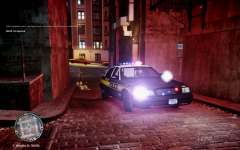 I agree! Keep it up! and btw what model are you using?

![[WIP] LC Database](http://s3-gallery.int-cdn.lcpdfrusercontent.com/gallery/album_569/sml_gallery_2971_569_872322.png)
