


EFox
Members
-
Joined
-
Last visited
Everything posted by EFox
-
I can't remember where I found the Soap skin but I custom made the police vest. I can send it to you if you want. It replaces the FBI skin very well. I replaced the SWAT ped with Delta Force Soldiers.
-
Personally my Noose officer is a Soap skin but I edited the vest to say police. It looks pretty bad ass if I say so myself.
-
That's fine, I was just making a suggestion :) It does look great though.
-
I was actually going to ask someone to make a CVPI similar to my home town's. I just really like the light setup on it. The pictures will show it. The box on the second picture shows the slim lightbar. It's not easily seen, but it's an all amber slim traffic advisor. This is just my suggestion, I already have the skin made too so if you decide to go with this idea let me know and I'll send you the skin.
-
I was wondering if it would be able to fill the blank spaces in the back part of the lightbar? It's a fantastic mod and I love using it. But the blank section and lack of red and blue lights in the back has been bothering me. I didn't know if it was possible to fill the top part above the traffic director with lights. Like I said, this model is awesome, just a little constructive criticism/suggestions. :) Keep up the great work.
- 17 comments
- 6 reviews
-
I agree with Ekalb. I never got SNT to play nicely with ELS. The only things I really use it for are to spawn cars, change the time, or clean my car. Then I disable it.
-
.txd and .dff files are only for san andreas I believe. I don't know if they can be converted easily or not.
-
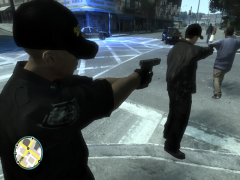 how do you gets gloves with your uniform?
 -
-
-
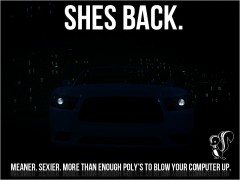 Can't wait to see what it looks like.
 -
-
Try uninstalling and reinstalling it, that worked for me.
-
I'm not sure about the size but live close to Kent and would love to see this IG.
-
-
This thing looks awesome!
-
I can try to make them for you. Just send me some pictures.
-
Try right-clicking, go to properties, then security, and check to make sure the permissions are set to make sure you have all the rights connected to your account...assuming you're using windows 7.
-
How did you get the gloves on your models? I've been looking everywhere on how to do it.
- 6 comments
- 2 reviews
-
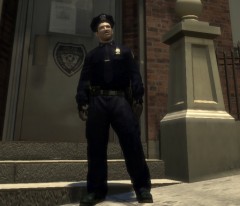 Awesome! The gloves are a nice touch.
 -
do you have a link for the uniforms? They look great.
-
-
-
-
The place you go for all of your GTA action!


