


EFox
Members
-
Joined
-
Last visited
Everything posted by EFox
-
I know that someone made a couple and they are posted in the support section. I have found that the original "police" placement works well for Crown Victorias.
-
First off, let me say that this mod is awesome and has been a long time coming. My only problem so far is that it does not turn on in my police patriot model. It works fine on my other police models, but for some reason it just does not want to work on the patriot. any ideas on why this might be?
-
-
You could always try to PM Nutt and ask him which one he uses and if he recommends it.
-
I didn't even see an interior model/texture for the door. It's just a blank grey area.
-
Amnesia the Dark Descent.
-
I think the height of it would make it much more dangerous than traditional spike strips. If you hit that thing going any faster than like 40mph I could see where any normal person would try and over correct or something and spin out of control or even flip depending on what they do. Sorry Pit-BUL but I'm going to stick with traditional strips as the winner.
-
Oh, well I might be mistaken but I thought I heard something about a spike strip being thrown around somewhere on here.
-
I believe Sniper296 is working on it as a part of a pack. It's still a WIP right now though.
-
Here are some of my skins that I've made. I'll be releasing more as I make them/as requests come in. I hope you enjoy them and do not re-release, or edit them without my permission. Wisconsin Highway Patrol Ford Taurus (Both all blue with stripe, and blue and white) Screenshot- LAPD Chevy Silverado MULTIPLE TALLMADGE,OH POLICE SKINS Tallmadge 2012 Dodge Charger 09 and later Chevy Suburban 06 and before Chevy Suburban 06 Dodge Charger Crown Victoria Police Interceptor BRUNSWICK CROWN VICTORIA REMINDERVILLE CROWN VIC CLEVELAND POLICE CROWN VIC AURORA POLICE CROWN VIC STRONGSVILLE POLICE CROWN VIC Screen shots to come soon. I will also be uploading some skins for firetrucks and ambulances. Might also be releasing some ped skins. This is a very large compilation of skins. I just haven't gotten around to releasing them.
-
It's a WIP.
-
The google earth mini map.
-
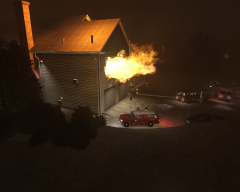 Thanks a lot Dhruv.
 -
Okay. I was just checking. I have no problem if you use the originals to make new ones, just credit me for the original skins. Thanks again.
-
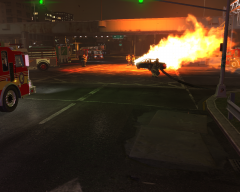 Does that picture show 2 firefighters using a hose?
 -
anyone know of any Smoke objects in SNT?
-
Your car mods are probably too high quality for your computer to handle. Try taking some of them out.
-
Well on GPM there is a 2011 interceptor with an Arjent on it, it's styled after the LAPD.
-
Just wondering if that's my charger skin for the 2006 charger? If it is I would just like some credit.
-
I thought about that too, but someone said it isn't possible. But maybe in GTA V.
-
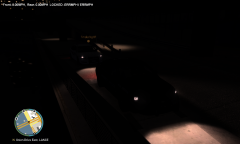 Nope, 2 2012 chargers. You can tell by the square head lights.
 -
That is the exact same lightbar, the only difference is the two middle lights aren't covered with black. You could easily change that by editing the appropriate emergency lights file in the vehicle's texture.
-
Did you rebuild and save the image file?
-
I saw this in the E3 coverage and it looks amazing! Almost like Grand Theft Auto meets splinter cell. I hope they make it for PC.
-
Post some pictures of what skin you're looking for.


