


EFox
Members
-
Joined
-
Last visited
Everything posted by EFox
-
-
Yes, I've tried it. There are no call outs for it, the peds just start attacking everything that moves with pistols, uzi's, M4's, RPGs, grenades, etc.
-
There is the PPM cheat. Go into your police computer, type ppm and then search. every ped instantly becomes armed and all hell breaks loose very quickly.
-
Thanks Kubeanie, great work as always.
-
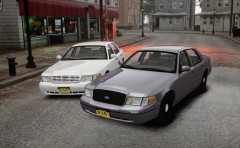 Looks great so far! Keep up the great work.
 -
-
The red is a little bit weird but other than that it looks pretty good.
-
-
Can you make coordinates for the 2012 Dodge Charger?
-
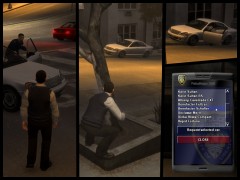 Looks awesome! Keep up the great work.
 -
-
Try using dsound.dll instead of xliveless
-
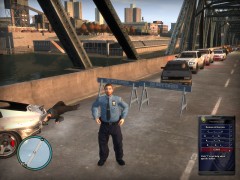 Nice! Can't wait to use it.
 -
Check on GPM, I know that there is a font knowledge thread with a bunch of example of different fonts. Then just search for the font on Google.
-
I was just about to ask for this.
-
-
Yes, it is. But have you tried going into your GTA IV directory and using LaunchGTAIV instead of the original application? Because this should prevent the Drunk Cam. If you let me know what your operating system is I can tell you where to look to find the GTA IV directory.
-
You can change the control keys in the configuration settings that you placed in the Scripts folder. It has a list of keys that you can set it to and the corresponding numbers that you need to enter in the configuration file.
-
Yeah, it's awesome. I like the light setup and the roof mounted searchlight.
-
Yeah, from the looks of it, the first handling line belonged to the newly released ELS golf carts.
-
You were right, that does look awesome on the Alaska Tahoe!
-
I really like the shoplifting idea! It would be really awesome and the alarms add another sense of realism to it.
-
http://gtapolicemods.com/downloads.php?do=file&id=1653 here you go.
-
Anyone have one that works well for the roof spotlight on the AST tahoe?
-
Check the light placement because I think that the default setting placed it right in the middle of the vehicle.


