


EFox
Members
-
Joined
-
Last visited
Everything posted by EFox
-
WE need to get one of these in GTA IV though!
-
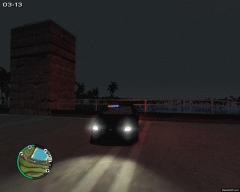 I think I know what that is.
 -
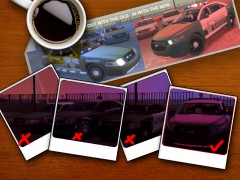 I really wish this was a release. Great work as always.
 -
You should be able to go to that side of the vehicle and try to get in, F key by default, and that usually gets them out for me. Just make sure you are running up against the passenger side door.
-
-
I agree, I switch cars about once every week maybe more, I have probably 150+ vehicles on my computer and sometimes I switch them around to match my needs. I've made multiple skins and sometimes it's hard to remember every model I use too.
-
There you go, try to be a little more friendly, it will really go a long way. http://gtapolicemods.com/downloads.php?do=file&id=1298
-
Where did you get that model? It's awesome!
-
-
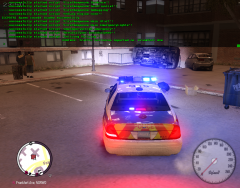 Can't wait to see the video! This looks great from these pics. Will you be able to respond in a firetruck/ambulance as well?
 -
Gotta love the dual lightbars!
-
Could it really be that easy?
-
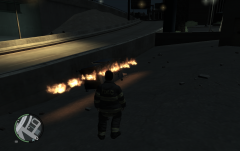 Still looks awesome! Keep it up!
 -
That was hilarious!
-
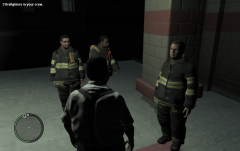 Awesome Anti! Can't wait to see more! I got kind of worried after reading the post on GPM. But glad to see it's gonna be released!
 -
I don't even think you can hook a PS2 controller up to a computer...
-
 What crown vic is that? It looks really awesome.
 -
As far as I know there are no non-ELS versions of any of the vehicles you're looking for. Sorry.
-
there you go.
-
There are domestics, muggings, shots fired, pursuits, shoot-outs, drug deals and I think that's it.
-
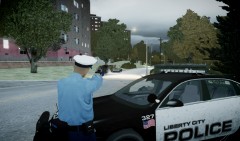 Yeah, that's neither of those vehicles.
 -
Just curious, is that car an impala? Just asking because it looks like it could be another certain chevy model ;)
-
hmmm, try reinstalling the script in your folder maybe?
-
try pressing "~" in game and type reload scripts. That usually will work.
-
I can't wait for ArmA III at all! It's going to be so awesome.

