


Nutt
Members
-
Joined
-
Last visited
Everything posted by Nutt
-
-
-
-
@ASTT what??? The belt should be black... the screenshots are just OpenIV or Spark raw captures.
- 11 comments
- 8 reviews
-
-
EVI's EVI Demo Tahoe: BxBug's Custom Charger: NickieB 08 Charger: BxBug's download area: http://gtapolicemods.com/downloads.php?do=cat&id=15 Hope that helps... :)
-
-
-
-
It's not full, my inbox is having server side issues. As for the Bxbug's- K-9 Impala, I'll help you out.
- 13 comments
- 3 reviews
-
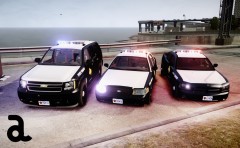 Nice work Cj...
 -
-
-
This livery package includes Amtrak Police liveries for Cj24's Police Dodge Chargers and a finalized updated 06-08 Charger liveries. The 06-08 Charger liveries striping lines and black serpentine boxes have been redone (cleaned up from the remastered edition). All liveries come in Ash-White, Black and Deep-Blue coloring schemes. Enjoy!!! About Amtrak Police: http://en.wikipedia.org/wiki/Amtrak_Police Cj24 Unmarked 2012 Charger: http://www.gta-moddi...-els/index.html Cj24 OSHP 2012 Charger: http://www.gta-moddi...-els/index.html BxBug's 06-08 Charger: http://gtapolicemods.com/downloads.php?do=file&id=816 NickieB's 06-08 Charger:
- 13 comments
- 3 reviews
-
GPU (Graphics Processing Unit), aka your graphics card handles 95% of your systems graphic chores (pixel shaders, vertex processing, texturing, post processing, etc...). A good 7200 rpm WD or Seagate is good place to start with... If you have some money saved up, a good SSD would be even better.
-
Are you using ELS enabled vehicles, and in the proper spots (police, police2, FBI, etc...)?It really depends on the contrasting colors and shades are blended with each other, and how good your ENB/ICE/Timecycle brings them out. Stealth liveries look good at night (if done correctly), and textures with reflective attributes/designs also work well.
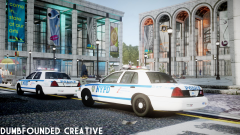 The MSP vehicles also?Update your hard drive and GPU ASAP. Seriously, 5400 rpm HDD is beyond slow and the GPU is somewhat (is) a basement value card. A solid Raptor HDD, or SSD (maybe SAS HDD)... will net you better frame rates alone...I wouldn't exactly say that... a good SSD for gaming needs, 8GB of memory minimal, a solid quad-core processor (Intel preferably), and a GPU (Nvidia preferably) with lots of VRAM. The SSD alone will net you 7-10fps in most games...
- 61 comments
- 10 reviews
-
-

- 1
-
The only thing that I can suggest is monkey with the Radius (Contrast probably) setting within the Bloom area and tinker with the emissive settings within the visualsetting.dat file.- 61 comments
- 10 reviews

