HomerS
Members
-
Joined
-
Last visited
Everything posted by HomerS
-
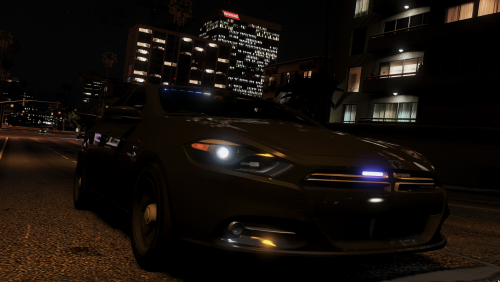 I've been waiting for this... No matter how god awful the Dart is I love it in games.
- 19 comments
- 19 reviews
-
-

- 1
-
-
I do believe that was the person who made the indicator script for IV. I'm not sure if Carperino still has his account. If not then maybe him.
-
Mhm. I saw it updated and I do believe they said it would be compatible in the next patch, but IDK. Thanks though.
-
So I recently ran into an issue with the latest RDE. My game was crashing with the normal gameconfig so I tried the other one available for download. Now my game gets stuck on launch right after it loads plugins. I'm running literally 3 mods. EUP LE, RDE, and MVGA. That's it. I'm not too sure what to do. Any ideas?
-
-
This is what I hate about "big" modders. Most are just jerks who don't care about the community and are just modding for themselves or to have the community bow down and say how much they love them. Messed up world I swear.
-
Nuff said. My hill.

-
@allofthemods It got taken down because modders don't like their dev parts converted to V from IV. Don't ask me why I just think we should release dev parts so people can be happy. never got the modder mentality of "This is mine and you may not have it because I said so."
-
I just wished modders released dev stuff. I mean why can't they just release stuff to make people happy? Or let them have fun? I think to most modders, "happy", and "fun" are foreign to too many of them.
-
@Sheriff CWF Try updating the mod. I know with one version of PoliceSearch had an issue with searching motorcycles. No clue with Computer+.
-
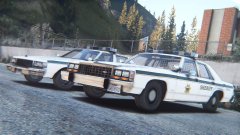 Just remember someone will always want it :)
 -
@RobertTM Will you add this to the pack? Same with the cars for the capitol police pack.
-
-
I figured you would want to know what the problem was. I think I figured it out. I installed Captain14 LSPD pack and then uninsalled it. It turns out it removed meta lines for some models. Maybe I'll give in and use a mods folder maybe.
-
People usually get stumped on my issues :D. I'll give the x64e method a shot, but unmodded police4 files are in x64e so go figure. Thanks for trying. I'll most likely verify if I can't stand the issue anymore. That was last resort, but that works 99% of the time. Once again thanks.
-
I do agree with you anything can happen. Here's the thing though. I never used it when starting out. So when I installed OIVs and even non OIVs I intall them into the vanilla game. It's force of habit really. And at that point every time I do it wrong and I have to verify. So it takes even longer than normal to mod my GTA 5. And that's odd that x64e took precedent. I've never had that. In fact I was just using some models in sheriff, sheriff2, and policeold1. These worked just fine. For curiosity's sake are you using Steam? I have the game on there and I wonder if that's why you can't and I can. But trust me when I say I've never had a single issue regarding replacing vehicles.
-
Oh I know. It's a pretty common misconception that you MUST override the files. If you put the files in the most recent patchday the game thinks it's been updated by R* and uses those files in the game. I've done this for at least a year now without incident. And I don't use a mods folder. I have in the past and things just got messy.
-
I didn't edit any meta files myself as nothing required it. I installed the police4 model into patchday15. I did not delete the original files (I never do and it never causes an issue). I am not using a mods folder. Oh and I did delete the police4 mod with no result.
-
Tried it. It's like the files don't even exist (yes the files do exist). Ya know how a police stainer spawns at the airport NOOSE station outside in the little driveway? Well it just puts a random car model there. Not even a police car. Just a random car.
-
Well ever since I reinstalled I have actually DECREASED the usual number of mods I run. The only thing I usually use that would affect meta files is VisualV and I'm not using that this time around. So I have no idea what would cause it. I might just verify my game too unbearable, but as of now my game is playable.
-
Removing the mod didn't do it. I can't think of what else it would be :/
-
Well I'm uninstalling the mod now (replacing with a handling mod updated for this version). And I have no idea as as soon as I get the game installed I dump in all my scripts, plugins, and other mods I need. I know I should put them in slowly, but... :)
-
That's not as easy as it sounds, but I'll see what I can do.
-
I put all replace car files in patchday15. However this shouldn't be an issue as police, and police3 aren't modded.
-